Filter activity by category
Choose one or more activity categories, learn which events each group contains, and confirm the matching total returns to page one after changes.
Last reviewed
Use Category when you know the part of the workspace involved but not the exact event name. The browser app can show several categories at once and combine that choice with Member or Action.

What the category choices include
The current Category menu contains six groups:
- Files covers uploads, downloads, versions, file deletion and recovery, rename, move, copy, lock, and visibility changes.
- Folders groups folder creation, rename, move, and deletion.
- Sharing includes file or folder shares, revoked links, and file-request creation, upload, or revocation.
- Members contains invitations, joins, removals, departures, revoked invitations, ownership transfers, role changes, and folder-access changes.
- Workspace matches workspace creation or updates, setting changes, and role updates or deletions.
- Comments limits the feed to added and deleted comments.
These groups cover the action IDs listed in Dosya’s activity catalog. An event whose newer action ID has not been assigned to one of those groups may still appear in the unfiltered feed but will not be returned by a category selection.
You need View activity log for the page. A member restricted to one folder cannot open this workspace-wide log, even if their role otherwise grants that permission. The route does not inspect the subscription tier; access depends on membership scope and role permissions. Category filtering only reads audit records and cannot change, undo, or delete any workspace item.
Steps
- In the browser app, select the active workspace you want to investigate.
- From Dashboard, find the Activity card and choose All. You can instead use the top search field, type
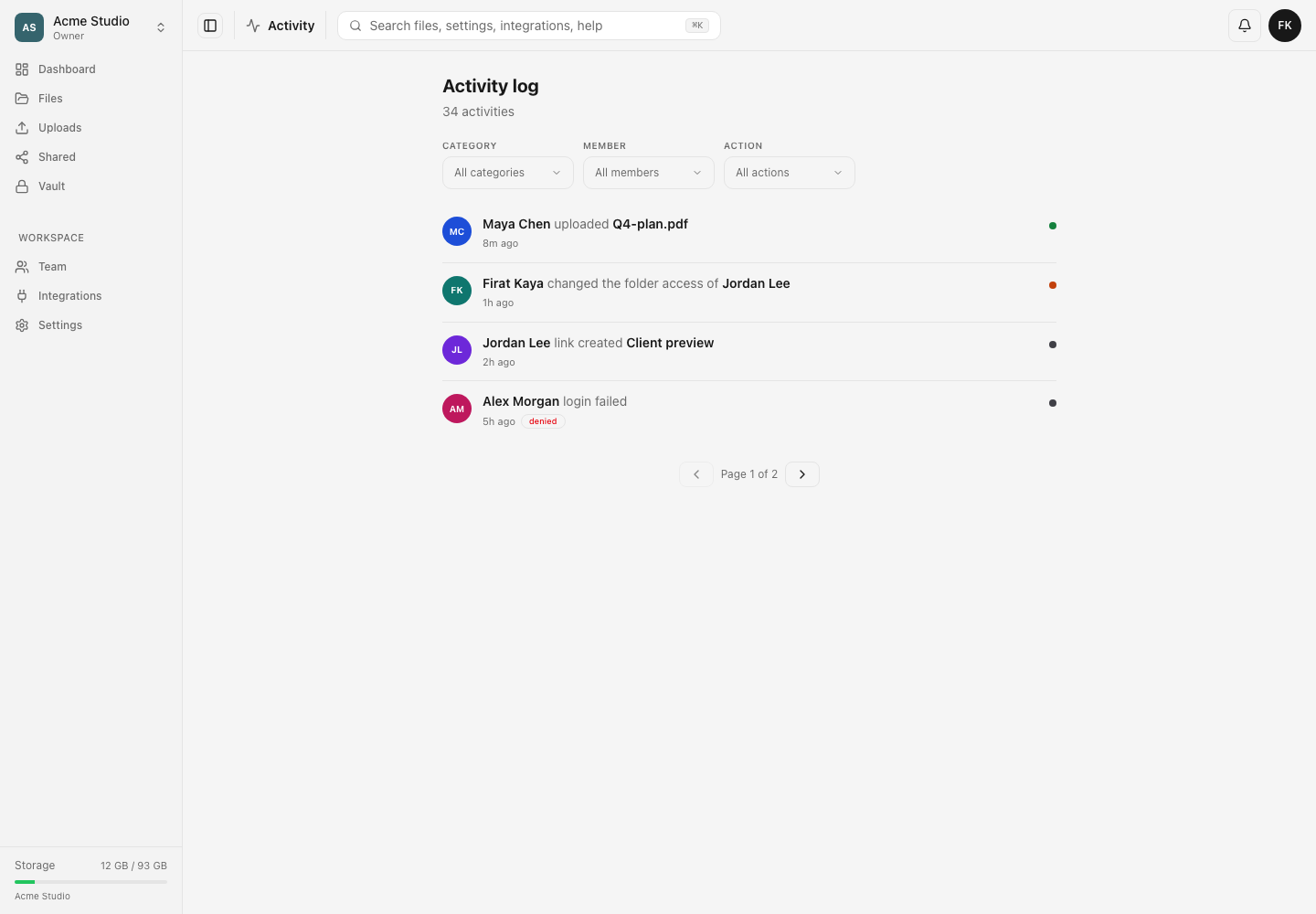
Activity, and open the Activity result. - Confirm the heading says Activity log and note the total shown beneath it.
- Open Category, whose unfiltered value is All categories.
- Check one or more category names. Each check immediately requests a new result set; there is no separate Apply button.
- Read the count again. Dosya adds (filtered) and resets the pagination control to Page 1 whenever the category selection changes.
- If needed, add Member or Action constraints. Multiple categories match any selected category, while a different filter menu must also match. For example, Files plus member Ada means file-category events attributed to Ada.
Changing the category selection clears every current Action choice because the available action list is rebuilt from the chosen groups. Select the categories first when you intend to use both menus.
Expected result
The header reports the number of events matching the complete filter combination, followed by (filtered). Rows remain ordered from newest to oldest. A result set longer than 30 rows displays Page 1 of N with next and previous controls.
If the result looks wrong
A category produces no rows. The page shows No activity found and Try adjusting your filters. Remove a Member or Action condition, or choose Clear filters to return all three menus to their All state.
The action you need is absent after choosing a category. Open Category and add the group that owns that action, or remove all category checks so Action offers every catalogued type.
Activity is not available. A resolved permission check shows You do not have access to this page. Ask an owner or admin to grant View activity log. Folder-confined access cannot be expanded from this screen.
The request fails instead of returning zero events. The error card says Could not load the activity log and includes Try again. Retry after checking the connection; a successful empty query uses the distinct No activity found state.
Related guides
Was this helpful?
Loading helpfulness results…
Voting saves a necessary ballot cookie for up to 180 days so you can change your answer.
Questions and replies
Ask about the steps in this guide. Questions are reviewed before publication.
Keep account details, credentials and private files out of public questions. Use private support for those.
Loading questions…
Sign in to your Dosya account to ask a question.