Filter activity by workspace member
Choose current workspace members, combine the selection with other filters, and verify the log shows only events attributed to those people.
Last reviewed
The Member filter narrows the audit feed by recorded actor. Use it to review one person’s workspace operations or compare a controlled set of current members without changing their roles, files, or sessions.

Permissions and member availability
Opening the dedicated audit page requires View activity log. Populating its Member menu additionally requires View team members, because that menu contains the workspace roster, including names and email addresses. A role with the first permission but not the second can still read permitted activity rows, while the Member menu opens with No options.
Neither the roster selector nor the log applies a subscription-tier test. The two permission keys and the absence of a folder restriction determine whether this workflow is available.
The choices are current members sorted by name. Dosya displays a member’s name, falling back to their email when the name is empty. Someone who left or was removed may still have historical events, but they are no longer in the selectable roster; investigate those rows through time, category, and action instead.
A request accepts at most 50 selected member IDs. If a large workspace needs more than 50 actors checked, divide the review into smaller groups so every intended person reaches the server.
Steps
- Choose the relevant workspace in the browser app.
- Open Activity log by selecting All on Dashboard’s Activity card, or search the top bar for
Activityand open that page result. - Select Member. With no constraint, the trigger reads All members.
- Check the person or people whose actions you are tracing. The dropdown remains available for multiple selections and shows one name or
N selectedin its trigger. - Let the page refresh; selecting or removing any member returns the feed to Page 1 without an Apply step.
- Under Activity log, verify each visible row names one of the chosen actors. If Category or Action is also active, confirm the row satisfies those conditions too.
- Read the updated total beneath Activity log. The (filtered) marker means at least one of the three menus is constraining the results.
Within Member, the checked people are alternatives: an event by any one of them qualifies. Across menus the logic is cumulative, so two members plus Sharing shows sharing-category events by either selected actor. Each browser page contains up to 30 matching rows.
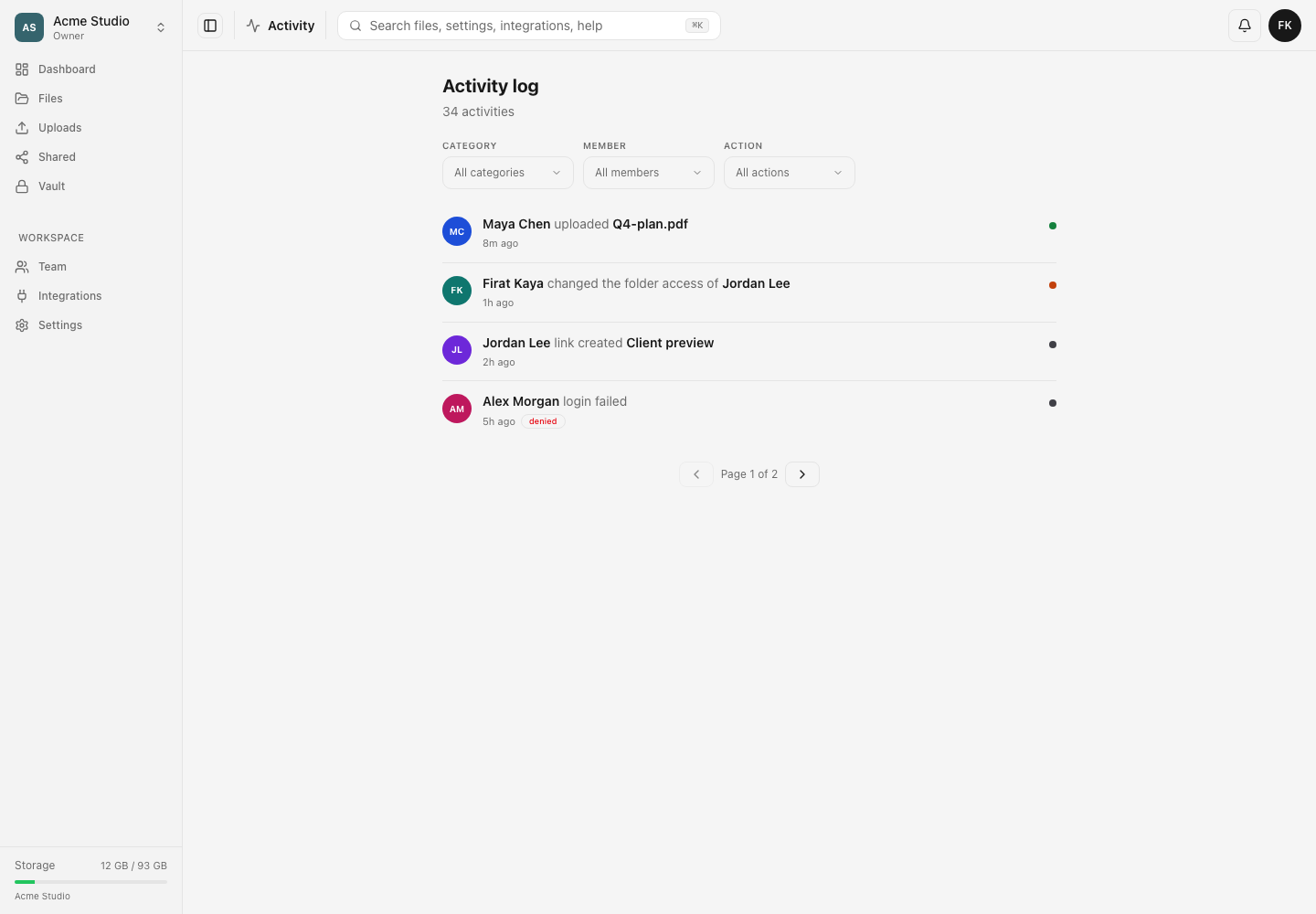
Expected result
The count covers every audit event attributed to one of the selected current members that also meets the active Category and Action constraints. The visible slice begins on page 1, and the rows keep descending timestamp order.
Filtering by a person does not expand what you may learn about that person. Owners and admins can see available forensic fields. Other roles with log access receive another member’s event with source IP, device, location, session, and request identifier removed; inaccessible file or folder names are withheld as well.
Resolve missing members or events
Member opens with No options. Confirm the role has View team members as well as View activity log. This state can be correct even while activity rows load normally.
A former member is absent. The selector is built from present workspace memberships. Clear Member, then narrow with Action or Category and identify the historical actor in the returned rows.
The list shows No activity found. Choose Clear filters, reselect a smaller actor set, and add other conditions one at a time. The empty message is a successful query, unlike a failed request.
Could not load the activity log appears. Select Try again after checking connectivity. A folder-confined account receives Not a member for this workspace-wide endpoint and needs an unrestricted membership to use the page.
Related guides
Was this helpful?
Loading helpfulness results…
Voting saves a necessary ballot cookie for up to 180 days so you can change your answer.
Questions and replies
Ask about the steps in this guide. Questions are reviewed before publication.
Keep account details, credentials and private files out of public questions. Use private support for those.
Loading questions…
Sign in to your Dosya account to ask a question.