Read photos for Personas on your phone
Choose when the dosya app reads photos for Personas, keep it reading in the background on iPhone or Android, and check progress and waiting reasons.
Last reviewed
On a phone, the dosya app reads your photos for Personas itself. You decide when it may do that: only while the app is on screen, while the phone charges, or at any time. The phone also checks Wi-Fi, battery and temperature, so reading does not eat into your data plan or leave you with a flat battery.
These settings belong to this phone only. Your computer and your other phones keep their own choices.
Before you start
- Sign in to the dosya app and select the workspace whose photos you want grouped.
- Turn Personas on for yourself in that workspace. The first steps are in Find and name people with Personas.
- Have your Vault passphrase or recovery code ready. Personas uses it to protect your people. See Unlock Vault on mobile.
- Open Personas once with the app in front and a connection. On first use the app downloads about 40 MB of files it needs to read faces, and it only does this while it is open.
Steps: open Personas and its settings
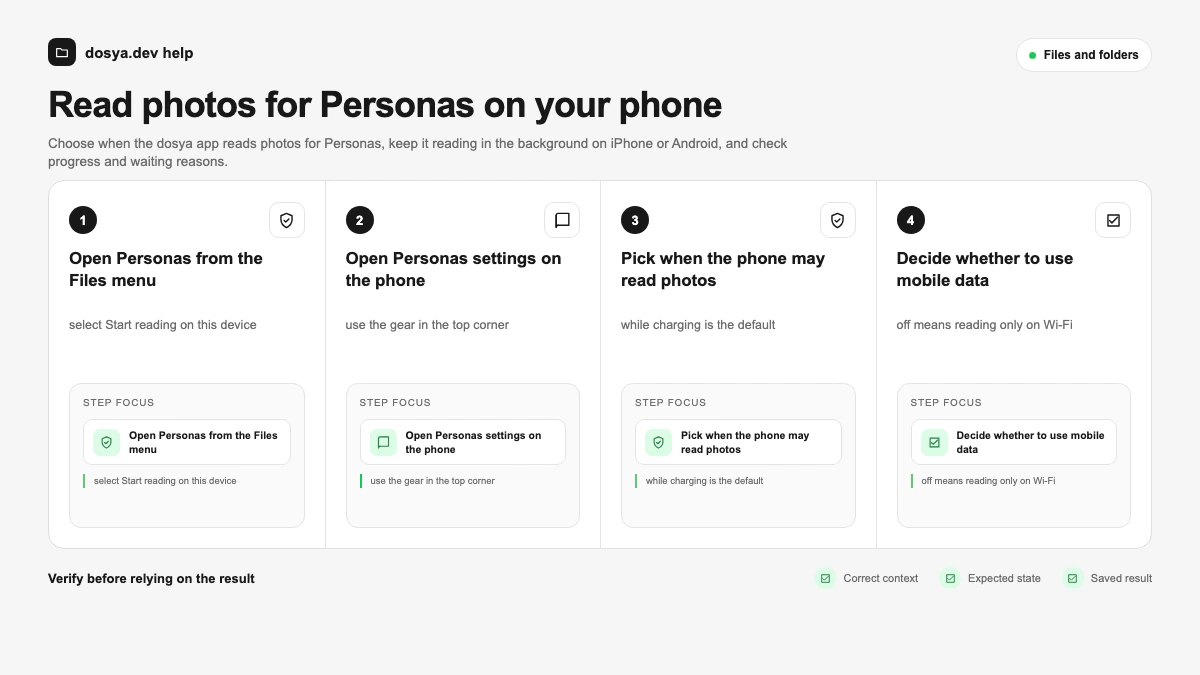
- In the Files tab, open the side menu and tap Personas.
- If you see Find people in your photos, tap Start reading on this device. Set up or unlock Vault if the app asks.
- Tap the gear in the top corner. Its name for screen readers is Personas settings.
Steps: choose when your phone reads
- In Personas settings, find When Personas reads.
- Pick when the phone may read photos:
- Only while dosya is open: reading happens only while the app is on screen. The phone still needs to be on a charger.
- While charging: the default. Reading happens with the app open or in the background, as long as the phone is charging.
- Any time: reading happens on battery too. It waits when the battery is below 20% and the phone is unplugged, or when Low Power Mode is on.
- Decide on Use mobile data. It is off at first, which means photos are read only on Wi-Fi. Turn it on to allow reading over your mobile connection.
Whichever option you pick, reading waits while the phone is hot. Background reading also waits while dosya is playing music or audio.
iPhone: background reading
With While charging or Any time, iPhone decides when dosya gets time in the background. In practice this is mostly overnight while the phone charges, so progress can arrive in batches.
- If Background App Refresh is off for dosya appears under the options, tap Open Settings and turn Background App Refresh on for dosya.
- On iOS 26 or later with Any time, the progress card on the Personas screen offers Keep reading in background. Tap it before you leave the app. iPhone then shows Reading photos for Personas with a count while it keeps going.
- Avoid swiping dosya out of the app switcher. iPhone may stop giving it background time after that.
Android: background reading
- When you first pick While charging or Any time, dosya asks once to send notifications. Allow it. Android needs a visible notification for the app to keep reading behind the scenes.
- While it reads, a notification says Reading photos for Personas with a count. Its Pause button pauses Personas on this phone.
- If you see Tap to keep reading photos for Personas, tap it. The app opens and carries on.
- If Notifications are off for dosya or the battery warning appears under the options, tap Open Settings and allow dosya to run in the background. Phone makers name these controls differently.
The same kind of phone battery limits can hold back backup too. Review battery restrictions that pause backup walks through them.
Check progress
- The card at the top of the Personas screen shows Read … of … photos on this device, a progress bar and Pause or Resume.
- Under the bar, Keeps reading in the background while charging or Keeps reading in the background confirms that background reading is set up.
- If the count stops, the card names what it is waiting for, such as Waiting for Wi-Fi or Waiting for a charger.
- In Personas settings, the Last background read line says when the phone last read in the background and how many photos it got through.
- The card goes away once every photo is read.
The newest photos are read first. A person shows up once their face has been found in at least 3 photos.
Expected result
Your phone reads photos under the conditions you picked, the count on the Personas card rises over time, and new people appear in the grid. Photos this phone reads are added to your encrypted people index, so your other devices see the same people.
Related guides
Was this helpful?
Loading helpfulness results…
Voting saves a necessary ballot cookie for up to 180 days so you can change your answer.
Questions and replies
Ask about the steps in this guide. Questions are reviewed before publication.
Keep account details, credentials and private files out of public questions. Use private support for those.
Loading questions…
Sign in to your Dosya account to ask a question.