Inspect details for a share access event
Read one access-log row's time, event, opaque visitor, country and device fields without mistaking anonymous telemetry for recipient identity.
Last reviewed
A share access event is one row in the link’s Access log. Rows are not clickable and Dosya has no event-detail drawer; all supported detail is already present in the table.

Steps
- In the web app, open Shared → By me and select the link. You need membership and target visibility. view_own_shares permits your own link; inspecting a teammate’s link requires view_all_shares.
- Scroll to Access log — Every open and download, newest first. Dosya returns the newest 25 events. If Showing X of Y events has a larger
Y, older rows exist but this screen has no pagination or load-more button. - Choose All, Opens or Downloads. The selection filters the already loaded rows in the browser. It does not retrieve older matching entries or alter the link’s all-time counters.
- Read When as the recorded event time. The table orders events newest first, so use this value—not row position alone—when comparing with a controlled test or an incident timeline.
- Read Event as Opened or Downloaded. Opens are first-open evidence for the analytics count because returning visits sharing the same stored hash are deduplicated; downloads are recorded without that deduplication.
- Treat Visitor as an opaque correlation label. It is the first eight characters of a non-reversible IP hash, or
unknownwhen absent. Neither a raw IP address nor the full hash is sent to the page, and the short value is not a person’s identity. - Read Country as the two-letter location code supplied by the edge at event time. Hover an unavailable value to see Not known for this event. Missing location is expected for older or unplaceable traffic and must not be converted into a guessed country.
- Read Device as a friendly label parsed from the stored user-agent string. It describes browser/device software and can be inaccurate or shared; it does not authenticate the operator.
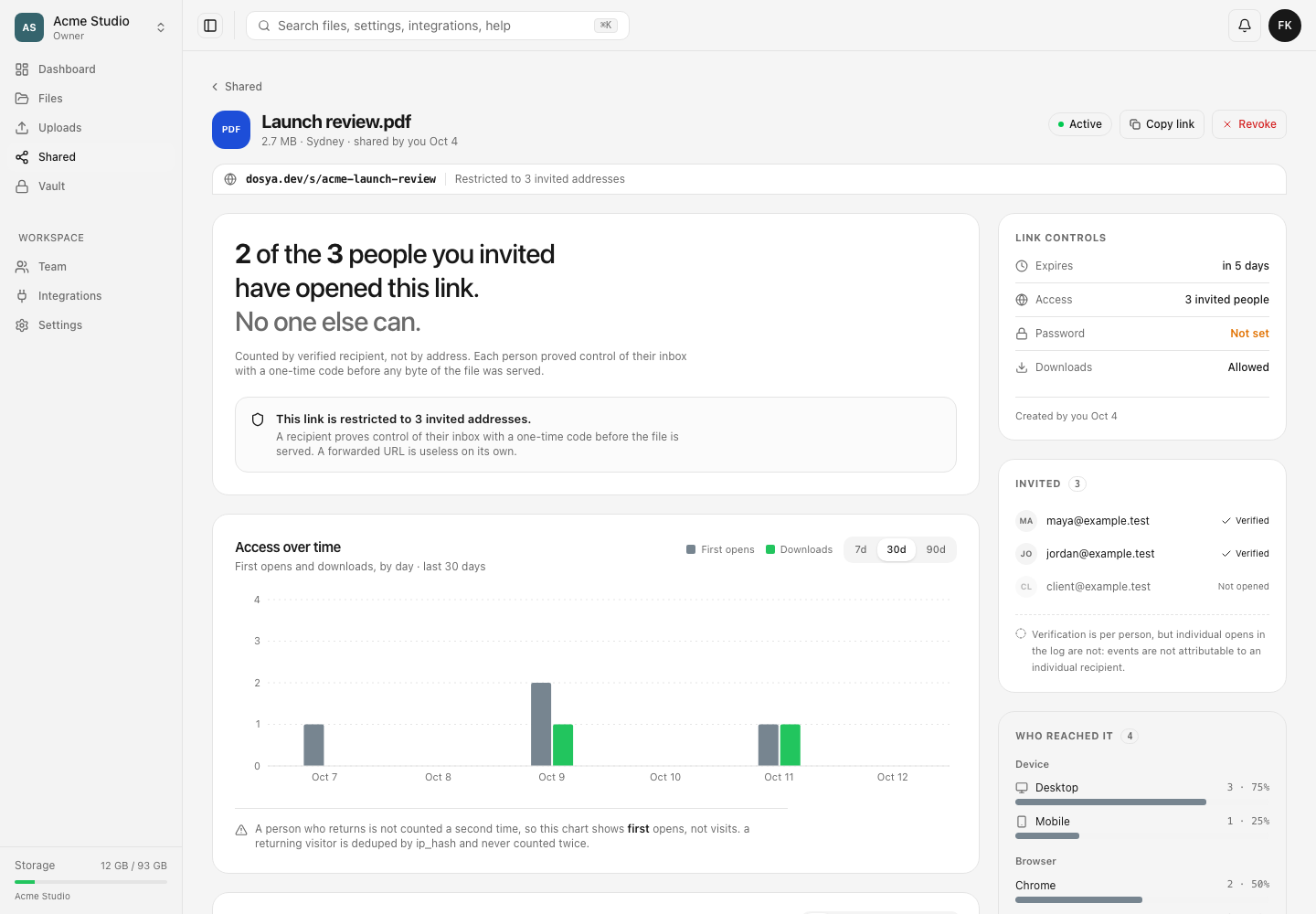
- For a named-recipient link, compare the row with the separate Invited panel only as context. Verified proves an email address completed a one-time-code check, but the grant cookie and event row do not contain that address. You cannot attribute an individual open or download to one recipient from this page.
- If the row is unexpected, verify the share URL, access mode, password, expiry and download policy before deciding whether to revoke. Reading or filtering an event changes no data and sends no notification.
Missing rows or page errors
A controlled first open is expected to reach the chart within a minute. Refresh after that interval and make sure you opened the same link. A later event may displace an older row once the visible list reaches 25, while the all-time total continues to include it.
If the route shows This share link is not available, return with Back to Shared and check scope and ownership. Exact API messages can be Share link not found, Associated resource not found, You don’t have permission to view share links, or You don’t have permission to view this share link.
Expected result
You can describe the visible event’s recorded time, action, short visitor handle, country availability and parsed device, together with the limits on completeness and attribution. No extra event details are available by selecting the row.
Related guides
Was this helpful?
Loading helpfulness results…
Voting saves a necessary ballot cookie for up to 180 days so you can change your answer.
Questions and replies
Ask about the steps in this guide. Questions are reviewed before publication.
Keep account details, credentials and private files out of public questions. Use private support for those.
Loading questions…
Sign in to your Dosya account to ask a question.