Correct your own file comment
Edit a comment you authored, preserve its original file anchor, update mentions safely, and verify the corrected text without duplicating the thread.
Last reviewed
Edit an existing message when its meaning needs a small correction. Editing keeps the comment in place and preserves the page, playback position, and file-version anchor captured when it was first posted.

Who can edit. The current web interface shows Edit only on comments you authored. You must still be a member who can access the target file; the API rejects another author’s message with You can only edit your own comments.
Steps
- Open the affected file, select Comments, and locate your message by its text, author, and time. On the standalone Comments page, edited entries are marked
edited. - Open the comment menu and choose Edit. The composer changes to Save and offers Cancel.
- Correct the smallest necessary portion. A saved body must contain text after trimming and must be no longer than 5,000 characters.
- Review any
@mentions. Up to 20 eligible members can remain. A person must still be able to see the file to be accepted as a mention. - Choose Save. Confirm the message itself changes and no second top-level comment appears.
- Reopen the page or media anchor. Editing cannot move the original anchor to a different PDF page, playback time, or version; post a new comment when the review context changed.
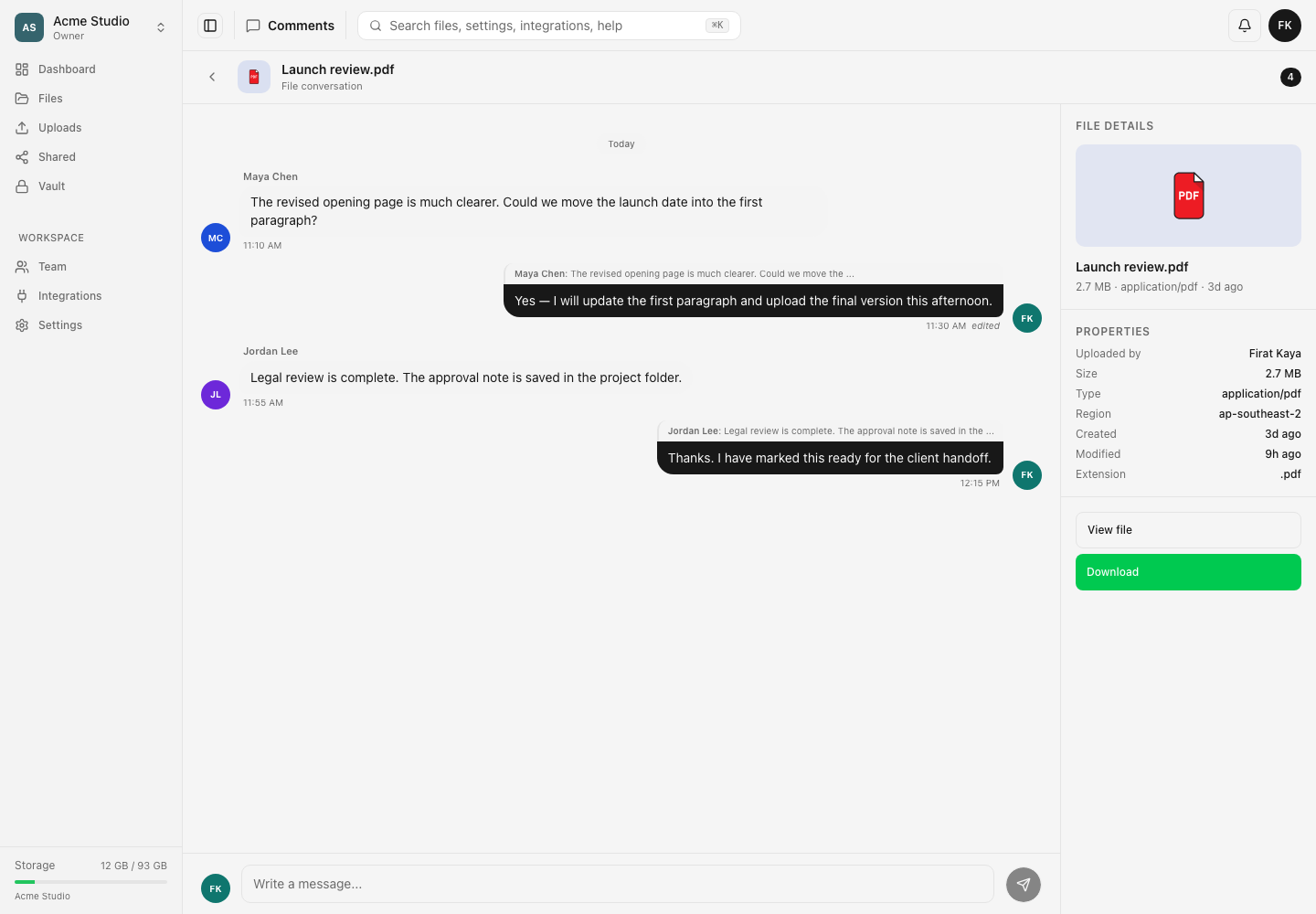
Notification behavior. A text-only correction does not repeat the normal owner and thread-participant notices. Newly added eligible mentions are notified, which is useful when the correction assigns a new reviewer.
If saving fails. Comment body is required indicates an empty edit. Comment too long (max 5000 characters) requires shortening it. Too many mentions (max 20) means the recipient list must be reduced. If access or membership changed, reopen the correct workspace and verify the file is visible before retrying. Choose Cancel if you cannot confirm the intended change; the stored comment remains as it was.
Expected result
Your existing message displays the corrected body and retains its original thread position and context anchor. Only newly introduced valid mentions can create fresh mention notifications.
Related guides
Was this helpful?
Loading helpfulness results…
Voting saves a necessary ballot cookie for up to 180 days so you can change your answer.
Questions and replies
Ask about the steps in this guide. Questions are reviewed before publication.
Keep account details, credentials and private files out of public questions. Use private support for those.
Loading questions…
Sign in to your Dosya account to ask a question.