Move several files together
Move a mixed file and folder selection in Dosya, understand partial results and Live Photo pairs, and recover from permission or destination conflicts.
Last reviewed
Moving a selection changes each item’s parent inside one workspace. Dosya does not copy file bytes during a move, but a mixed selection is processed item by item, so one refusal does not roll back items that already moved.

Before you start
- Open Files in the intended workspace. The destination picker stays within that workspace; this workflow cannot move items between workspaces.
- File moves require the role permission
upload_files. Folder moves requirerename_folders. The Move button appears when either permission exists, so a mixed selection can include rows your role cannot move. - Unlock the selected file, its ancestor folders, and the destination when required. A locked WordPress backup cannot be moved into, out of, or within.
- Check the destination for same-name files and folders. Dosya does not merge or overwrite on a move.
Steps
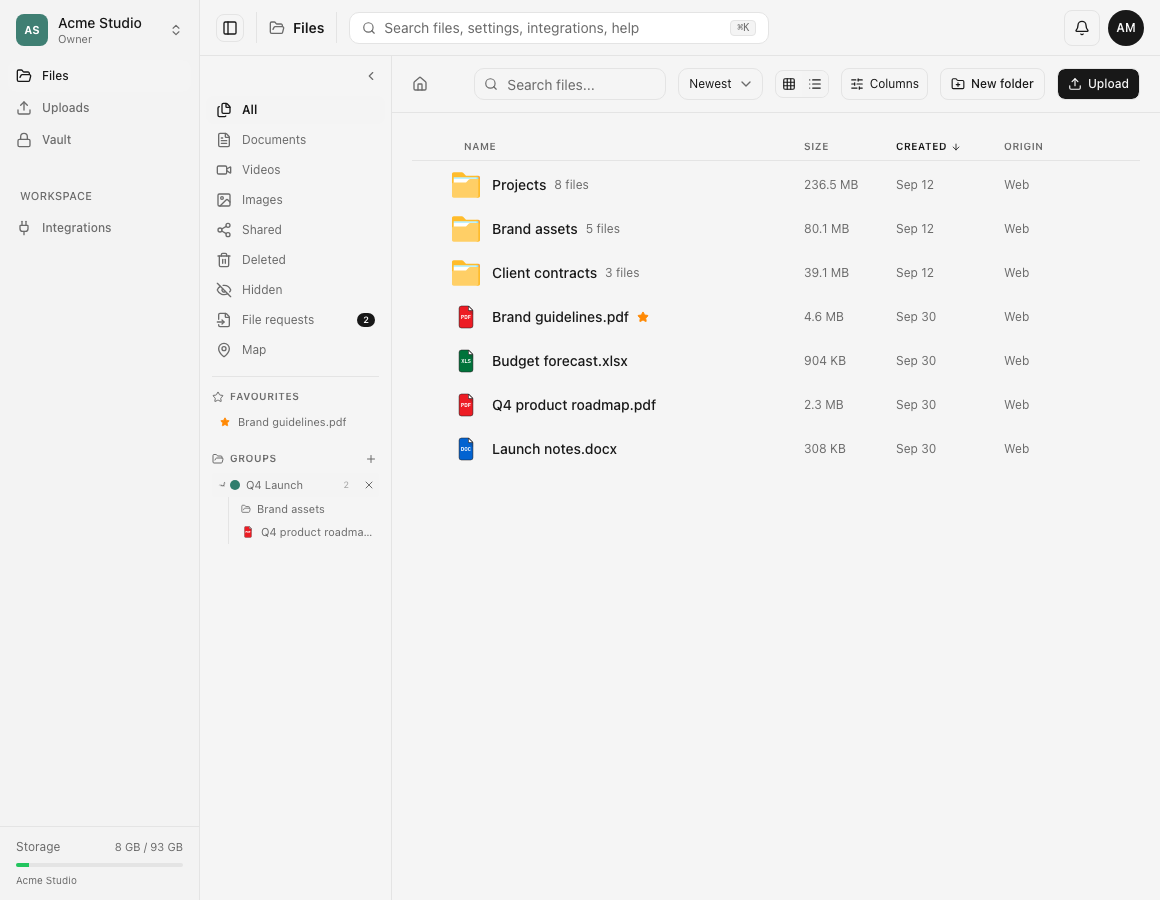
- Select the checkboxes beside the files and folders. Use Select all only after checking the current folder, filters, and page.
- Read the selection count in the bulk bar, then choose Move.
- In Move to folder, open the intended destination or leave the picker at the workspace root. The picker omits a single folder being moved, but a descendant can still be browsed; the server rejects that cycle.
- Choose Move. The web client keeps up to six item requests in flight. A selected Live Photo still also moves its paired video, although the twin is not added to the displayed selection count.
- Read the completion toast. Web reports Moved when every selected row succeeds, or Move finished with “N moved, M skipped” after partial completion. Those counts omit the extra Live Photo video request, so Moved can still appear when that paired-video move failed.
- Open both source and destination. Confirm each expected item appears once, verify that every selected Live Photo still and its paired video arrived together, and check that any skipped row remains at the source.
Expected result
Each successful file keeps its ID, bytes, versions, and storage usage while its folder reference changes. A successful folder carries its complete subtree to the new parent. Existing links address the same IDs, and sync or WebDAV listings refresh for the old and new locations.
Troubleshooting
- “File is already in this folder” or “Folder is already here.” Pick a different destination. That item stays where it was.
- A same-name item blocks the move. Files return A file with this name already exists in the target folder; folders return A folder with this name already exists in the target folder. Rename one item before retrying.
- A folder is skipped. Do not choose the folder itself or any folder below it. The exact cycle errors are Cannot move a folder into itself and Cannot move a folder into its own subfolder.
- Only part of the selection moved. Permissions, confinement, hidden state, locks, or destination conflicts are evaluated for each item. Correct the skipped rows, select those remaining at the source, and run a second move.
- A Live Photo split across two folders despite “Moved.” The web result ignores the added paired-video request. Locate the still and video, move the remaining half to the intended destination, and verify the pair there.
- Desktop says items moved after individual error toasts. Desktop currently catches per-item failures while continuing the batch. Treat the refreshed source and destination as authoritative.
Related guides
Was this helpful?
Loading helpfulness results…
Voting saves a necessary ballot cookie for up to 180 days so you can change your answer.
Questions and replies
Ask about the steps in this guide. Questions are reviewed before publication.
Keep account details, credentials and private files out of public questions. Use private support for those.
Loading questions…
Sign in to your Dosya account to ask a question.