Delete multiple items together
Delete many Dosya files and folders safely, understand chunk limits, locked-item refusals and partial results, then verify each item in Deleted.
Last reviewed
A normal batch delete is recoverable: it moves selected files and complete folder subtrees into Deleted. The bytes continue counting against workspace storage until a later permanent deletion.

Before you start
delete_any_filepermits deletion regardless of creator.delete_own_filesapplies only to items owned by the signed-in user and to subtrees whose contents pass the same ownership check.- A locked selected file, or a live file below a locked ancestor, refuses its whole group of up to 20 files, so the other files in that group also stay live. Hidden rows are omitted from processing.
- A live WordPress backup lock is a separate preflight guard. A file group or folder that touches the protected tree returns HTTP 423 with
error: backup_lockedand is refused whole. The desktop app sends selected files and folders in one request, so there a single protected item refuses the entire mixed request before writing either half. After that guard passes, a folder in such a mixed request that fails ownership, its own or an ancestor lock, or subtree authorization is skipped while eligible folders continue. - A folder selection includes every live child folder and file in its authorized snapshot. The confirmation names the selected roots rather than every descendant.
- The API accepts at most 500 file IDs per request. Web sends selected files in sequential groups of 20 file IDs, then moves each selected folder separately in bounded passes, so progress keeps advancing on a large selection.
Steps
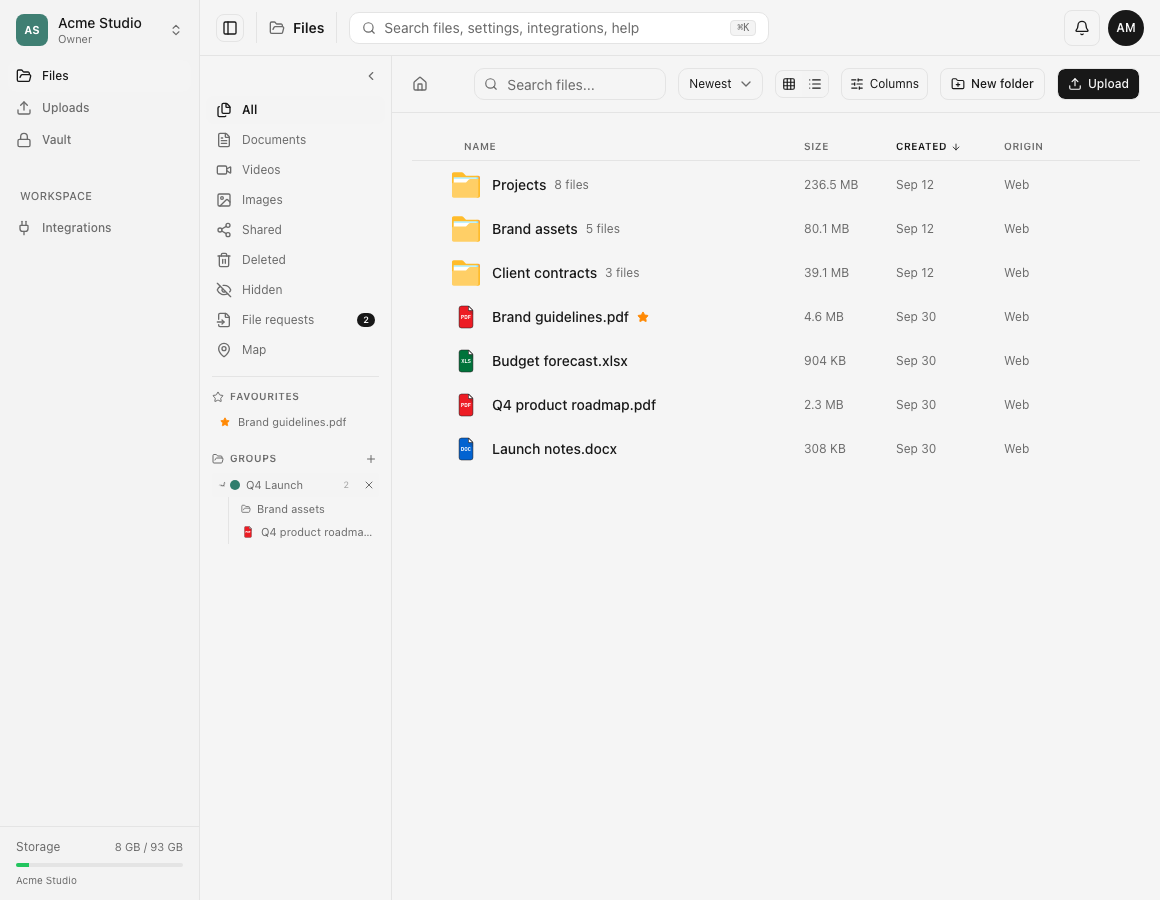
- In Files, select the rows to remove. Selecting a Live Photo still automatically includes its paired video in the delete request; the confirmation states how many extra videos are included.
- Choose Delete in the selection bar.
- Read Delete selected items? and verify its separate file and folder counts. If folders are included, read the notice that everything inside them is deleted too.
- Press Delete. Soft-delete progress cannot be cancelled after it begins; wait until every file group and folder has finished.
- Read Deleted for complete success or Some items could not be deleted with the deleted and failed counts. That message reports counts only; it does not say why an individual item failed.
- Open Deleted and confirm each intended file or folder root. A folder’s descendants stay attached to that trash root and are restored with it rather than shown as independent roots.
Expected result
Successful rows leave the live listing and remain recoverable for the trash-retention window set by the workspace owner’s effective plan: 7 days on Free or 30 days on other plans. A daily cleanup job permanently removes eligible deleted data after that window, although a backlog can delay an individual item. Until purge, the bytes continue counting against workspace storage. File and folder share links are revoked during trashing. You can choose Delete permanently sooner; that separate action removes bytes and cannot be undone.
Troubleshooting
- Some files stayed live after a partial failure. One visible file with
view_onlyorfull_lock, or a file inside a locked folder, refuses every file in its group of up to 20. Remove the locked file from the selection, have the owner change the lock or unlock the ancestor, then select the remaining rows again. API clients receive the reason directly: “This file is locked and cannot be deleted” or “This file is inside a locked folder. Unlock the folder to delete it.” - The response is HTTP 423 with
error: backup_locked. At least one requested file or folder touches a live protected WordPress backup. Nothing in that group or request was deleted; wait until its returnedlocked_untiltime before selecting those items again. - A folder stayed live. Web counts that folder as failed when the role lacks rights to a required descendant, the tree is locked, or the folder is hidden. Delete that folder separately to receive its specific refusal. A request that lists folders in
folder_ids, as the desktop app does, is best effort and skips such a root without failing the others. - Part of a large folder is still live. The failure message says how many files had already been removed. Those files are in Deleted; delete the folder again to continue with the rest.
- The success count looks larger than Deleted. Web counts a successful file request as the full size of its group, while the endpoint can omit hidden, missing, already-deleted, or unauthorized rows. Verify actual trash roots and retry only visible survivors.
- You need storage immediately. Open Deleted, select the confirmed trash items, and choose Delete permanently. That separate action is irreversible and large folders can require several bounded purge passes.
Related guides
Was this helpful?
Loading helpfulness results…
Voting saves a necessary ballot cookie for up to 180 days so you can change your answer.
Questions and replies
Ask about the steps in this guide. Questions are reviewed before publication.
Keep account details, credentials and private files out of public questions. Use private support for those.
Loading questions…
Sign in to your Dosya account to ask a question.