Grant file access in a custom role
Configure file, folder and page permissions in a custom role, then test browsing, upload, download, rename and deletion without granting excess access.
Last reviewed
File access is a combination of page entry and action permissions. Access Files opens the browser; it does not automatically permit upload, download, rename, folder creation, or deletion.

Before you start
- The editor needs Manage roles and can enable only permissions they already hold.
- Use a test member and disposable file tree. Folder anchors, hidden items, locks, and role conditions continue to apply.
- Separate Delete own files from Delete any file deliberately.
Steps
- Open the custom role in Edit custom role and scroll to Files, Folders, and Page access.
- Enable Access Files when the member must browse the file page.
- Choose among Upload files, Download files, Rename files, Create folders, and Rename folders based on the job.
- Enable Delete own files only for self-created content, or Delete any file only for trusted cleanup responsibility.
- Select Save changes, wait for Role updated, then reload a test member’s session after cache convergence.
- Test browsing plus each intended operation, and attempt one withheld action on disposable content to verify refusal.
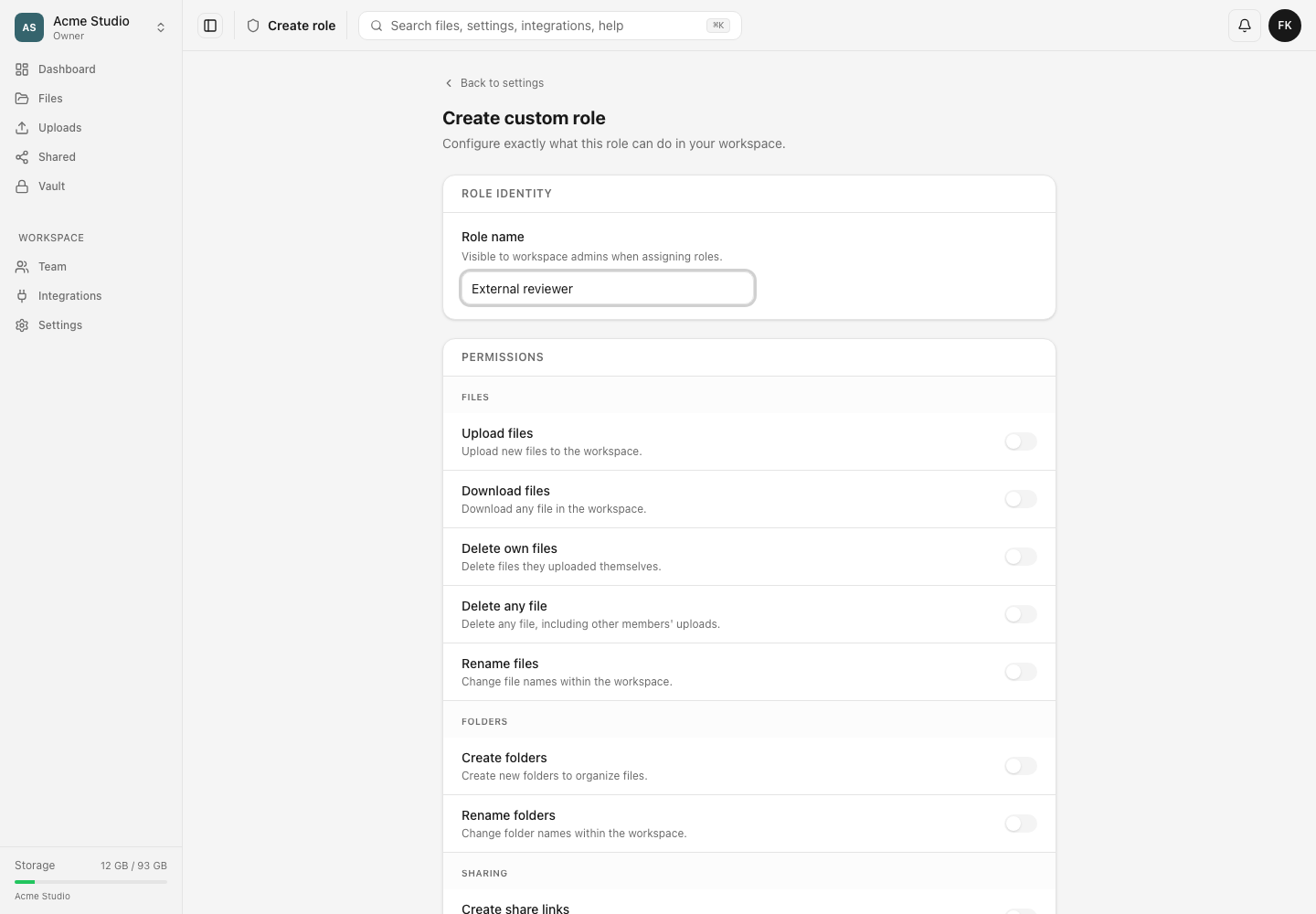
Independent controls
Access Upload governs the upload page separately. Lock files & folders and Hide files & folders are administrative capabilities, not implied by file browsing. Protocol access also needs Use WebDAV, Use the S3 gateway, or SFTP access.
Editing the shared role changes every current holder. Removing a permission does not reverse files already uploaded, renamed, shared, or moved to Trash.
Expected result
The member can enter only intended pages and perform exactly the selected file and folder operations, while destructive or administrative controls remain absent or refused.
Troubleshooting
Files is unavailable. Enable Access Files in addition to the needed action permissions.
Upload is refused despite Upload files. Check Access Upload for the web page, workspace quota, file policy, role limits, and folder scope.
Delete works only on some items. Delete own files is uploader-specific; use Delete any file only when broader deletion is required.
Related guides
Was this helpful?
Loading helpfulness results…
Voting saves a necessary ballot cookie for up to 180 days so you can change your answer.
Questions and replies
Ask about the steps in this guide. Questions are reviewed before publication.
Keep account details, credentials and private files out of public questions. Use private support for those.
Loading questions…
Sign in to your Dosya account to ask a question.