Restrict public sharing links in a workspace
Disable new public share links or require passwords, set default and maximum expiry, and verify existing URLs and silently clamped lifetimes correctly.
Last reviewed
Workspace security settings govern new and edited share links. Disabling creation does not revoke URLs that already exist, so active links require a separate review and revocation pass.

Before you start
- The administrator needs Access Settings and Manage settings.
- A tester also needs Create share links plus access to the selected file or folder.
- Prepare a disposable item; revoking its URL is irreversible for that token.
Steps
- Open Workspace settings → Security in the intended workspace.
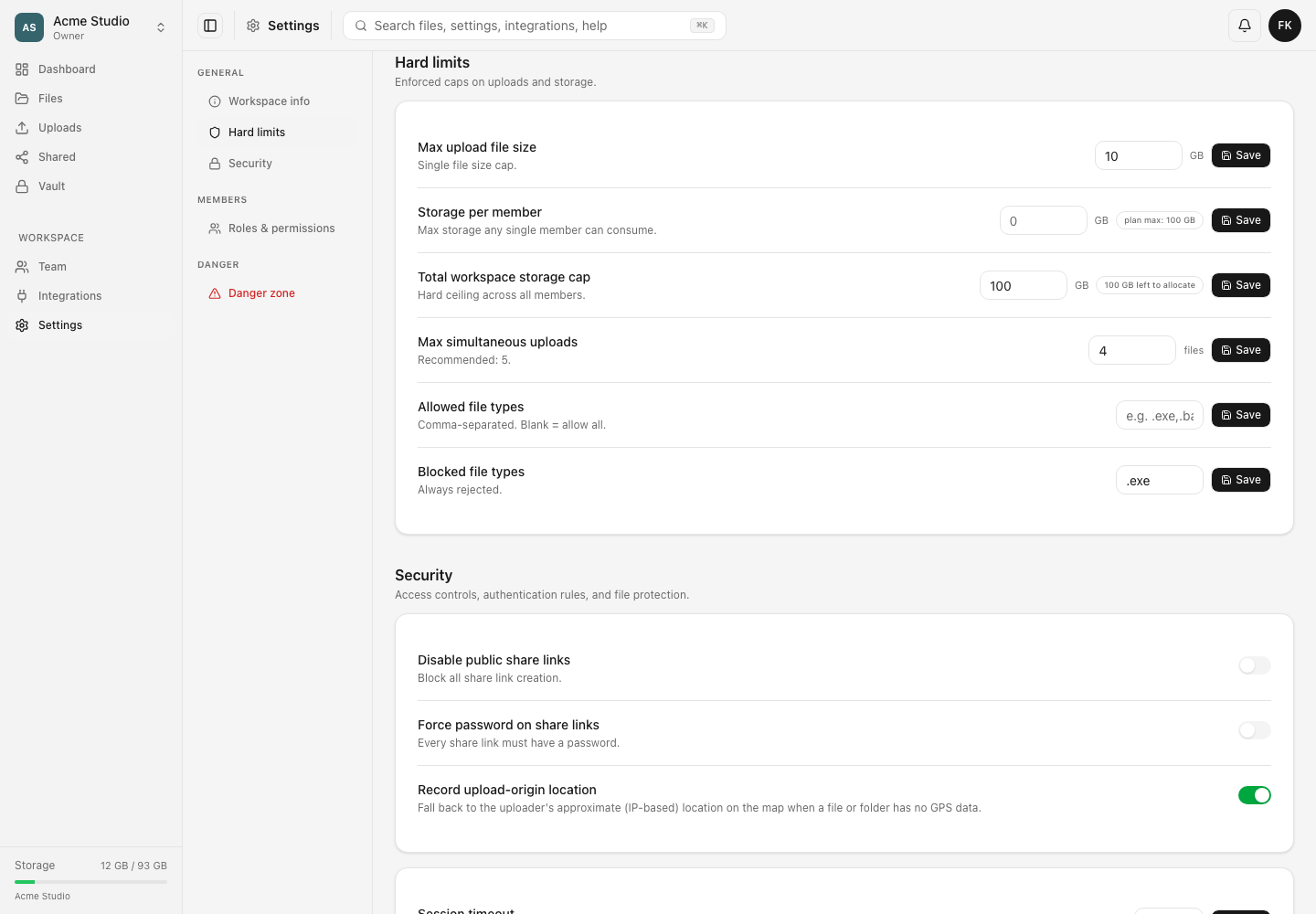
- Enable Disable public share links or Force password on share links, or select a Share link max expiry and Default share link expiry.
- Select the row’s save control and wait for Settings updated — Your security setting has been saved.
- After cache convergence, open the share dialog for the disposable item from a regular member session.
- Attempt one new link, then inspect the returned URL in a private window for password and effective expiry behavior.
- Open Shared to review older links separately and revoke any that no longer meet policy.
Rule behavior
With creation disabled, the server returns Share links are disabled for this workspace. Password enforcement returns This workspace requires a password on all share links when no password is supplied. Share passwords require at least eight characters.
The expiry cap offers No limit, 1, 7, 30, 90, or 365 days in the UI; server validation accepts a whole number through 3,650 days. A longer requested lifetime is silently reduced to the workspace cap. The default controls the starting value and must not exceed that cap.
Expected result
New-link behavior matches the saved rule, the disposable URL demonstrates the effective password and lifetime, and every older link needing removal is revoked individually.
Troubleshooting
You don’t have access to workspace settings. The role lacks Access Settings.
You don’t have permission: manage settings. A role with page access still needs the capability to save security fields.
The link expiry is shorter than selected. The workspace maximum silently clamps requested lifetimes; inspect the created link rather than trusting the form input.
Related guides
Was this helpful?
Loading helpfulness results…
Voting saves a necessary ballot cookie for up to 180 days so you can change your answer.
Questions and replies
Ask about the steps in this guide. Questions are reviewed before publication.
Keep account details, credentials and private files out of public questions. Use private support for those.
Loading questions…
Sign in to your Dosya account to ask a question.