Troubleshoot a folder archive download
Use the archive tab and exact refusal text to separate empty, locked, oversized, permission, selection-size, and other browser transfer failures.
Last reviewed
A folder download uses Download on the folder row or Download ZIP on a selection and streams dosya-download.zip directly to the browser. The server does not create a background archive job, so the new tab, browser download list, and exact API refusal are the evidence to diagnose.
One folder remains one archive request regardless of how many descendants it contains. The server then applies the 10,000-entry and 5 GiB caps to the files it can include. Hidden files and content blocked by file or ancestor-folder locks are omitted; when everything is blocked, the neutral response can be No items found.

Steps
- Reopen Files, locate the folder, and verify that your role exposes its Download action; an absent action points to the download permission rather than archive size.
- Start the folder download once and keep the new tab visible. Record the full response instead of repeatedly clicking while a stream may already be starting.
- For This folder is empty - there’s nothing to download, add a file or select a populated folder. For No items found, verify visibility and unlock any eligible password-protected ancestor folders. A file’s own Password or View only mode still excludes it from ZIP after a preview unlock; only a deliberate lock removal by a permitted manager changes that.
- For Too many files to archive at once (max 10000), split the tree below the problem folder and download smaller child folders.
- For Archive too large (max 5 GiB), divide by total source bytes; deleting local browser copies does not reduce the server-side archive size.
- Confirm the replacement
dosya-download.zipfinishes, then inspect its paths and names because partially blocked trees can legitimately omit files you cannot download.
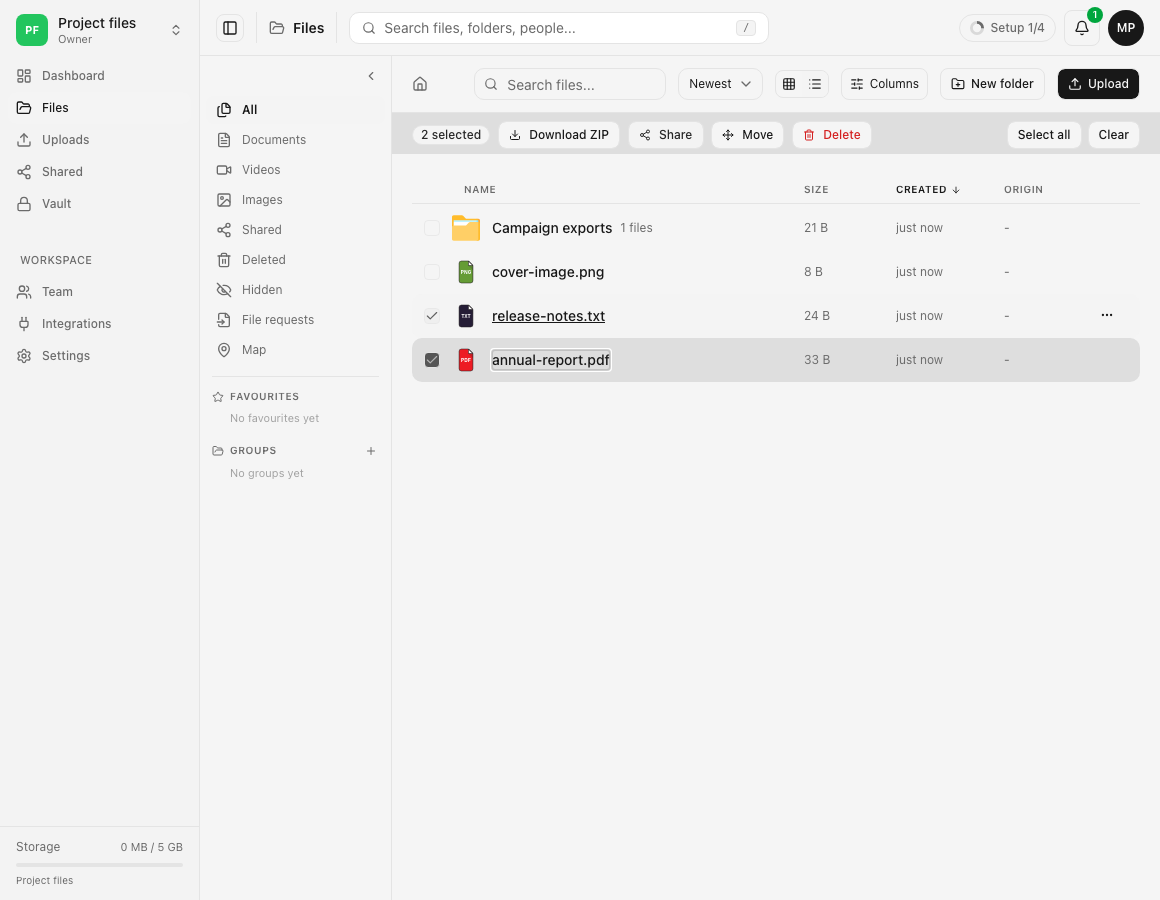
Expected result
A permitted, nonempty test folder within both caps starts one browser download. The finished archive preserves internal directory paths for included content and leaves the workspace unchanged.
You don’t have download permission requires a workspace owner or admin to change the role. Nothing to download - the selection contains no files means the selected live rows produced no archive entries. A browser network failure after streaming begins can leave a partial local file without a Dosya retry control; discard that partial copy and repeat from Files after connectivity stabilizes.
Related guides
Was this helpful?
Loading helpfulness results…
Voting saves a necessary ballot cookie for up to 180 days so you can change your answer.
Questions and replies
Ask about the steps in this guide. Questions are reviewed before publication.
Keep account details, credentials and private files out of public questions. Use private support for those.
Loading questions…
Sign in to your Dosya account to ask a question.