Report a sharing-link access problem
Record the exact share-page state and safe context, contact the sender or Dosya, and use the prefilled abuse form without exposing passwords or codes.
Last reviewed
Report the visible title, time, browser, and share URL while omitting secrets. The public page provides Contact and a Report abuse form prefilled with the current link.

Steps
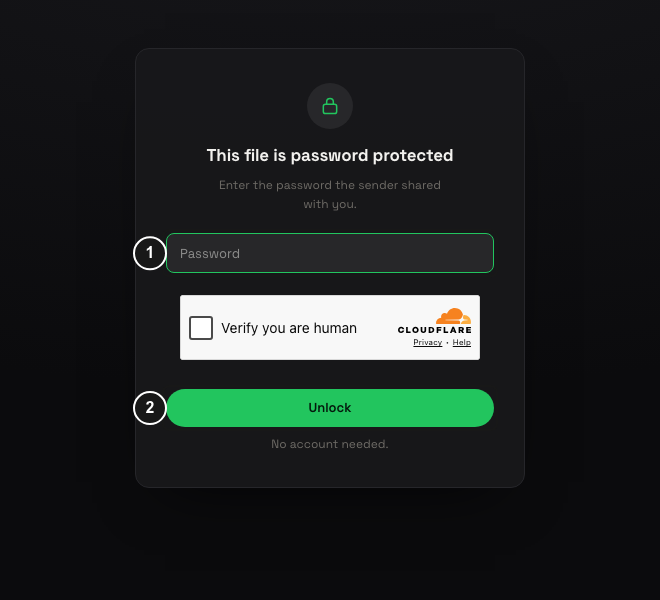
- Copy the exact error title and description, current time with time zone, device, browser version, and whether the failure happened before or after email or password verification.
- Record the full share URL privately for the sender or Dosya support. Do not post it publicly; anyone holding a public bearer URL may be able to open the content.
- After checking connectivity, retry once for Could not reach the server. Try again., Could not load that folder., or Something went wrong. A missing response does not prove the server never processed the request; avoid repeated password or code submissions. Preserve terminal states such as Link expired, Link revoked, File deleted, and Region restricted without repeated attempts.
- Contact the sender first for an expired or revoked link, wrong invited address, password, view-only policy, exhausted download cap, or deleted source. Only the owner can change those conditions.
- Choose Contact in the share page footer for a Dosya service problem. Include the safe context from step 1, but never include the password or six-digit email code.
- Choose Report abuse for harmful or unauthorized content. The form opens with the current share URL prefilled; review it, add the requested description, and submit through that page.
Expected result
The sender or Dosya receives the exact nonsecret state needed to investigate, while passwords and one-time codes remain outside the report.
The public page’s Copy link can copy the URL for a private report, but forwarding it can expand access on a public link. A screenshot may expose filenames, sender branding, or recipient email; redact those when they are unnecessary.
Related guides
Was this helpful?
Loading helpfulness results…
Voting saves a necessary ballot cookie for up to 180 days so you can change your answer.
Questions and replies
Ask about the steps in this guide. Questions are reviewed before publication.
Keep account details, credentials and private files out of public questions. Use private support for those.
Loading questions…
Sign in to your Dosya account to ask a question.