Email a share link with a message
Email one Dosya share URL and a 500-character note to up to 50 people, then interpret web delivery details and mobile's simpler result message.
Last reviewed
Dosya can create one share URL, mail it to a recipient list, and place an optional personal note in the same branded message. The note is context for the recipient; expiry, password, view-only, download limits, and named-recipient verification remain the actual access controls.

Limits and delivery behavior
One link accepts no more than 50 normalized, unique email addresses. The optional message can contain at most 500 characters after trimming. The API rejects a longer note with Message is too long (max 500 characters) before it creates the share. Do not place the link password, verification code, or confidential material in this note because every selected recipient receives it.
Sending requires Create share links and access to the target. Workspace sharing rules and free-plan limits still apply. Registered recipients can receive an in-app inbox item and push notification in addition to the email; external recipients receive the mail containing the URL.
Steps
- Open the file or folder’s Share control. On the web, you may select multiple files first to mail one bundle link.
- Choose By email in the web dialog or Send by email in the mobile sheet.
- Add the intended addresses under Recipients or To. Remove any chip that does not belong in the final audience.
- Enter a concise note in Message, such as the requested action and due date. Keep it at 500 characters or fewer.
- Decide whether to enable Only these people can open it. With it on, each recipient must verify that invited address; with it off, anyone who receives a forwarded URL can use the link.
- Review Expires in or Expires, then configure any password and download restrictions.
- Press Send on web or Send to N people on mobile.
- Read the completion feedback before closing. On web, all successful sends report Shared with N recipients. and mixed results identify the addresses Dosya could not reach. Mobile instead shows Email sent after any successful HTTP response.
Interpret the send result
The web client displays Private share sent for a restricted delivery and Share sent for a public one. When only some messages fail, it reports Sent to X of N. Could not reach: address…. Those failures do not cancel successful mail or remove the already-created link.
The mobile client discards the response’s sent count and failed-address list. It shows Email sent for a successful HTTP response even when only some recipients were reached, so use the web flow when the sender must know which addresses failed. If every send fails, the server returns Could not send email to either client; inspect Shared before submitting again because link creation precedes outbound mail.
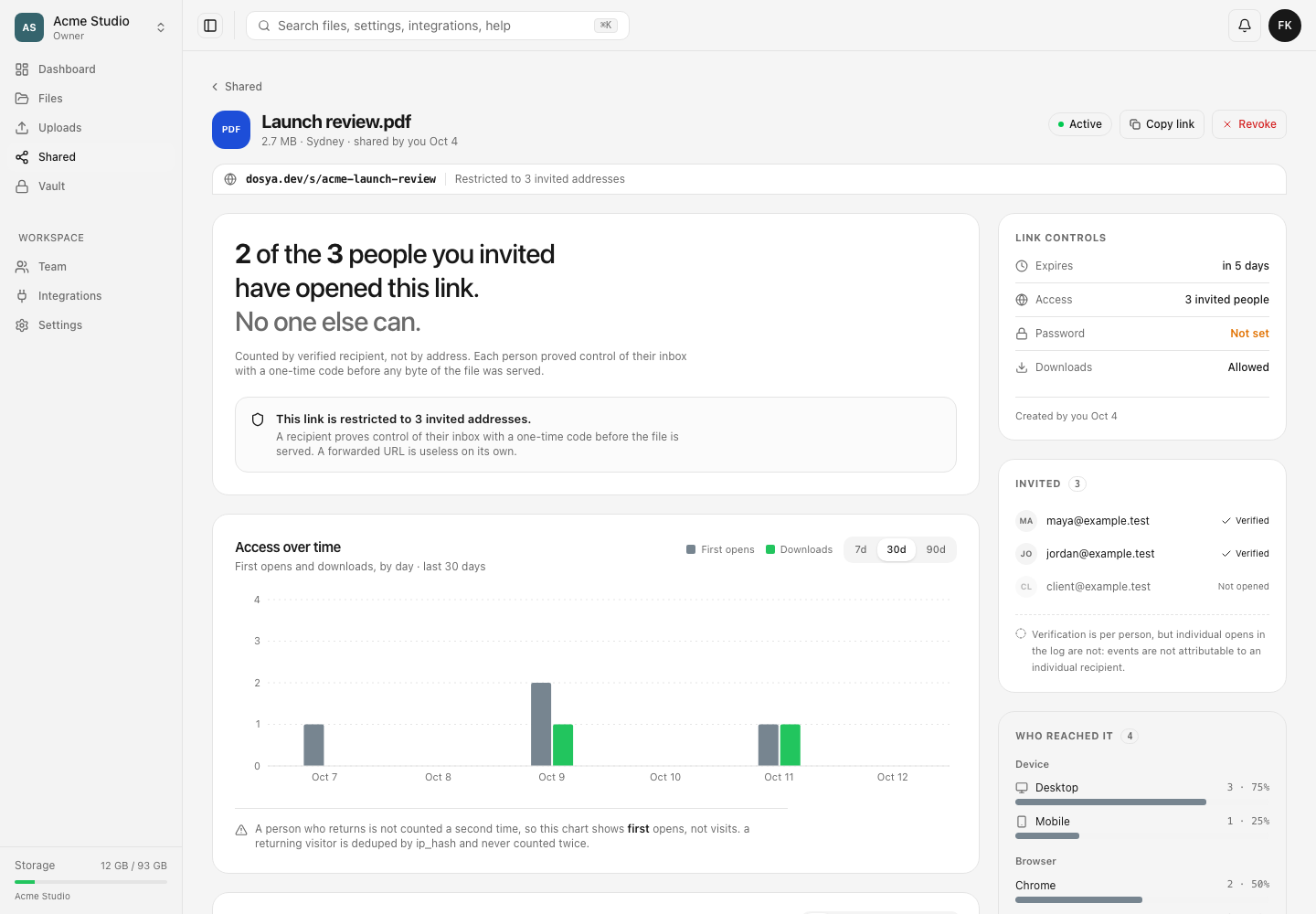
The owner-side Access log records opens and downloads, not SMTP delivery. For a restricted link, the Invited panel changes from Not opened to Verified after a recipient completes the code gate. A public email share cannot prove which mailbox holder used a forwarded address.
Expected result
Each successfully reached address receives the same governed share URL and written note. Web reports full or partial delivery details; mobile confirms only that the request succeeded. Later analytics begins when recipients verify, open, or download.
Related guides
Was this helpful?
Loading helpfulness results…
Voting saves a necessary ballot cookie for up to 180 days so you can change your answer.
Questions and replies
Ask about the steps in this guide. Questions are reviewed before publication.
Keep account details, credentials and private files out of public questions. Use private support for those.
Loading questions…
Sign in to your Dosya account to ask a question.