Plan for a lost Vault passphrase
Recover a Vault with the one-time recovery key, recognize exact unlock errors, and use identity destruction only when permanent unreadability is accepted.
Last reviewed
Dosya cannot reveal or reset a Vault passphrase. The recovery key shown once at setup is the supported alternative; spaces and dashes in a pasted key are ignored.

Steps
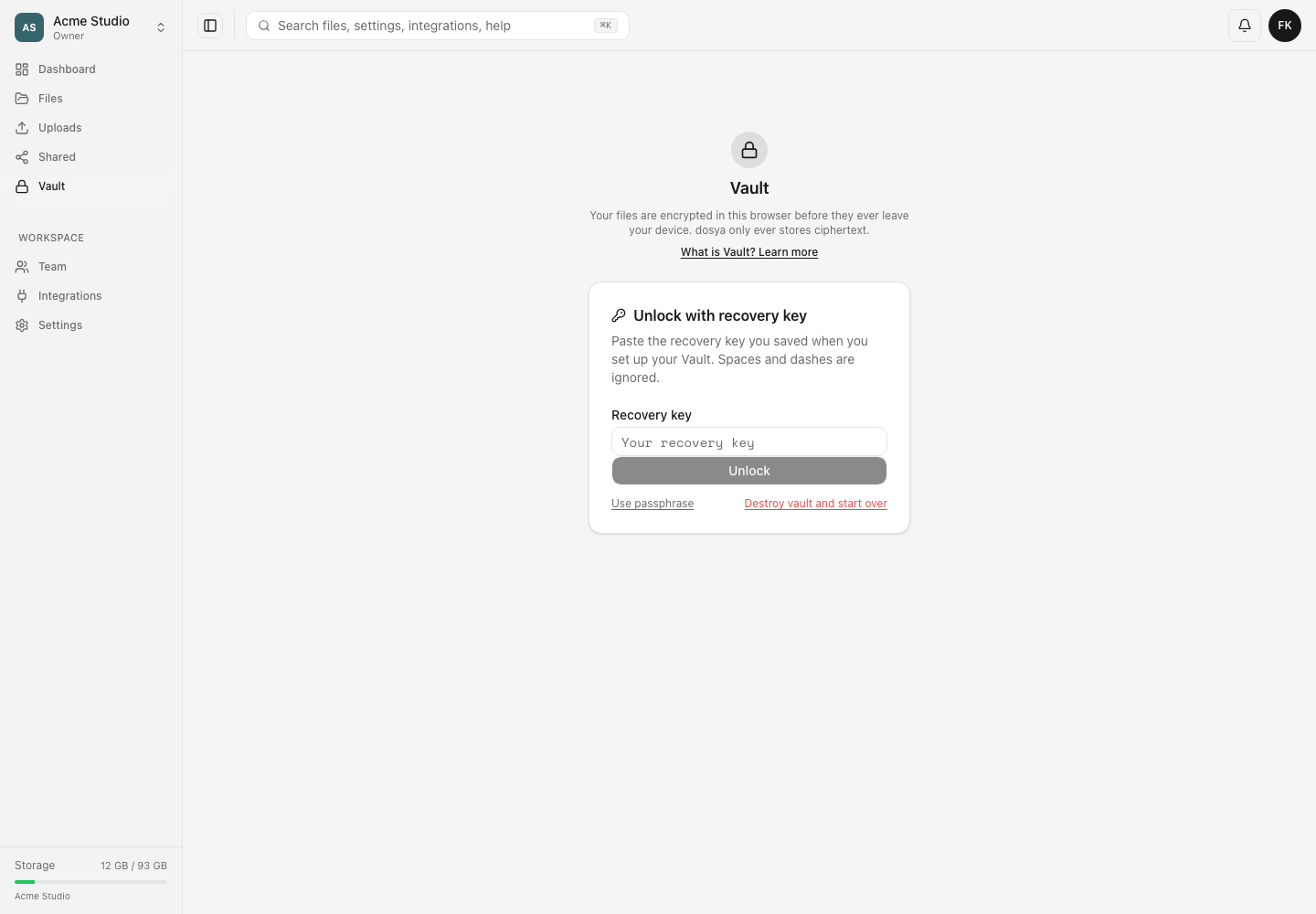
- On the Unlock Vault card, choose Use recovery key. Do not create a new identity while the existing encrypted files are still needed.
- Paste the recovery key into Recovery key. It may contain spaces or dashes; normalization removes those characters without changing letter case.
- Choose Unlock and wait for the Vault surface. A wrong key reports
That recovery key did not unlock your Vault.A build without recovery support reports that recovery unlock is unavailable in this version. - Open each important Space and download one known file. Unlock success alone is weaker evidence than decrypting actual content.
- Store the recovered access material offline. The setup dialog’s recovery key is shown once and is never persisted by the web store.
- If recovery is impossible, use Destroy vault and start over only to remove your identity, grants, and Space memberships permanently.
Who loses access. Destruction removes only the caller’s identity and access. Other members keep their identities and access to shared Space data; a Space with no remaining member has no one left who can open it.
Last-resort confirmation. Identity destruction requires the Dosya account password and the checkbox I understand my encrypted files cannot be recovered after this. An account using authenticator-app 2FA must also provide a current code. Email-code 2FA cannot complete this operation; switch to an authenticator app in security settings before trying again. There is no undo, and support cannot reconstruct the destroyed identity keys.
Expected result
A valid recovery key restores decryption access and lets known files download. If no credential survives, you make an explicit irreversible decision rather than mistaking a new Vault setup for recovery.
Related guides
Was this helpful?
Loading helpfulness results…
Voting saves a necessary ballot cookie for up to 180 days so you can change your answer.
Questions and replies
Ask about the steps in this guide. Questions are reviewed before publication.
Keep account details, credentials and private files out of public questions. Use private support for those.
Loading questions…
Sign in to your Dosya account to ask a question.