Clear a stale Vault device cache safely
Clear only local Vault state safely: finish transfers, use Lock, understand persisted Space hints, and avoid the irreversible destroy-vault control.
Last reviewed
Vault secrets live only in memory. The persisted browser store keeps nonsecret Space hints—IDs, names, ownership anchors, workspace grouping, and shared status—but no passphrase, recovery key, private key, session, or file bytes.

Steps
- Wait until the Vault no longer shows its busy skeleton and any upload has produced Uploaded or Upload failed. There is no persistent transfer queue to resume after clearing browser state.
- Choose Lock in the Vault header. This immediately drops the in-memory session, open Space, decrypted entries, member list, and current error.
- Reload the Vault and unlock again. Use this supported reset first; it preserves the locally remembered nonsecret Space list while fetching encrypted state with a new session.
- If stale Space labels remain, sign out and clear site data for Dosya in the browser settings. This removes the
dosya_e2eelocalStorage record and other site state, so expect to sign in again. - Return to Vault and unlock again, using the passphrase or Use recovery key. Allow Dosya to list the Spaces available to the server identity.
- Open the expected Space and folder, then download a small known file. A successful decrypt proves the cloud data and current identity still agree.
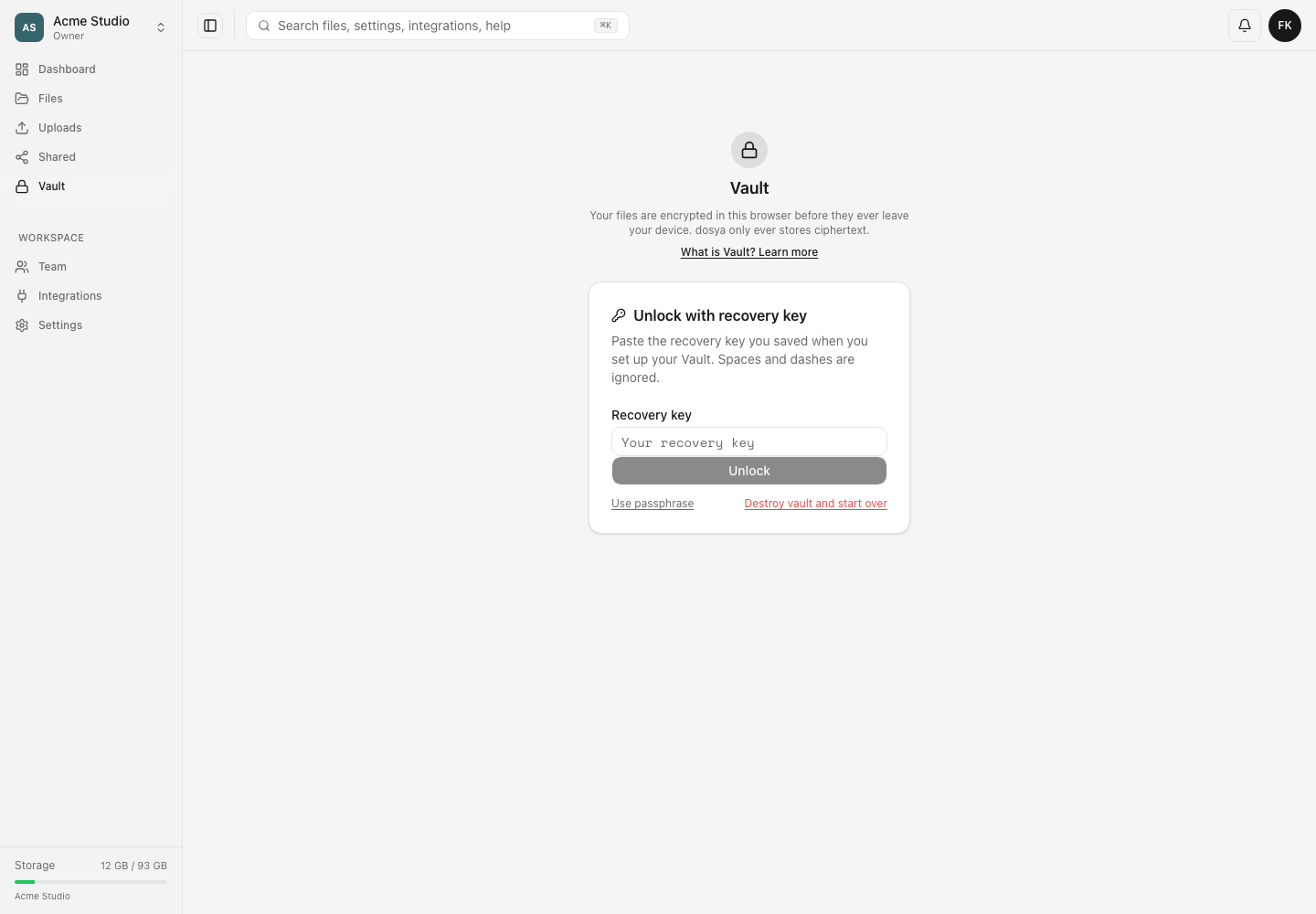
Avoid the wrong control. Destroy vault and start over is not cache cleanup. It permanently deletes the caller’s Vault identity, grants, and Space membership after account-password confirmation. Other members keep their identities and access to shared Space data. Authenticator-app 2FA also requires a current code; an account using email-code 2FA must switch to an authenticator app before destruction is available.
Expected result
A fresh in-memory session loads encrypted Space metadata and files without deleting server content. Only nonsecret browser hints are lost if site data is cleared; the Vault identity remains intact.
Related guides
Was this helpful?
Loading helpfulness results…
Voting saves a necessary ballot cookie for up to 180 days so you can change your answer.
Questions and replies
Ask about the steps in this guide. Questions are reviewed before publication.
Keep account details, credentials and private files out of public questions. Use private support for those.
Loading questions…
Sign in to your Dosya account to ask a question.