Move a file to Deleted items
Move one file to Deleted items, include or exclude its Live Photo companion, understand storage impact, and verify the reversible soft-delete result.
Last reviewed
Deleting a live file is a soft delete: its row leaves the normal folder and enters Deleted, while its bytes continue using workspace storage until a permanent deletion.

Steps
- In Files, locate the exact live file and inspect its name, folder, and details. A role needs
delete_any_file, ordelete_own_fileswhen it uploaded the item. - Open the row menu or viewer menu and choose Delete. A locked file, a file inside an unlocked-required folder, or content in a locked WordPress backup is refused.
- In Delete file?, verify the filename. Dosya states that the item moves to trash and keeps using storage until permanently deleted.
- For a Live Photo still, decide whether to leave Also delete [video name] selected. The companion is a separate cloud file even when the library presents the pair together.
- Choose Delete once and wait for Deleted — [name] was deleted. The confirm button is disabled while the request runs to prevent a second click from purging the just-trashed item.
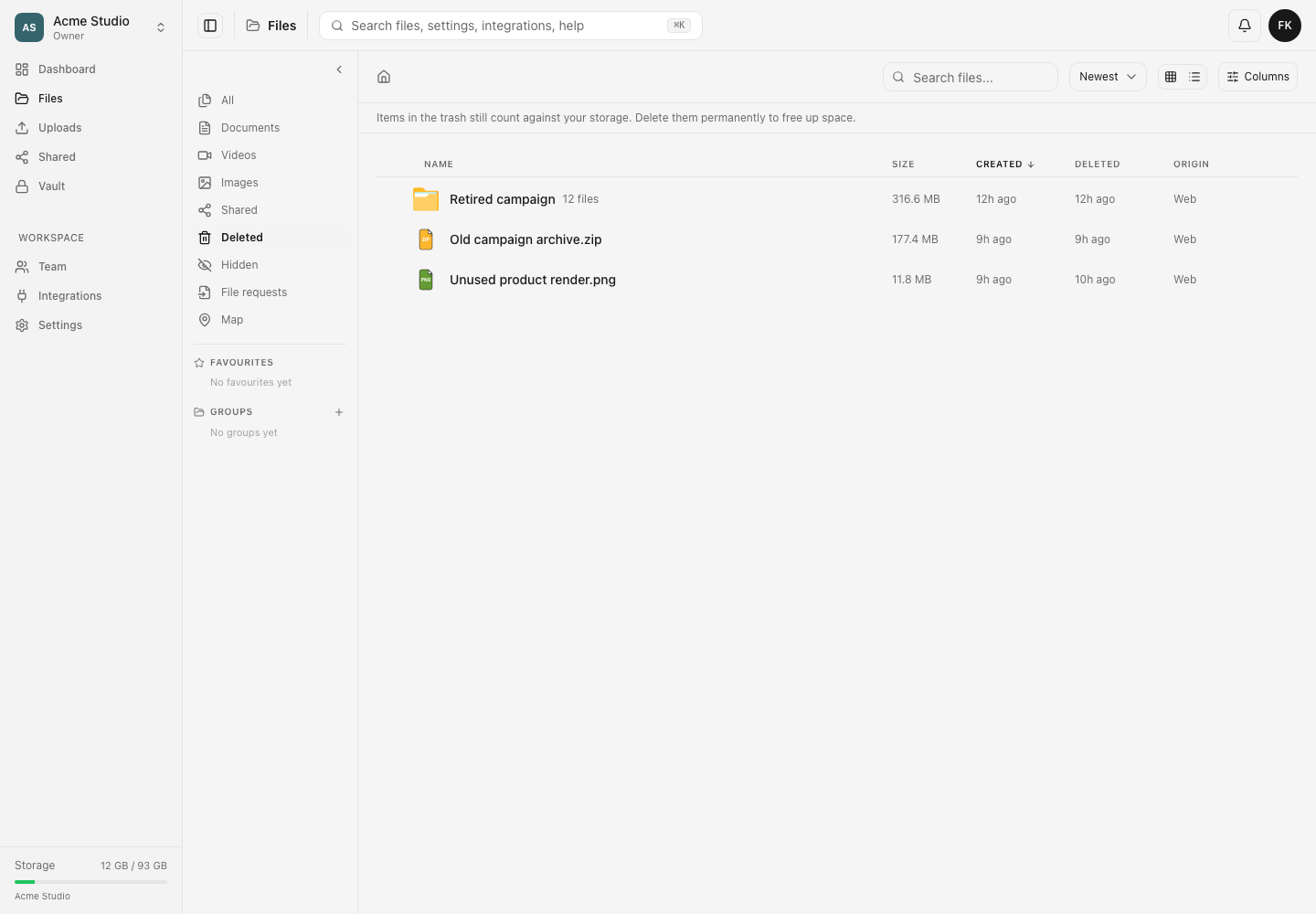
- Open Deleted and find the row. The original folder should no longer list it, while Restore and Delete permanently become the available destructive-state actions.
If deletion fails. The API can report This file is locked and cannot be deleted, This file is inside a locked folder. Unlock the folder to delete it., or You don't have permission to delete this file. Correct that gate instead of repeatedly confirming.
Expected result
The selected file disappears from its live folder, appears in Deleted items, and remains recoverable. Storage usage does not fall at this stage because soft-deleted bytes are still retained.
Related guides
Was this helpful?
Loading helpfulness results…
Voting saves a necessary ballot cookie for up to 180 days so you can change your answer.
Questions and replies
Ask about the steps in this guide. Questions are reviewed before publication.
Keep account details, credentials and private files out of public questions. Use private support for those.
Loading questions…
Sign in to your Dosya account to ask a question.