Filter search results by file type
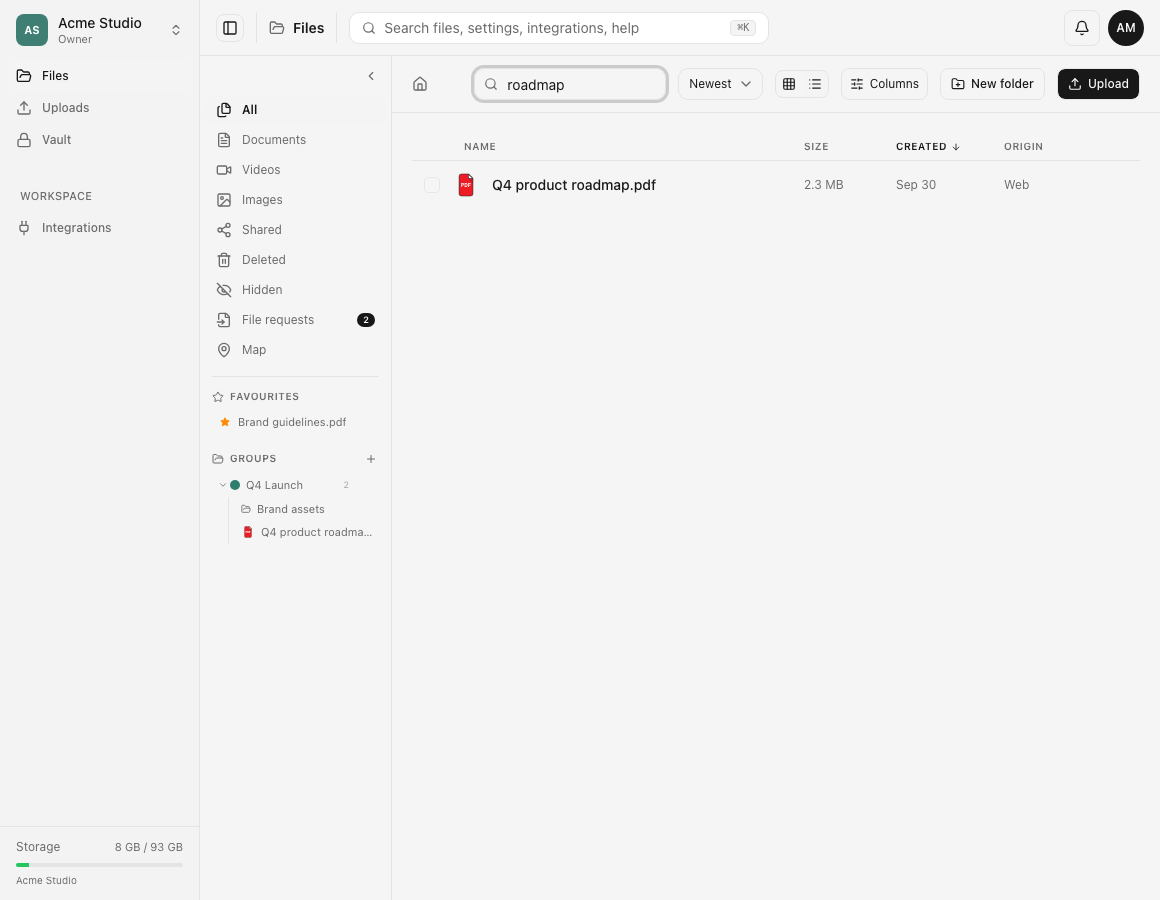
Use Photos, Videos or Documents to search supported file extensions across accessible Dosya folders, then load and verify every match on web.
Last reviewed
The Images, Videos, and Documents sidebar choices open web library views across every accessible folder in the workspace. They do not narrow only the folder in the breadcrumb, inspect file contents, or infer a type from MIME data.

Supported extensions
- Images includes .png, .jpg, .jpeg, .gif, .svg, .webp, .bmp, .heic, .heif, .avif, .tif, and .tiff.
- Videos includes .mp4, .mov, .avi, .mkv, .webm, .m4v, .3gp, .mpg, .mpeg, and .wmv.
- Documents includes .pdf, .doc, .docx, .xls, .xlsx, .ppt, .pptx, .csv, .txt, .md, .rtf, .odt, .ods, .odp, and .epub.
A file whose extension is outside these lists does not enter any of the three libraries.
Steps
- In web Files, choose Images, Videos, or Documents from the sidebar. Your role must allow file-page access; folder-confined members receive results only from their assigned subtree.
- Use the matching field: Search photos…, Search videos…, or Search documents…. Search compares the filename as a case-insensitive substring after a 300-millisecond delay; % and _ are treated as literal characters.
- Choose a date order. Photos offer Date taken · newest, Date taken · oldest, and Date uploaded · newest. Videos and documents use Date created for the first two labels.
- Review the month groups and the total. The first request loads at most 60 items.
- If more matches exist, select Load N more. The control loads no more than 60 additional items, and completion is shown as That’s all N photos., That’s all N videos., or That’s all N documents.
Expected result
Every returned row has an extension from the selected kind and lies within the member’s accessible scope. Deleted files are excluded. Members without the hide-files permission do not receive hidden files or descendants of hidden folders; members who can manage hidden items may see them. A file’s own lock can remain visible as a restricted item. Descendants of a fully locked folder stay outside the library until that member has an unexpired folder-unlock token. The query is filename-only; matching text inside a document does not make that document appear.
Choosing All leaves the library and returns to the folder that was in the URL. The selected type and query are read-only and never convert, move, or retag files.
Troubleshooting
- The library reports no matches. Try a shorter filename substring or clear the field.
- A familiar format is absent. Compare its final extension with the lists above; unsupported extensions are intentionally outside these libraries.
- Only part of the total is visible. Continue with Load N more until the final count message appears.
- The page says Could not load your photos, Could not load your videos, or Could not load your documents. Read the displayed error and press Try again.
Related guides
Was this helpful?
Loading helpfulness results…
Voting saves a necessary ballot cookie for up to 180 days so you can change your answer.
Questions and replies
Ask about the steps in this guide. Questions are reviewed before publication.
Keep account details, credentials and private files out of public questions. Use private support for those.
Loading questions…
Sign in to your Dosya account to ask a question.