Use dosya's free browser tools
Six free tools at dosya.dev/tools: strip photo metadata, check a checksum, and size RAID arrays, downloads and videos. No account and no upload.
Last reviewed
We keep a small set of free tools at dosya.dev/tools. They answer quick questions about files, photos and storage. They work without signing in, and there is no daily cap.
Your files stay on your device
Two tools take a file: the EXIF remover and the checksum calculator. Both read the file inside your browser tab. The file is never sent to dosya or to anyone else.
The other four are calculators. You type numbers, and nothing is uploaded at all. Each calculator page also shows the formula it uses, so you can check the answer.
The six tools
EXIF remover
EXIF remover shows what a photo says about you, then gives you a copy without it.
- Drop one or more JPEG, PNG or WebP photos on the page. iPhone HEIC photos are not supported yet, so export them as JPEG first.
- Each photo lists what was found, such as the camera, the date, and the GPS position. When a position is present, See the location on a map opens it on a public map site.
- Select Download clean copy. The new file keeps the original name with -clean added. With several photos, Download all clean copies saves them together.
- The picture is not re-encoded, so quality does not change. The colour profile and orientation stay. Embedded thumbnails, maker notes and extra data after the image, like the video in a motion photo, are removed.
- One photo can be up to 200 MB.
The tool cannot hide what is visible in the picture itself, such as a street sign.
Checksum calculator
Checksum calculator confirms that a download is complete and unchanged.
- Drop any file. The page calculates MD5, SHA-1, SHA-256 and SHA-512.
- Paste the value you were given into Compare with a checksum you were given. Upper or lower case and spaces do not matter.
- Files over 2 GB get MD5 only, because the SHA values need the whole file in memory.
- Prefer SHA-256 when you have a choice. MD5 and SHA-1 catch a broken download but can be faked on purpose.
RAID calculator
RAID calculator works out how much space an array gives you. Choose RAID 0, 1, 5, 6, 10 or JBOD, the number of drives, and the size of each drive. It shows usable space, what goes to protection, and how many drives can fail. Results appear in both TB and TiB.
RAID keeps a NAS running when a drive dies. It does not replace an off-site backup.
Download time calculator
Download time calculator estimates how long a transfer takes. Enter the file size and your connection speed in kbps, Mbps, Gbps or MB/s. It works for uploads as well as downloads, and compares common line speeds.
File size converter
File size converter converts between bytes, KB, MB, GB, TB and PB, and the binary units KiB to PiB. Every unit updates as you type. It also explains why a new 1 TB drive shows up as about 931 GB.
Video file size calculator
Video file size calculator estimates how big a video will be. Pick the resolution, frame rate, codec and length. Codecs include H.264, H.265, AV1 and ProRes. You can also type your own video and audio bitrate for a closer figure.
Steps: use a tool
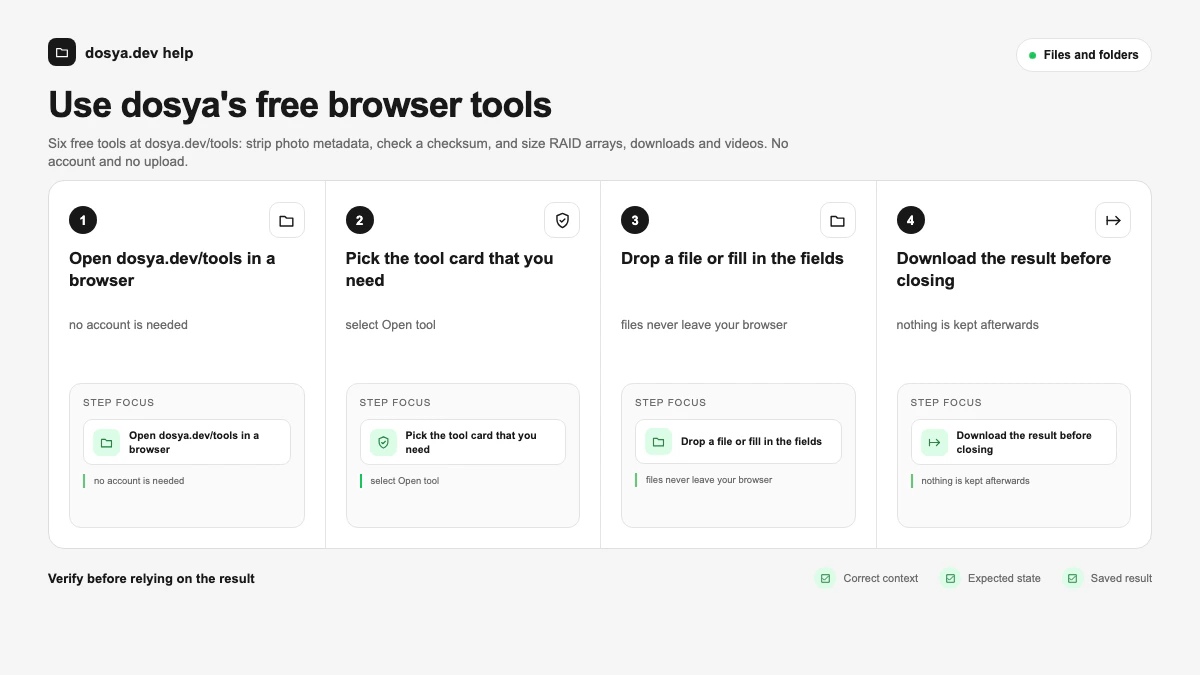
- Go to dosya.dev/tools and select Open tool on the card you need.
- Drop a file, or fill in the fields. Results appear on the same page.
- For the EXIF remover, download the clean copy before you leave the page. Nothing is kept once you close the tab.
Expected result
You get the answer or the cleaned file in your browser. Nothing appears in your dosya account, because the tools are separate from it.
Using the results with dosya
- Store a clean photo. Upload the clean copy like any other file. When you share photos by link, the Remove photo metadata. option strips those details for recipients too. See how to create a sharing link.
- Plan a big upload. Use the download time calculator, then read uploading large files for what to expect.
- Back up a NAS. After sizing an array, follow the NAS backup guide to send a copy off site.
Each tool page ends with an invitation to create a free account. It is optional, and the tools work the same without one.
Related guides
Was this helpful?
Loading helpfulness results…
Voting saves a necessary ballot cookie for up to 180 days so you can change your answer.
Questions and replies
Ask about the steps in this guide. Questions are reviewed before publication.
Keep account details, credentials and private files out of public questions. Use private support for those.
Loading questions…
Sign in to your Dosya account to ask a question.