Switch between grid and list views
Switch Files between grid and list, understand Live Photo and column differences, and confirm that folder, filters, selection, and data stay intact.
Last reviewed
Grid and list change how the current Files result is presented. The choice is saved in this browser under dosya_files_view; it does not change the workspace or another device’s preference.

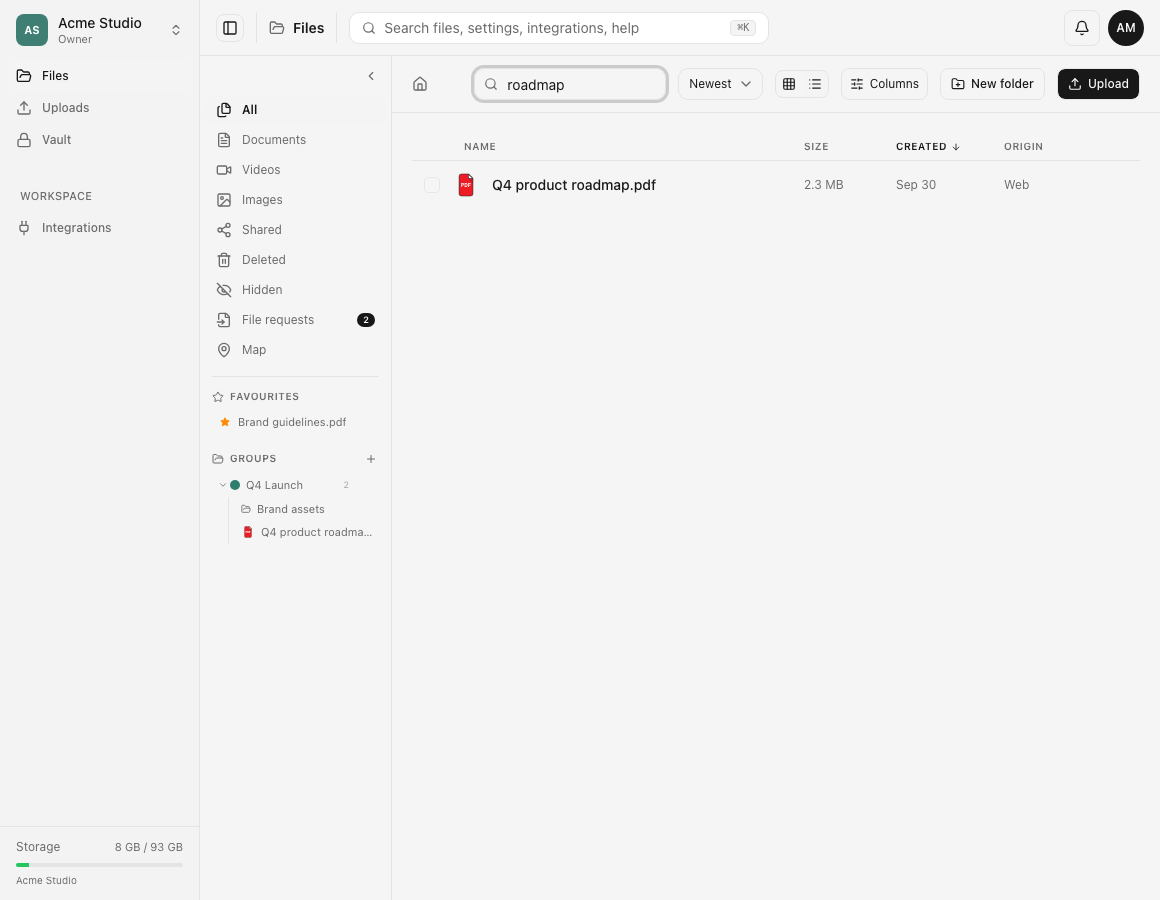
View differences. Grid separates Folders and Files into cards and collapses a Live Photo still with its paired video. List uses a table and can show the twin video as a separate row. Its default columns are Name, Size, Created, and Origin; the column chooser can add other metadata, while Name remains required.
Steps
- Open Files in the intended workspace, folder, and filter state. Note a few filenames and the result count.
- Use the two view-icon buttons in the toolbar to choose grid or list. In the ordinary folder view those icon buttons currently have no text label or tooltip, so identify them by the card-grid and row-list symbols.
- In list view, open the column chooser when you need more metadata. Sorting and pagination continue to apply to the same current query.
- Switch back and confirm the folder, filters, selected items, sorting, and underlying API result remain unchanged. A Live Photo can look like one grid item but more than one list row because of pair presentation.
- Reload the page. The last chosen mode should return in the same browser profile.
What can reset the preference. Clearing site data, using a private window, or changing browser/profile removes or isolates the local setting. The workspace does not sync this preference between people.
If the sets appear different. Clear the search and filter controls, compare the current folder URL, and account for Live Photo pairing before reporting missing data. Switching views does not upload, copy, move, rename, or delete anything. A truly missing item should also be absent after refreshing the same folder in both modes.
Expected result
The selected layout persists locally, while the current folder query and stored files remain unchanged. Grid emphasizes visual cards; list exposes denser rows and configurable metadata.
Related guides
Was this helpful?
Loading helpfulness results…
Voting saves a necessary ballot cookie for up to 180 days so you can change your answer.
Questions and replies
Ask about the steps in this guide. Questions are reviewed before publication.
Keep account details, credentials and private files out of public questions. Use private support for those.
Loading questions…
Sign in to your Dosya account to ask a question.