Reply to the correct file comment
Reply beneath the right parent comment, confirm the file and discussion context, and understand reply anchors, permissions, and notifications.
Last reviewed
A reply should stay beneath the message it answers. Verify the parent and file before typing, especially when several files have similar review discussions.

Before replying. You need current workspace membership, access_files, visibility of the target, and access through its folder boundary. The parent must belong to the same file; the API rejects a mismatched or missing parent with Parent comment not found.
Steps
- Open the file and select Comments. Match the parent by author, timestamp, text, and any
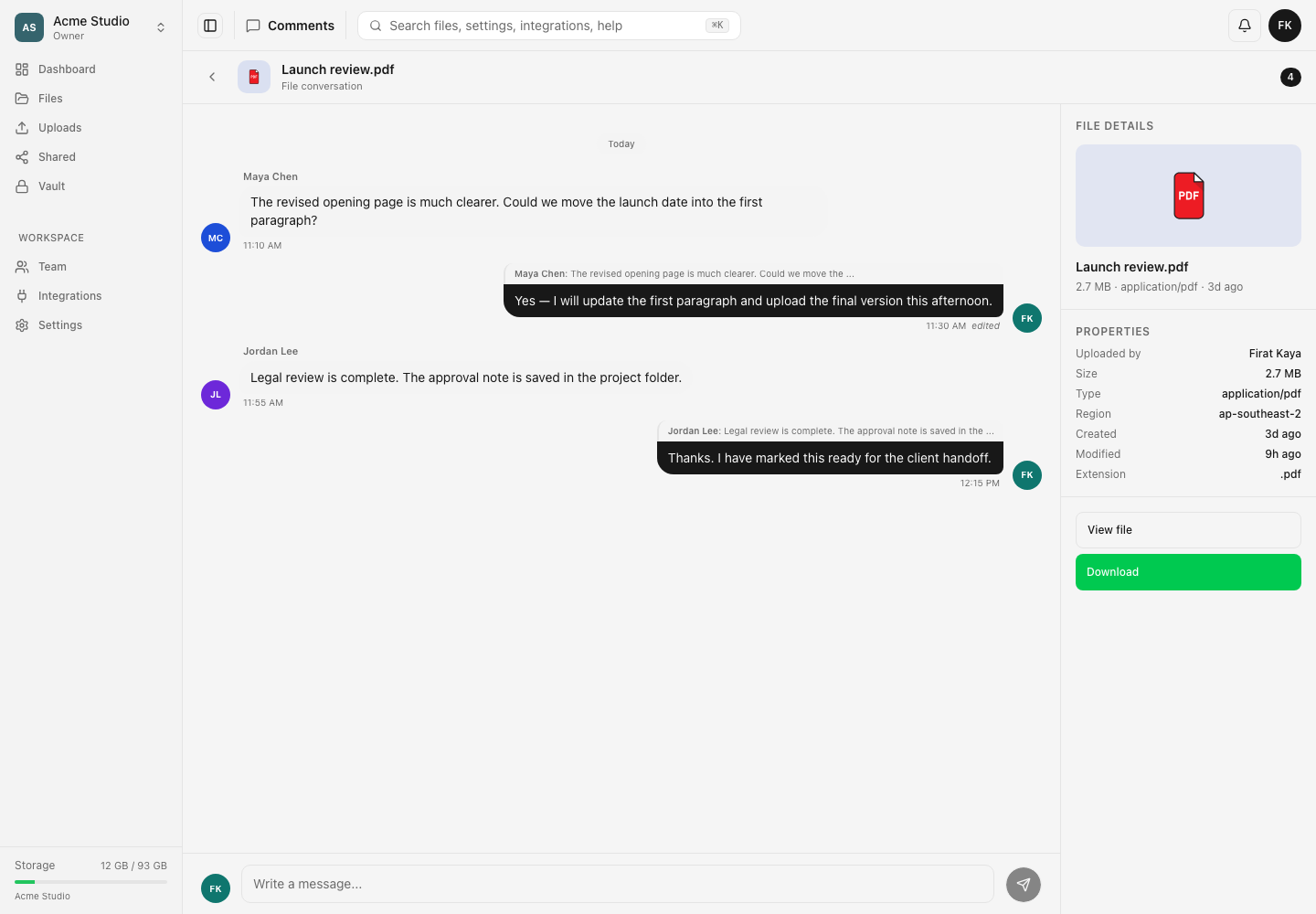
vN, PDF-page, or media-time context. - Choose Reply on that specific message. In Preview, confirm Replying to {name} appears above the bottom composer. On the standalone Comments page, verify the separate Replying to bar above its single bottom composer names and quotes the intended parent.
- Write a focused answer. The trimmed body must be nonempty and no longer than 5,000 characters. You may mention up to 20 eligible people.
- Choose Send or press Enter; use Shift+Enter for a line break.
- Confirm Preview nests the message below the intended parent, or that the standalone page shows the correct parent quote on the new message. Refresh and check the relationship again.
Reply anchors. Replies inherit their conversational context from the parent and cannot carry a separate page, playback, or version anchor. The API returns Replies cannot carry an anchor if a client tries to attach one. To discuss a different page, time, or version, create a new top-level comment from that location.
Who is notified. Eligible mentions receive one notice each. The file owner can receive a notice when someone else replies, and existing thread participants can be notified unless already included as owner or mention. A participant who can no longer see the file is not exposed through the mention picker.
If the answer lands incorrectly. Delete your own reply and post it under the right parent. Deletion is immediate and has no undo; if the reply itself acquired descendants, deleting it also removes that branch. Comment body is required, Comment too long (max 5000 characters), and Too many mentions (max 20) describe the corrective action directly.
Expected result
The new message appears once with the chosen parent relationship: nested in Preview or carrying that parent’s quote on the standalone page. It has no independent content anchor, and only eligible recipients can receive its comment notifications.
Related guides
Was this helpful?
Loading helpfulness results…
Voting saves a necessary ballot cookie for up to 180 days so you can change your answer.
Questions and replies
Ask about the steps in this guide. Questions are reviewed before publication.
Keep account details, credentials and private files out of public questions. Use private support for those.
Loading questions…
Sign in to your Dosya account to ask a question.