Delete your own file comment
Delete a comment you wrote, confirm the author-only control and reply impact, and verify that the file and unrelated discussion remain intact.
Last reviewed
You can remove a comment you authored while it is still accessible in the workspace. The action affects the discussion record, not the underlying file.

Before deleting. Make sure you are signed into the account that wrote the message. The interface hides Delete on other authors’ comments. Current membership, access_files, the confinement boundary, and an unlocked enclosing full-lock folder still govern access to the thread.
Steps
- Preview the file and choose Comments, or open its standalone Comments page from the Files context action Comments.
- Find your message by author and timestamp. If it has replies, read them before continuing: deleting a root comment cascades to those replies.
- Open the message menu and choose Delete. The released web app does not ask you to confirm.
- Confirm the entry vanishes. Reopen the file preview and verify the file still loads and unrelated messages remain.
- Refresh once. If the deleted text returns, the request did not complete; do not repeatedly delete neighboring entries.
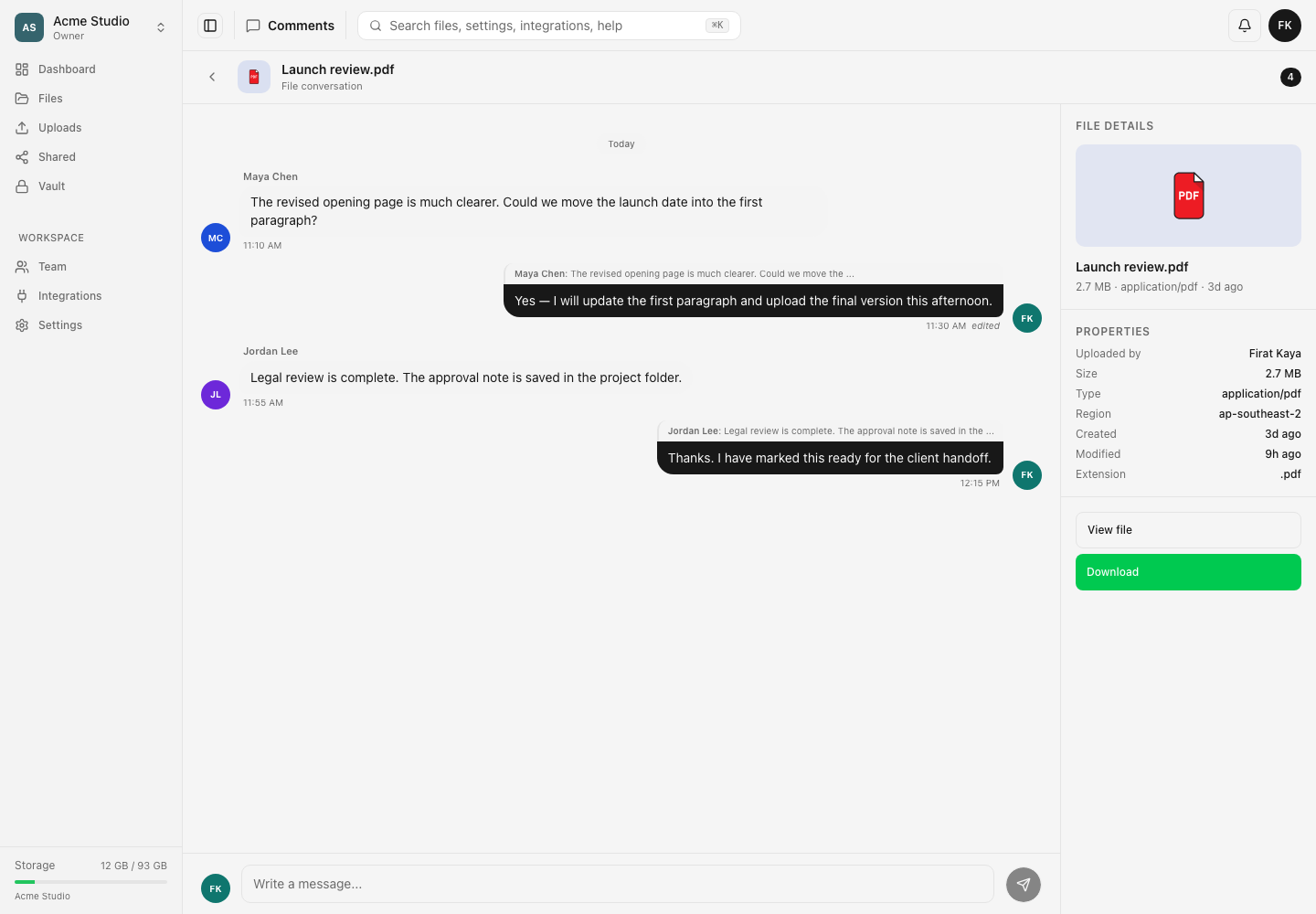
Failure and recovery. The viewer uses Could not delete for an unsuccessful request; the standalone page uses Delete failed — Your comment could not be deleted. Loss of membership or file visibility can cause the operation to fail even though you originally wrote the text. A successful deletion cannot be undone. Posting the wording again creates a different comment with a new timestamp and does not restore deleted replies.
Administrative scope. Owners and administrators are accepted by the delete API for other people’s comments, but that capability is not surfaced on those messages in the current web UI. This guide covers the author control that users can see.
Expected result
Your chosen comment is absent after reload. Its reply descendants are also absent when it was a thread root, while the file, versions, shares, and separate comment branches remain available.
Related guides
Was this helpful?
Loading helpfulness results…
Voting saves a necessary ballot cookie for up to 180 days so you can change your answer.
Questions and replies
Ask about the steps in this guide. Questions are reviewed before publication.
Keep account details, credentials and private files out of public questions. Use private support for those.
Loading questions…
Sign in to your Dosya account to ask a question.