Add a comment to a Dosya file
Add a file comment with a page or playback anchor, mentions, and clear review context; then confirm its author, timestamp, and recipient delivery state.
Last reviewed
Comments keep review decisions beside the file they concern. In the web viewer, a comment can also capture the PDF page or media playback position that was active when you focused the composer.

Before you start. Sign in to the workspace that owns the file. You need workspace membership, file access, and the access_files permission. A full-lock folder must be unlocked first; the file’s own download lock does not block its discussion.
Steps
- Open Files, select the item, and open its preview. Choose Comments in the inspector. The count beside the tab is the number of messages already attached to this file.
- For a PDF, display the page you mean before focusing the composer. For audio or video, seek to the relevant moment first. Dosya records a PDF page from 1 upward or a whole-millisecond media position from 0 upward.
- In Write a comment… Use @ to mention, enter the decision, requested change, and enough location detail to recognize it later. The body is trimmed and must contain text. The maximum is 5,000 characters; a counter appears after 4,500.
- Type
@to choose a colleague who can see this file. The picker waits 150 ms after typing, searches at most 50 eligible members, and shows up to 10 choices. One comment may mention at most 20 people. - Choose Send, or press Enter. Use Shift+Enter for a new line. Enter during an input-method composition does not submit.
- Confirm the new entry shows your name and timestamp. If you attached a page or playback point, use its anchor to return to the same context.
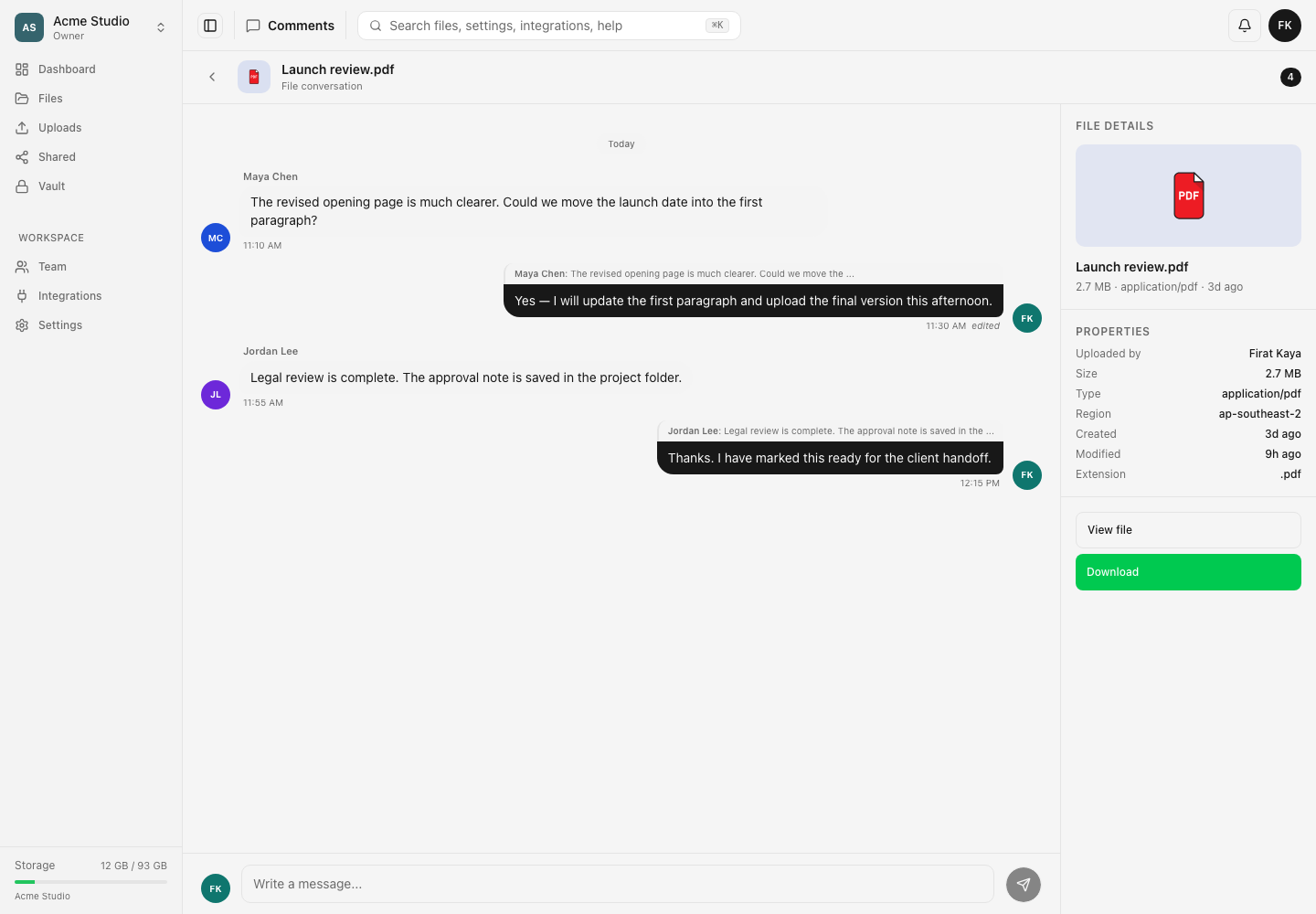
What other people receive. Each eligible mentioned member gets one comment notice. If you are not the file owner, the owner is notified too; other thread participants can receive a notice unless they were already covered as owner or mention. Folder-comment notifications are different and are not used by this file workflow.
If posting fails. Comment body is required means trimming left no text. Shorten a body that triggers Comment too long (max 5000 characters). Too many mentions (max 20) requires removing recipients. The viewer otherwise reports Could not post comment; the standalone page reports Comment failed — Your comment could not be posted. Refresh before retrying so a delayed success is not duplicated.
Expected result
The comment appears once in oldest-to-newest order with your identity and time. Its optional page, playback point, and version association stay attached to that message; inaccessible mention candidates are omitted without exposing them.
Related guides
Was this helpful?
Loading helpfulness results…
Voting saves a necessary ballot cookie for up to 180 days so you can change your answer.
Questions and replies
Ask about the steps in this guide. Questions are reviewed before publication.
Keep account details, credentials and private files out of public questions. Use private support for those.
Loading questions…
Sign in to your Dosya account to ask a question.