Add several files to a group
Add several files to one Dosya group through repeated single-item actions, with exact duplicate, access, confinement, and no-batch limits explained.
Last reviewed
Dosya currently has no bulk Add to group command. The web and mobile flows submit one file_id or one folder_id per request, so several files must be assigned individually.

Before you start
- Create the destination group in the same workspace. Group names can contain at most 100 characters.
- You must belong to the workspace, see the target, and own the user-scoped group. Folder-confined membership limits targets to the assigned subtree.
- Adding an item is organizational metadata; it does not move, copy, rename, share, or delete that cloud object.
Steps
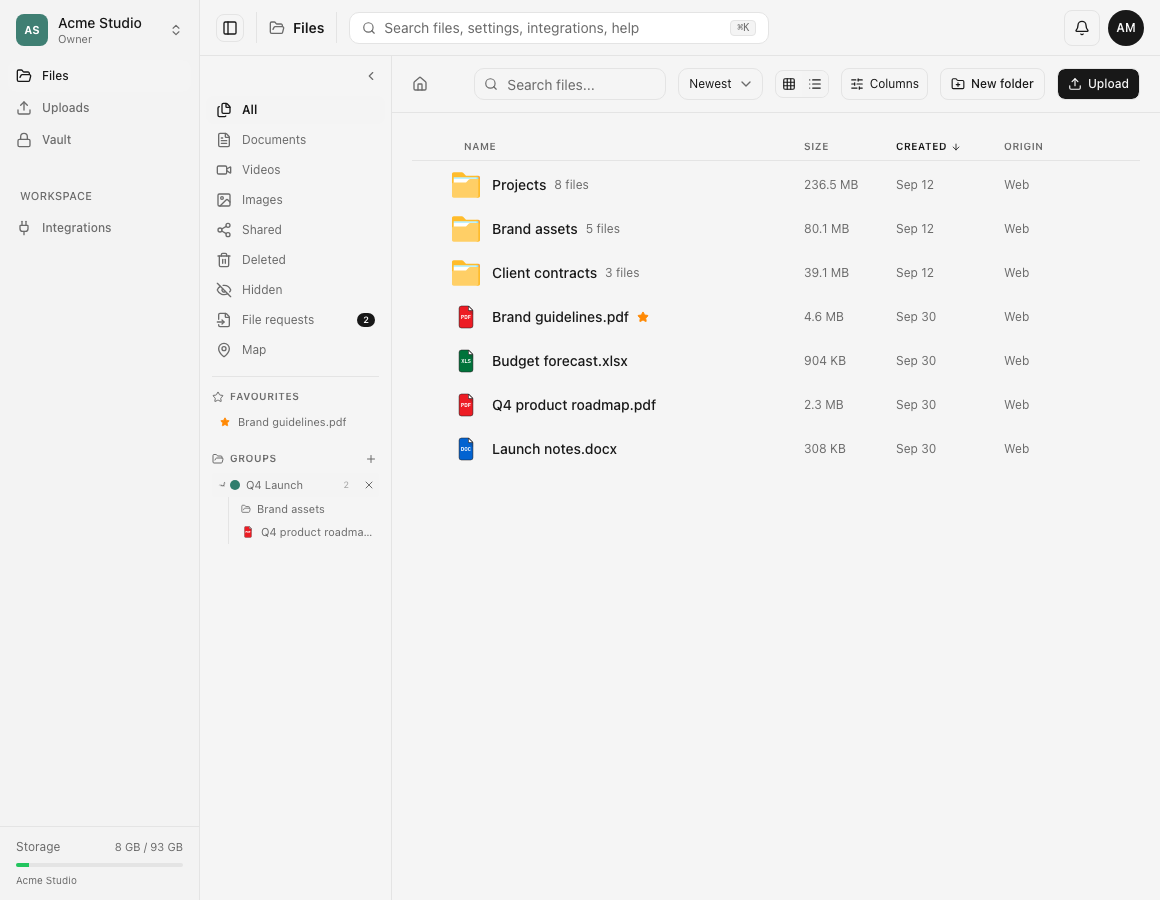
- In web Files, open the first item’s context menu and choose Add to group. Do not select several rows expecting a batch group action.
- In the Add to group dialog, check the line Select a group for name, then choose the intended group.
- Wait for Added to group and the detail The file was added to group-name.
- Repeat those actions for every additional reviewed file. Keep a checklist because each request succeeds or fails independently.
- Open the group from the sidebar and compare its members with the checklist. Refresh before retrying an uncertain result.
- On mobile, open the one item’s sheet, use Add name to group, and choose an existing group or New group…; the target is still singular.
Errors and partial results
If no group exists, web says No groups and No groups yet. Create one in the sidebar. A list failure uses Something went wrong and Could not load your groups. Assignment failure says The file could not be added to the group. The API returns File already in this group with 409 for a duplicate, although web can surface a generic toast.
Because every file is a separate request, an interruption can leave a partially completed set. Existing successes remain; verify the group and resume only with missing items. Removing a membership later changes the group list, not the stored file.
Expected result
The chosen group contains each file added through its own successful request, without duplicate memberships. All source items remain in their original folders with unchanged bytes and permissions.
Related guides
Was this helpful?
Loading helpfulness results…
Voting saves a necessary ballot cookie for up to 180 days so you can change your answer.
Questions and replies
Ask about the steps in this guide. Questions are reviewed before publication.
Keep account details, credentials and private files out of public questions. Use private support for those.
Loading questions…
Sign in to your Dosya account to ask a question.