Move two-factor authentication to a new phone
Move Dosya authenticator 2FA to a replacement phone without losing access by preserving recovery options, then disabling and re-enabling securely.
Last reviewed
The current web interface does not provide a direct “move phone” button. It requires disabling 2FA and enabling Authenticator again, which replaces the secret and recovery-code set. Keep the old phone, current session, and an unused recovery code until the new setup succeeds.

Steps
- Sign in on a trusted browser and verify that you know the account password. OAuth-only accounts must use Set a password first because disabling 2FA requires one.
- Preserve an unused recovery code offline. Do not erase the old phone yet.
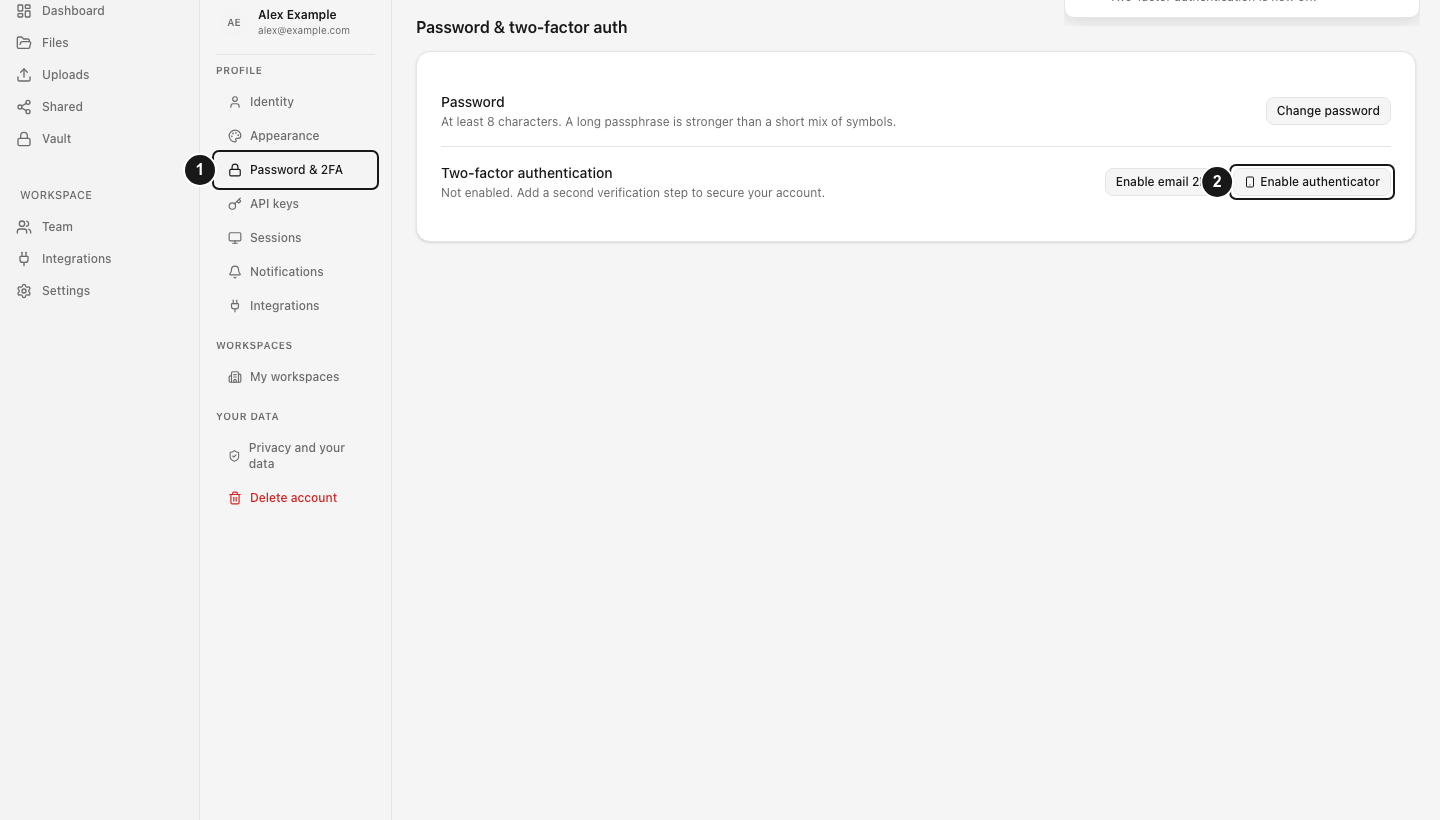
- In Profile → Password & 2FA, select Disable, enter Current password, and choose Disable 2FA. Wrong credentials return Incorrect password.
- Understand the transition: disabling clears the live and pending authenticator secrets and deletes every existing recovery code. The account temporarily has no second factor.
- Select Enable authenticator, scan the new QR on the replacement phone, enter a fresh six-digit code, and choose Verify & enable.
- Save the new set of 10 codes. Confirm the Authenticator badge before signing out or wiping the old device.
- Test a separate login with the new phone. The 2FA challenge expires after 5 minutes and allows 5 attempts; repeated failure requires starting login again.
Disabling and re-enabling generates mandatory security notices. If either action was not yours, change the password and review sessions immediately.
Expected result
Only the replacement phone’s secret generates accepted authenticator codes. The previous secret and all earlier recovery codes are invalid, while the newly issued ten codes can recover future sign-ins one time each.
Related guides
Was this helpful?
Loading helpfulness results…
Voting saves a necessary ballot cookie for up to 180 days so you can change your answer.
Questions and replies
Ask about the steps in this guide. Questions are reviewed before publication.
Keep account details, credentials and private files out of public questions. Use private support for those.
Loading questions…
Sign in to your Dosya account to ask a question.