Verify an email before signing in
Complete Dosya email verification with the newest six-digit code, understand expiry and attempt limits, and recover when delivery fails safely.
Last reviewed
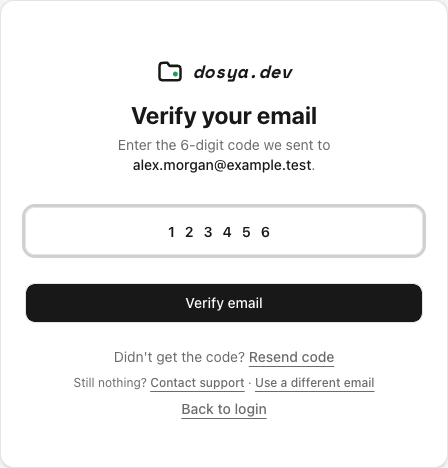
Password sign-in refuses an unverified account with Please verify your email before signing in. The verification page accepts the six-digit code sent to the pending address; each code expires after 10 minutes.

Steps
- Open Verify your email from sign-up or the verification link and confirm the displayed address.
- Enter exactly six digits and select Verify email. Other input is blocked locally with Enter the 6-digit code from your email.
- Use only the newest message. Resend code invalidates every older unused code, creates a fresh 10-minute code, and shows A new code has been sent to your email.
- Wait at least 30 seconds between resends. An early request returns Please wait Ns before requesting another code. Resends are capped at 5 per IP address per hour.
- One code permits 5 submitted attempts. Expired or missing challenges say This code has expired. Request a new one. or No active verification code. Request a new one.
- Across new codes, failed guesses trigger account-wide locks: 10 misses for 15 minutes, 20 for 1 hour, and 30 or more for 24 hours.
- If mail never arrives, inspect spam/quarantine, then use Contact support or Use a different email.
Verification requests also have a 20-per-IP, 15-minute rate limit. A successful code is consumed and cannot be reused.
Expected result
Dosya marks the email verified, clears failed-verification lock state, creates a 30-day browser session, and clears the pending-email cookie. The verification API returns /welcome, but the web page first checks its stored post-auth path: a pending redemption continues to /redeem; without one, the browser opens Welcome. Later password sign-in no longer returns the unverified-email error.
Finish verification within 24 hours of signing up. Email sign-ups that stay unverified longer are erased, as the 24-hour verification rule explains.
Related guides
Was this helpful?
Loading helpfulness results…
Voting saves a necessary ballot cookie for up to 180 days so you can change your answer.
Questions and replies
Ask about the steps in this guide. Questions are reviewed before publication.
Keep account details, credentials and private files out of public questions. Use private support for those.
Loading questions…
Sign in to your Dosya account to ask a question.