Read workspace storage allocation
Interpret used, total and free workspace storage, distinguish a hard cap from account headroom, and avoid treating allocation as reserved space.
Last reviewed
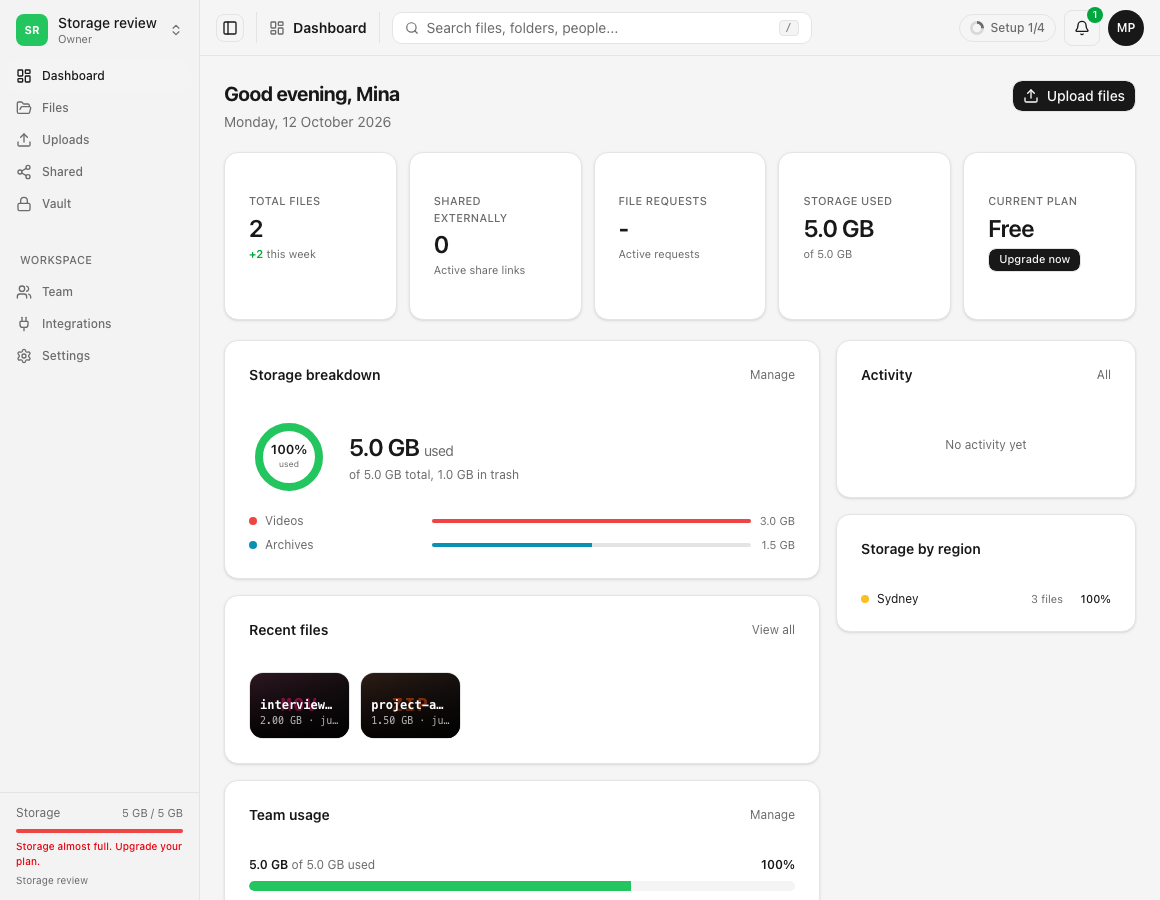
The workspace switcher summarizes the storage that can actually fit in each workspace. Read used, total and free together because a workspace cap and the owner’s account pool are enforced at the same time.
A cap does not reserve bytes. Free is the smaller of the workspace’s remaining cap and the owner’s account-wide remaining entitlement, so sibling workspaces can reduce it even when this workspace has not changed.

How the values are calculated
| Field | Calculation |
|---|---|
| used | Non-negative bytes charged to this workspace. Content in Trash continues to count until it is permanently emptied. |
| total | The explicit workspace cap in bytes when set; otherwise the workspace owner’s effective account entitlement. |
| free | max(0, min(total − workspace used, account limit − usage across all owned workspaces)). |
| cap | Total workspace storage cap × 1,073,741,824 bytes, or absent when the workspace is uncapped. |
| account used | Sum of storage-used counters across every workspace owned by the same account. |
The UI formats binary units: 1 MB is 1,048,576 bytes, 1 GB is 1,073,741,824 bytes and 1 TB is 1,099,511,627,776 bytes. Values at least 1 GB are rounded for display, so use exact byte sizes when testing a tight boundary.
Steps
- Open the workspace switcher and locate the intended workspace by name and icon.
- Record its … free of … line. The first value is effective free space; the second is the workspace total described above.
- Switch to that workspace and open Settings → Hard limits if your role has Access Settings.
- Read Total workspace storage cap. A blank field means the workspace total follows the owner’s entitlement; it does not mean zero bytes.
- Compare workspace cap headroom with the owner’s account-wide remaining limit. The smaller amount explains the switcher’s effective free-space value.
- Check Storage per member when one uploader is blocked despite workspace-level free space. That separate rule measures the member’s existing bytes plus the incoming file.
- For automation or a custom client, read the workspace upload-limits response. Treat
storage_remaining_bytesas a hint because its quota cache can be up to 60 seconds old; the upload server makes the final measured-byte decision.
Examples
An account has 100 GB total and 80 GB used across owned workspaces. Workspace A has a 50 GB cap and 20 GB used. Its cap leaves 30 GB, but the account leaves 20 GB, so Workspace A shows 20 GB free.
An account has 500 GB total and 100 GB used. Workspace B has a 25 GB cap and 24 GB used. Account headroom is 400 GB, but the workspace has only 1 GB left, so its displayed free value is 1 GB.
Removing a 5 GB file to Trash does not immediately change the used counter. Permanently emptying that Trash content releases storage; moving it into another workspace owned by the same account can change the two workspace counters but does not reduce account-wide usage.
Resolve unexpected readings
The workspace appears empty but has little free space. Another workspace owned by the same account is consuming the shared entitlement. Open the account Workspace dashboard to find the owned usage.
The total equals a smaller round number than the plan. An explicit Total workspace storage cap is active. Only someone with Access Settings and Change total storage cap can alter it.
The uploader reached a limit while free space remains. Inspect Storage per member, Max upload file size, extension rules and credential-specific limits; the storage figure covers only account and workspace total capacity.
The value has not caught up with a recent transfer. Refresh after the operation settles. Preflight remaining bytes may lag by as much as its 60-second cache, while the completion gate measures real bytes before committing them.
Expected result
The recorded free value matches the smaller applicable headroom and never becomes negative. You can explain whether an upload is constrained by the workspace cap, the owner’s shared pool or a separate per-member/file rule before changing settings.
Related guides
Was this helpful?
Loading helpfulness results…
Voting saves a necessary ballot cookie for up to 180 days so you can change your answer.
Questions and replies
Ask about the steps in this guide. Questions are reviewed before publication.
Keep account details, credentials and private files out of public questions. Use private support for those.
Loading questions…
Sign in to your Dosya account to ask a question.