Verify a policy change as a regular member
Validate a workspace policy from a regular member session, record the exact refusal or success, and separate role, page, scope and cached-setting effects.
Last reviewed
Policy validation should use a non-administrator account because owner access can hide permission failures. Test one controlled operation after the setting or role change has propagated.

Before you start
- Record the member’s role, folder anchor, active workspace, client surface, and the policy being changed.
- Use disposable content whose upload, share, rename, or deletion cannot affect another person.
- Expect settings and membership caches to remain stale briefly across distributed workers.
Steps
- As an authorized administrator, change one policy or permission and wait for its receipt: Settings updated, Role updated, or Limit updated — Your hard limit has been saved.
- In Team, verify the test member’s role and Whole workspace or folder label.
- Wait roughly 60 seconds, then reload the member’s web tab or reconnect the protocol client.
- Confirm the member is operating in the intended workspace and can reach the page required for the test.
- Perform exactly one representative action and capture the visible result or exact server error without repeated retries.
- Compare the result with the configured policy, role permission, folder boundary, and any active-hours, IP, or usage condition.
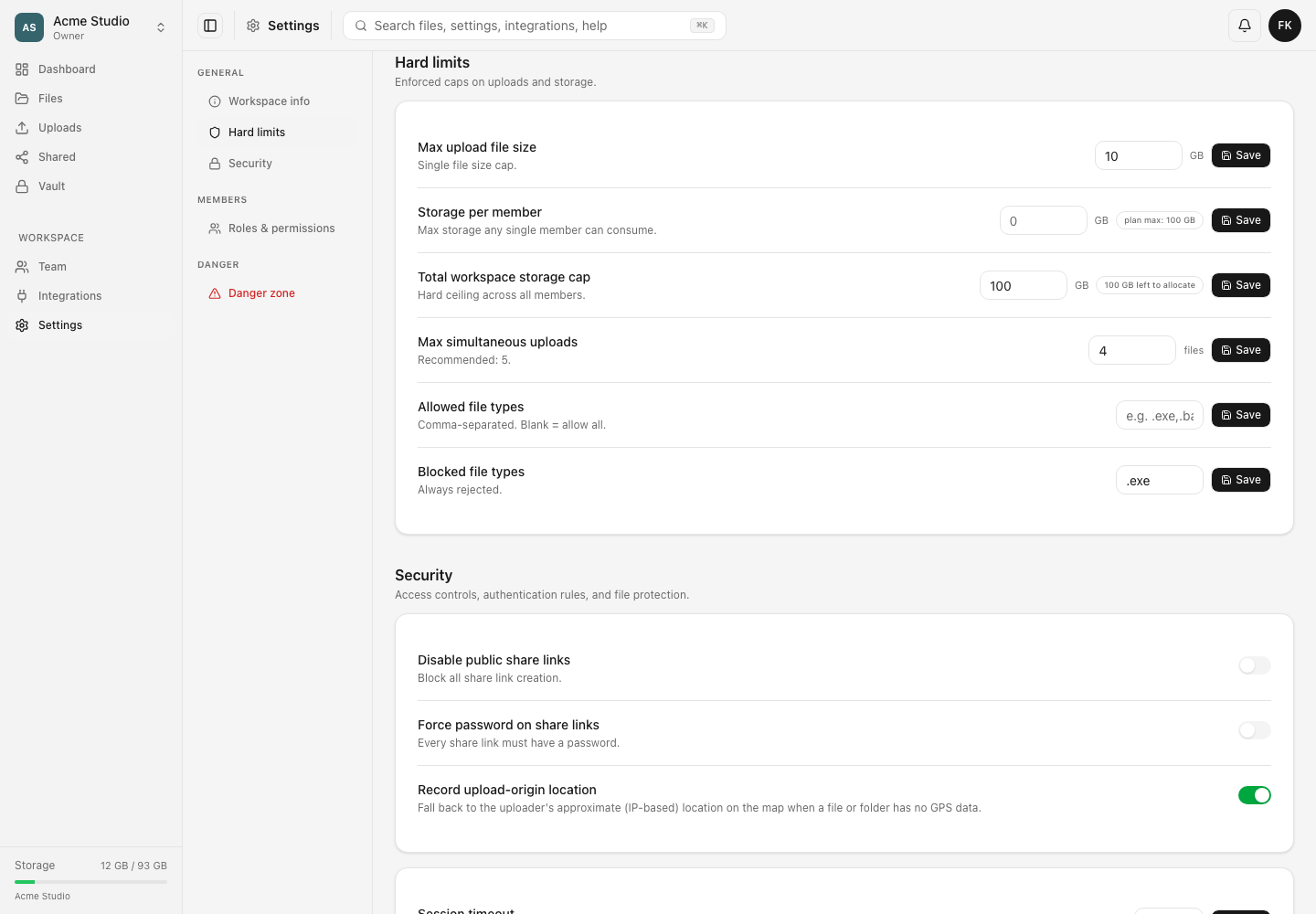
Reading a refusal
You don’t have access to … identifies a page gate. You don’t have permission … identifies the capability needed for the operation. A missing resource can reflect folder confinement or hidden content. Quota, extension, password, link-expiry, active-hours, IP, and rate-limit messages come from separate gates.
Changing several controls at once makes the result ambiguous. Restore the disposable configuration after the test and remember that completed actions are not undone by tightening policy later.
Expected result
The regular member receives the exact allowed or denied behavior predicted by the one changed rule, and the test record includes workspace, role, scope, client, time, and message.
Troubleshooting
The result matches the old configuration. Wait a minute, reload or reconnect, and run one new request.
The navigation item is absent. Inspect the matching Access … permission before the action-level permission.
The web test passes but a protocol fails. Verify Use WebDAV, Use the S3 gateway, or SFTP access, plus any IP condition the gateway can enforce.
Related guides
Was this helpful?
Loading helpfulness results…
Voting saves a necessary ballot cookie for up to 180 days so you can change your answer.
Questions and replies
Ask about the steps in this guide. Questions are reviewed before publication.
Keep account details, credentials and private files out of public questions. Use private support for those.
Loading questions…
Sign in to your Dosya account to ask a question.