Test a workspace invitation link policy
Test an invite link in a private session, confirm its assigned role, expiry and use ceiling, then revoke the disposable link after validation.
Last reviewed
An invite link is a bearer credential: an eligible nonmember other than its creator can join with the stored role until expiry, use, revocation, or workspace member limits stop acceptance. Current members receive already_member, and a former creator cannot redeem their own URL.

Before you start
- The tester needs Invite members and may create links only for roles within their own permission ceiling.
- Choose a disposable account that is not already a workspace member and did not create the link.
- The web choices are Unlimited, 1, 5, 10, 25, or 100 uses and Never, 1, 7, 30, or 90 days.
Steps
- Open Team → Invite to workspace → Invite link in the correct workspace.
- Choose Role for new members, Max uses, and Expires, then select Create link.
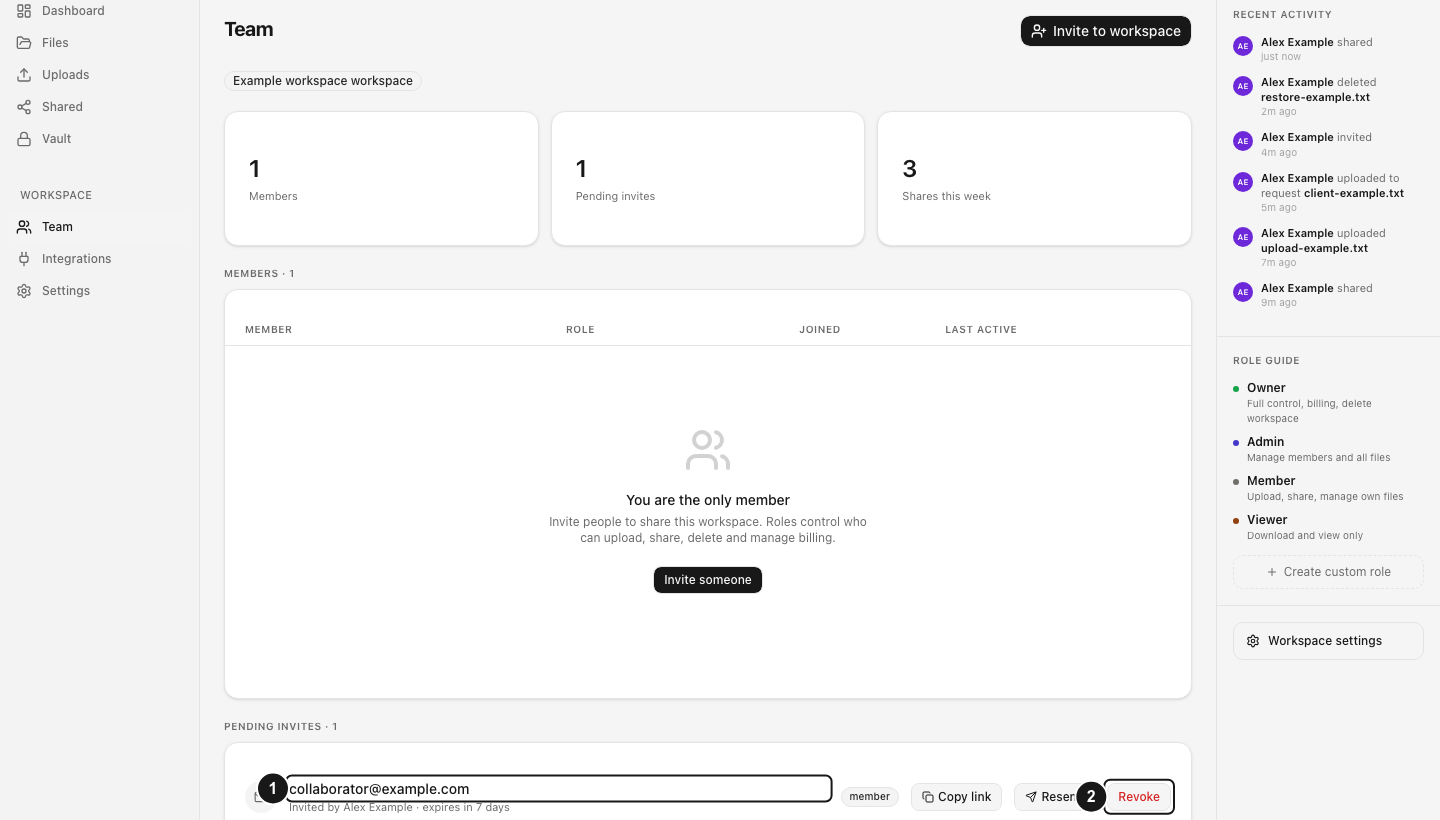
- Under Invite links, verify the displayed role, use count, and expiry before copying the URL.
- Open the URL in a private browser session, sign in as the disposable account, and confirm the workspace and role shown before joining.
- Accept once, return to Team, and verify the new member row plus the incremented use count.
- Remove the disposable member if appropriate, then select Revoke on the tested invite link; the same URL must not be reused.
Limits and security behavior
The API accepts a whole-number max_uses from 1 through 10,000 or null for unlimited, and expires_in_days from 1 through 3,650 or null for no expiry. The interface intentionally offers a smaller preset list. The assigned role cannot be Owner and cannot grant permissions the creator lacks.
Removing a joined tester does not automatically revoke the link. Revocation is irreversible for that URL, creates an activity event, and does not remove people who already joined.
Expected result
The private session shows the intended workspace and role, one successful acceptance increments usage, and the revoked disposable URL no longer admits another account.
Troubleshooting
You don’t have invite permission. The current role lacks Invite members.
You don’t have permission to invite this role. Choose a role whose permission set is contained in your own.
The link refuses acceptance. It may be expired, revoked, at its use ceiling, or blocked by the workspace member limit; inspect the active link row before creating another.
The signed-in account cannot be used for the test. A current member receives already_member; a former creator receives You created this invite link. Ask another member to invite you. Use a separate nonmember account.
Related guides
Was this helpful?
Loading helpfulness results…
Voting saves a necessary ballot cookie for up to 180 days so you can change your answer.
Questions and replies
Ask about the steps in this guide. Questions are reviewed before publication.
Keep account details, credentials and private files out of public questions. Use private support for those.
Loading questions…
Sign in to your Dosya account to ask a question.