Create a custom workspace role
Create a custom workspace role with precise permissions, access conditions, and usage limits, then confirm the role is available for assignment.
Last reviewed
A custom role combines workspace permissions with optional network, schedule, and usage restrictions. Create one when the built-in Owner, Admin, Member, and Viewer sets are broader or narrower than the job requires.

Requirements and limits
The creator must belong to the workspace and hold Manage roles. They can enable only permissions they already hold. Rows outside that ceiling are disabled with You don’t hold this permission, so you can’t grant it. The server names any disallowed keys if a stale or crafted request bypasses the interface.
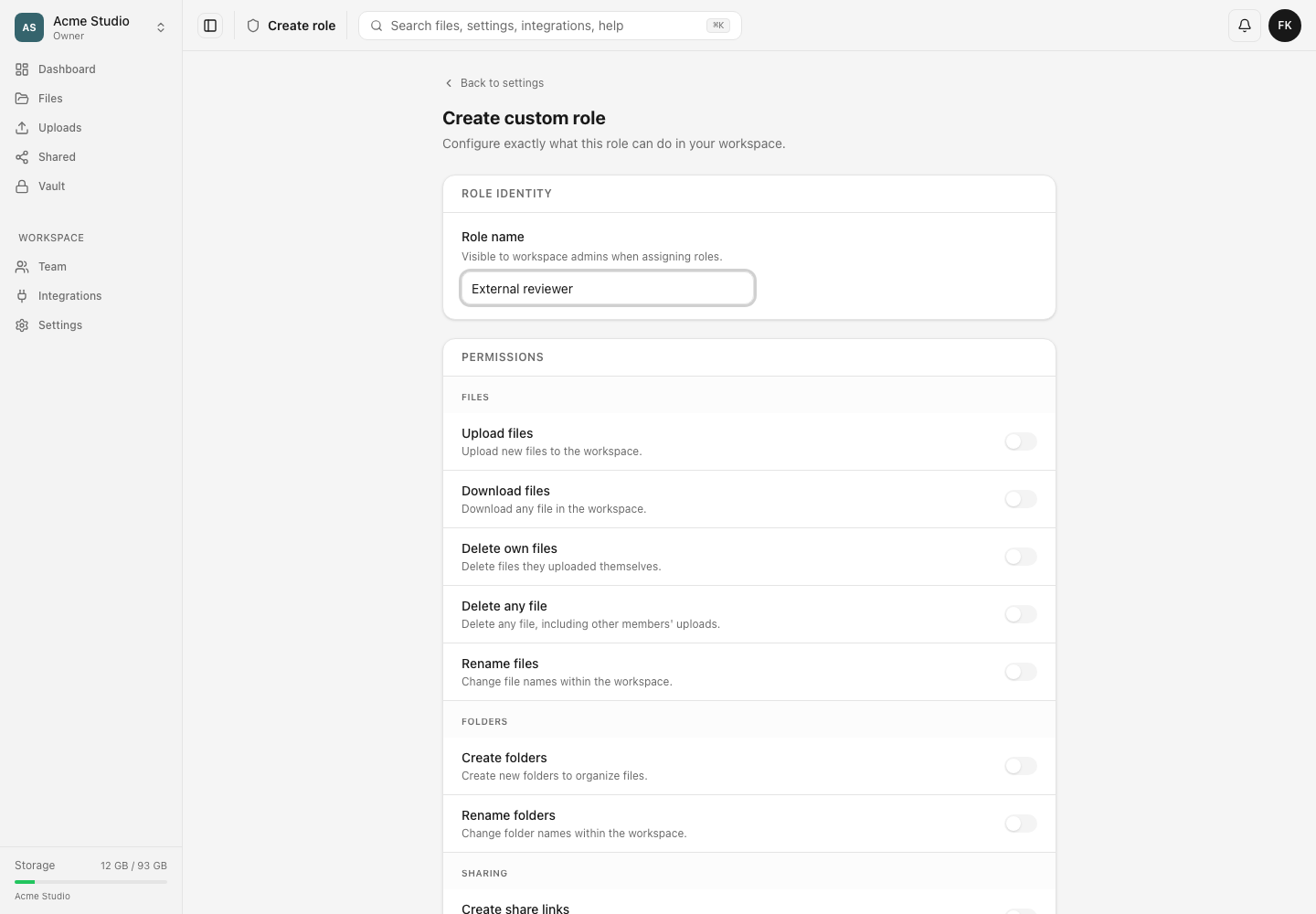
Choose a role name between 1 and 50 characters. A new role starts with every permission disabled and is created as a workspace-specific custom role. Saving it does not assign the role to any current or invited member.
The editor groups 36 controls under Files, Folders, Sharing, Team, Workspace identity, Workspace limits, Workspace general, File management, Page access, and Protocol access. A capability and the page that exposes it can be separate; for example, Create share links and Access Shared solve different parts of the workflow.
Steps
- Open Team and select Create custom role in the Role guide, or open Workspace settings and the roles section.
- In Role identity, enter a specific Role name, such as
External reviewer. - Under Permissions, enable only the actions and pages required for the job. Pay particular attention to destructive controls such as Delete any file, Manage roles, Lock files & folders, and Hide files & folders.
- If network boundaries are needed, add comma-separated CIDR values to Allowed IP ranges. REST and sync requests evaluate their request address, while WebDAV and S3 enforce the same condition at their gateways. SFTP refuses access for a role with an IP allowlist because its gateway cannot verify the member’s original address.
- Optionally enable Restrict to active hours, then choose a time zone, weekdays, and a from/to window.
- Under Usage limits, leave a field blank for unlimited or set positive values for Requests per minute, Egress per day (GB), Max file size (MB), and Max concurrent transfers.
- Select Create role and wait for Role created — Your new role is ready to assign.
- In Existing roles, confirm the new row is marked custom and its enabled-permission count matches your review.
How restrictions combine
Role conditions apply to every member assigned that role. Individual API-key restrictions intersect with role restrictions; neither layer can widen the other. The four usage limits cover every protocol. An IP allowlist binds REST, sync, WebDAV, and S3 access, and makes SFTP unavailable for that role because SFTP cannot verify the original client address.
Creating the definition does not notify anyone because nobody holds it yet. When an administrator later edits an assigned custom role’s permission switches, all holders receive an in-app notification describing what was gained and lost. Changes to conditions or usage limits do not currently produce that permission-change notice.
Fix a creation error
- Role name is required means the trimmed name is empty.
- Role name too long (max 50) requires a shorter label.
- You don’t have permission to manage roles means your role lacks Manage roles.
- You can’t grant permissions you don’t hold yourself: … lists capabilities above your ceiling. Clear those switches or ask the owner to create the role.
- Can’t reach the server. Check your connection and try again. Nothing was confirmed; reconnect and submit once more.
A custom role can later be deleted only after all assigned members move elsewhere and every pending invitation or active invite link using it is revoked. Deletion permanently removes the definition, so reassignment should precede cleanup.
Expected result
The custom role appears in Existing roles, reports the intended permission count, retains any access conditions and numeric limits, and is available in eligible member and invitation role selectors.
Related guides
Was this helpful?
Loading helpfulness results…
Voting saves a necessary ballot cookie for up to 180 days so you can change your answer.
Questions and replies
Ask about the steps in this guide. Questions are reviewed before publication.
Keep account details, credentials and private files out of public questions. Use private support for those.
Loading questions…
Sign in to your Dosya account to ask a question.