Investigate unexpected sharing-link activity
Preserve the newest event evidence, interpret anonymous visitor and country fields correctly, revoke the link, and verify access is contained.
Last reviewed
Unexpected analytics can establish that a link was opened or downloaded, but not who did it. Preserve the visible evidence and revoke before investigating attribution elsewhere.

Steps
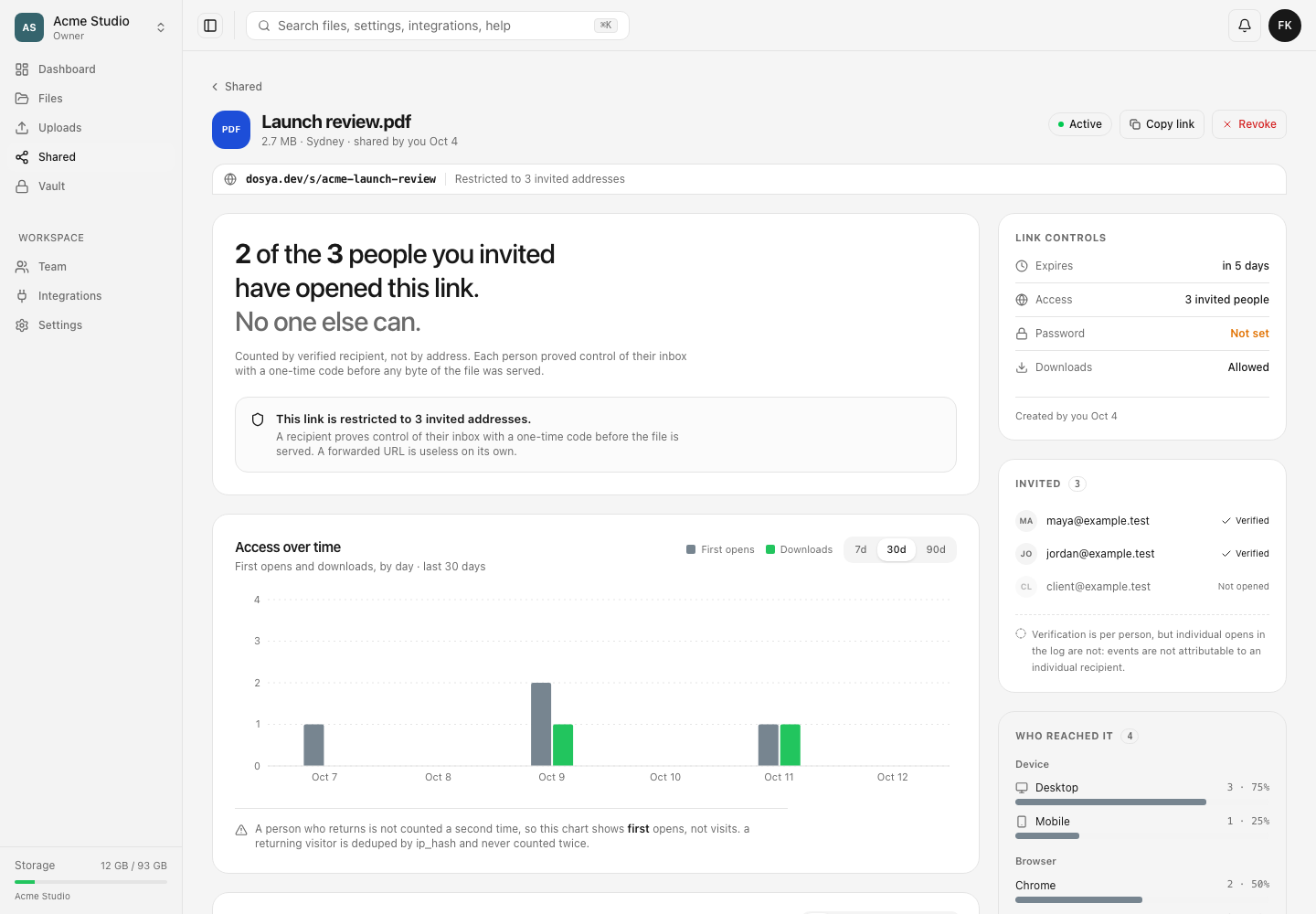
- Open the link from Shared → By me and confirm its URL, access rule, password state, expiry, and Downloads setting in Link controls.
- Choose the relevant 7-, 30-, or 90-day range and filter the newest log rows by Opens or Downloads. Record timestamp, opaque visitor handle, device label, and country or Unknown.
- For restricted links, compare Verified recipient rows separately. A verified address proves inbox control, but no individual access-log row can be assigned to that person.
- Note the evidence boundary: the table loads 25 newest events, repeat visits do not add first-open rows, public visitors are anonymous, and reach may be truncated after 5,000 distinct visitors.
- Choose Revoke, confirm Revoke link, and preserve the Revoked timestamp. Revocation is permanent, closes the URL immediately, and keeps the analytics record.
- Test the URL in a private window for Link revoked. Contact intended recipients separately; if the content or URL is abusive, the public page’s Report abuse link opens a form prefilled with that share URL.
Expected result
The suspicious URL is permanently closed, the available event evidence remains in analytics, and any attribution conclusion stays within the data Dosya records.
Changing a password is available in the mobile editor, but revocation is the decisive response when continued access is unacceptable. Other active links to the same content require separate review.
Related guides
Was this helpful?
Loading helpfulness results…
Voting saves a necessary ballot cookie for up to 180 days so you can change your answer.
Questions and replies
Ask about the steps in this guide. Questions are reviewed before publication.
Keep account details, credentials and private files out of public questions. Use private support for those.
Loading questions…
Sign in to your Dosya account to ask a question.