Deliver several files as one share
Create one link for 1–100 same-workspace files, apply recipient and download controls, then verify the complete public bundle before delivery.
Last reviewed
A bundle puts several files behind one URL. The selected files must be live, visible, inside your scope, and in one workspace; the link can contain at most 100 files.

Steps
- In Files, select between 1 and 100 live files from the same workspace. You need
create_share_links, and every selected item must be visible and inside your permitted folder scope. - Choose Share and confirm the dialog says the selection will use one link for all of them. Duplicate IDs, missing files, cross-workspace files, and hidden targets are refused.
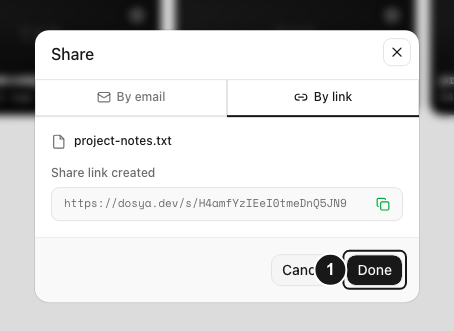
- Choose By email for delivery or By link for a bearer URL. Email sharing supports at most 50 deduplicated recipient addresses; leave Only these people can open it on when forwarding must not grant access.
- Set Expires in and, if needed, a password of at least 8 characters. The bundle endpoint currently persists expiry, password, recipient access, title, and message. The web dialog’s view-only, metadata-removal, and download-limit fields are not applied to bundle creation.
- Create or send the bundle. A partial result names addresses Dosya could not reach. If every email fails, Could not send email appears after the link was created, so check Shared before retrying to avoid another live link. Add view-only or a download cap afterward in mobile.
- Open the resulting URL in a private window and check the file count and names. When multiple files are visible, the page shows a Bundle grid. Open each tile to verify it. When downloads are allowed, Download all requests one ZIP of the visible bundle members, subject to the archive’s 10,000-entry and 5 GiB ceilings and the link’s access and download limits.
Expected result
One active share URL opens the reviewed bundle with its expiry, password, and recipient restriction applied; any later mobile edit keeps that same URL.
Changing or deleting a source file changes what the share can serve; the bundle is not a detached archive. Creating a new bundle does not revoke any older link covering the same files.
Related guides
Was this helpful?
Loading helpfulness results…
Voting saves a necessary ballot cookie for up to 180 days so you can change your answer.
Questions and replies
Ask about the steps in this guide. Questions are reviewed before publication.
Keep account details, credentials and private files out of public questions. Use private support for those.
Loading questions…
Sign in to your Dosya account to ask a question.