Verify imported folder hierarchy
Confirm that imported roots and nested folders retain their provider hierarchy, while accounting for renamed, merged, exported, skipped, or failed items.
Last reviewed
Selecting a provider folder imports that folder as a real root under the Dosya destination and walks its descendants. You do not need to expand every provider level before checking the folder. A separately selected file lands directly in the destination instead.

Before you start
Record a small source manifest with each selected root name, one representative nested path, and one leaf filename. Include two roots that contain the same child-folder name when possible; this proves those branches remain separated by their parents.
Wait for Import complete or note any failed and skipped totals. Cancelling or closing after partial progress does not remove already delivered files, so a partially completed job cannot prove the full hierarchy.
Steps
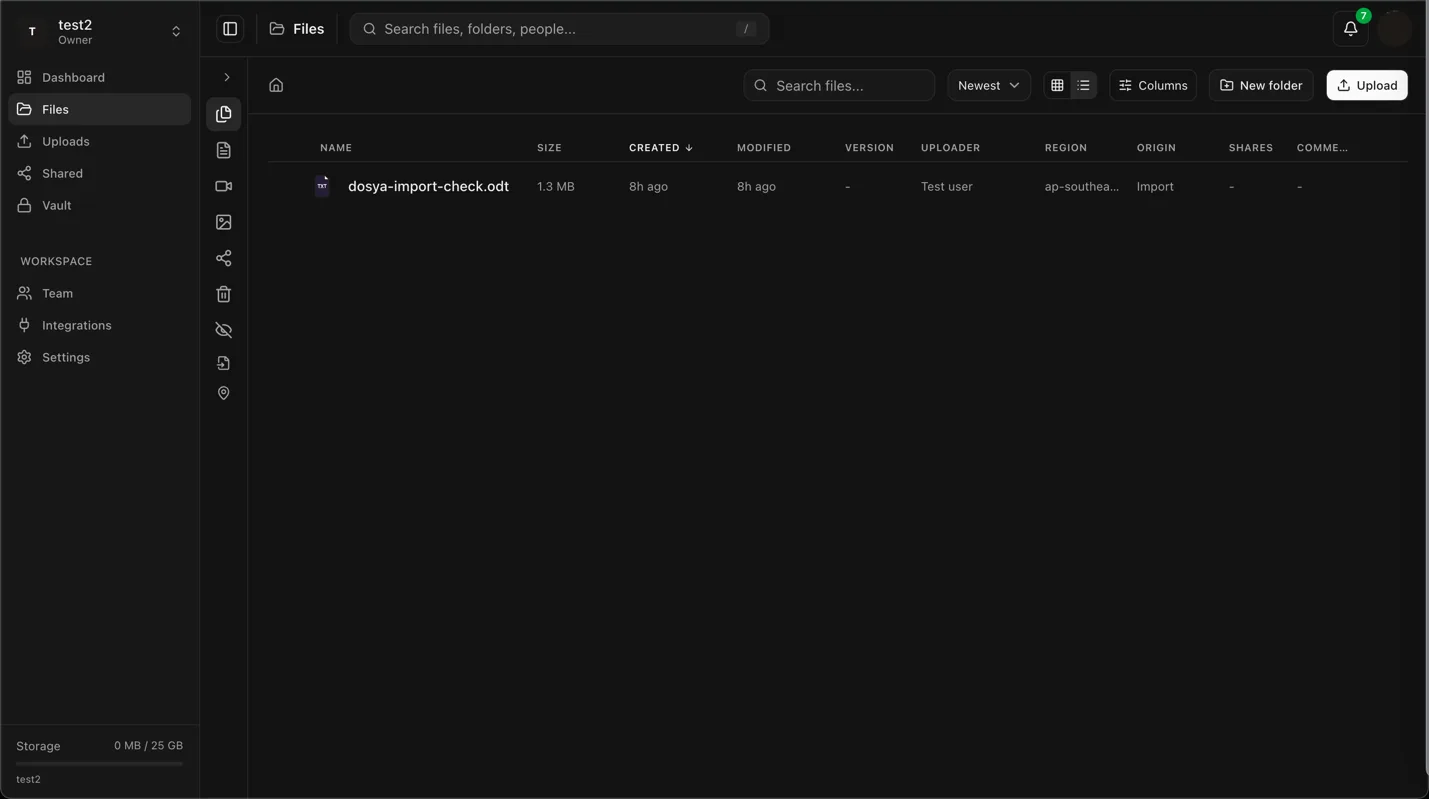
- Open Files in the workspace that was active when the import began. Current provider integration dialogs submit to that workspace’s root.
- Find every checked provider folder at the top level in Dosya. A live same-name folder can be reused, so confirm the imported branch by its descendants. A direct checked file should be beside those roots at workspace root.
- Open each imported root and follow the representative path from your manifest, level by level. Compare the parent at every step rather than searching only for the leaf filename.
- For two roots containing a child such as
2026, confirm each child remains under its own imported parent. The importer maps folders by provider identity and local parent, so sibling trees should not collapse into one cross-root folder. - Open a delivered file’s detail panel when attribution is uncertain. Source and Account identify the provider and connected account used for the import.
- Compare cloud-import missing items with the completion toast’s failed and skipped counts before starting another job.
Expected differences
Dosya sanitizes imported folder names before creating them. Forward and back slashes become hyphens; leading dots, hyphens, and whitespace are trimmed; an empty result becomes Untitled; and folder names are limited to 255 characters. Compare the resulting name using those rules rather than treating every normalized name as data loss.
If a live folder with the same name already exists under the same parent, the importer reuses it. The new content can therefore merge into a pre-existing destination folder. This is not a fresh snapshot directory, so inspect existing content before importing into a populated workspace.
Provider-native documents are exported to the format shown beside the picker entry, such as PDF or Microsoft Office formats. Unsupported descendants are skipped. When a file with the same name already occupies the destination folder, the importer does not overwrite it; after its attempts fail, it appears in the failed count.
Troubleshooting
- A root is absent but some children are at the workspace root: confirm whether you checked individual files instead of the folder itself.
- A branch stops early: review the terminal skipped/failed figures, then check whether the provider item was unsupported or a destination filename already existed.
- Content appears inside an older same-name folder: the find-or-create behavior intentionally reuses a live matching folder at that parent.
- A source folder changed after selection: the job walks provider state while running; use the recorded manifest and run a new controlled import for later provider changes.
Expected result
Each selected folder maps to its named Dosya root, which may be a reused live folder; supported descendants retain their parent-child relationships, and every exception is explained by sanitation, reuse, conversion, skipping, or failure.
Related guides
Was this helpful?
Loading helpfulness results…
Voting saves a necessary ballot cookie for up to 180 days so you can change your answer.
Questions and replies
Ask about the steps in this guide. Questions are reviewed before publication.
Keep account details, credentials and private files out of public questions. Use private support for those.
Loading questions…
Sign in to your Dosya account to ask a question.