Verify a Vault recovery key
Test a Vault recovery key through the real mobile unlock path, identify the exact failure message, and preserve the only offline recovery copy.
Last reviewed
Dosya has no separate recovery-key checker. The supported verification is a real unlock of the existing Vault identity with the saved key. Success proves that the key can unwrap the same encrypted identity used by your Spaces; it does not rotate the key or validate a printed copy you did not enter.

Before you start
- Keep the authoritative offline recovery key in place. Make a temporary working copy for entry; do not move or destroy the only copy during this check.
- Confirm the signed-in account is the one that created the recovery key. A correct key for another Dosya account will fail authentication.
- The generated recovery secret is 32 random bytes displayed as 64 lowercase hexadecimal characters. The mobile parser accepts spaces, line breaks, and hyphens around that value.
- Connect to the network so the app can fetch your account’s encrypted key bundle. Recovery unlock does not send the recovery key to Dosya and does not call the passphrase OPRF endpoint.
Steps
- If Vault is open, tap Lock. This clears the active session and decrypted Vault cache without changing cloud data or the stored recovery wrapper.
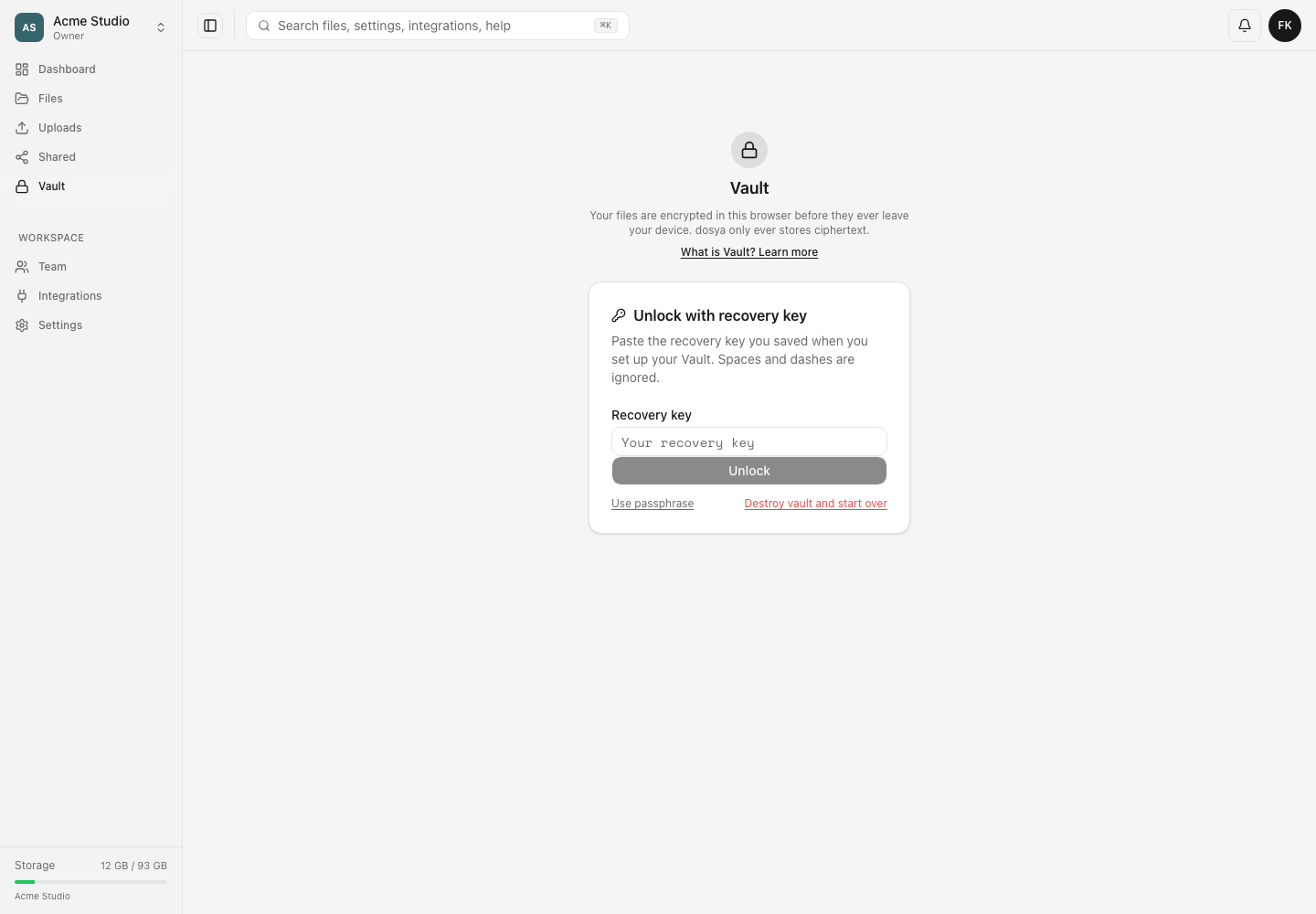
- On Unlock your Vault, tap Use recovery key.
- Paste the working copy into Recovery key. Visually compare its first and last groups with the offline original.
- Tap Unlock with recovery key. The field clears as soon as it is submitted, whether the attempt succeeds or fails.
- Confirm that the expected My Spaces and Shared with me entries appear. Open one known Space and folder to prove the recovered identity can use its existing grants.
- Lock Vault again, remove the temporary clipboard or note copy, and retain the protected offline original.
Expected result
Vault unlocks and the known Space contents decrypt under the existing identity. Verification does not change the passphrase, recovery wrapper, public keys, membership, files, or plan. The recovery key remains the only fallback if the passphrase is later lost.
Troubleshooting
You see “That recovery key didn’t unlock your Vault.” Check the account and all 64 hexadecimal characters. Spaces and hyphens are removed automatically, but a missing nibble, non-hex character, wrong account key, or altered stored wrapper cannot authenticate.
You see “Couldn’t check encryption status.” The account key-bundle lookup failed before verification. Restore connectivity and tap Retry; do not choose setup while identity status is unknown.
Unlock succeeds but a Space is missing. The recovery key restores the account identity, not revoked membership. Refresh the Space list and ask a current member to inspect access if the Space was shared.
You dismissed “Save your recovery key” during setup without preserving it. The setup card shows that generated value once and then the mobile store forgets it. Dosya cannot reveal or reconstruct it later. Keep the passphrase safe; if both secrets are lost, the encrypted identity and its data are unrecoverable.
You expected recovery to set a new passphrase. The current mobile flow only unlocks a session with the recovery-derived key. It does not rewrap the identity or replace the old passphrase.
Related guides
Was this helpful?
Loading helpfulness results…
Voting saves a necessary ballot cookie for up to 180 days so you can change your answer.
Questions and replies
Ask about the steps in this guide. Questions are reviewed before publication.
Keep account details, credentials and private files out of public questions. Use private support for those.
Loading questions…
Sign in to your Dosya account to ask a question.