Verify storage after permanent deletion
Confirm that trash still consumes quota, permanently purge a known item, allow the 60-second quota cache to invalidate, and verify released bytes.
Last reviewed
Moving content to Deleted does not lower storage_used_bytes. Only a completed permanent purge removes the retained file bytes and credits the workspace counter.

Steps
- Record the workspace storage figure and the exact byte size of a disposable deleted file. A folder’s displayed size may aggregate many descendants, so a single file makes the clearest check.
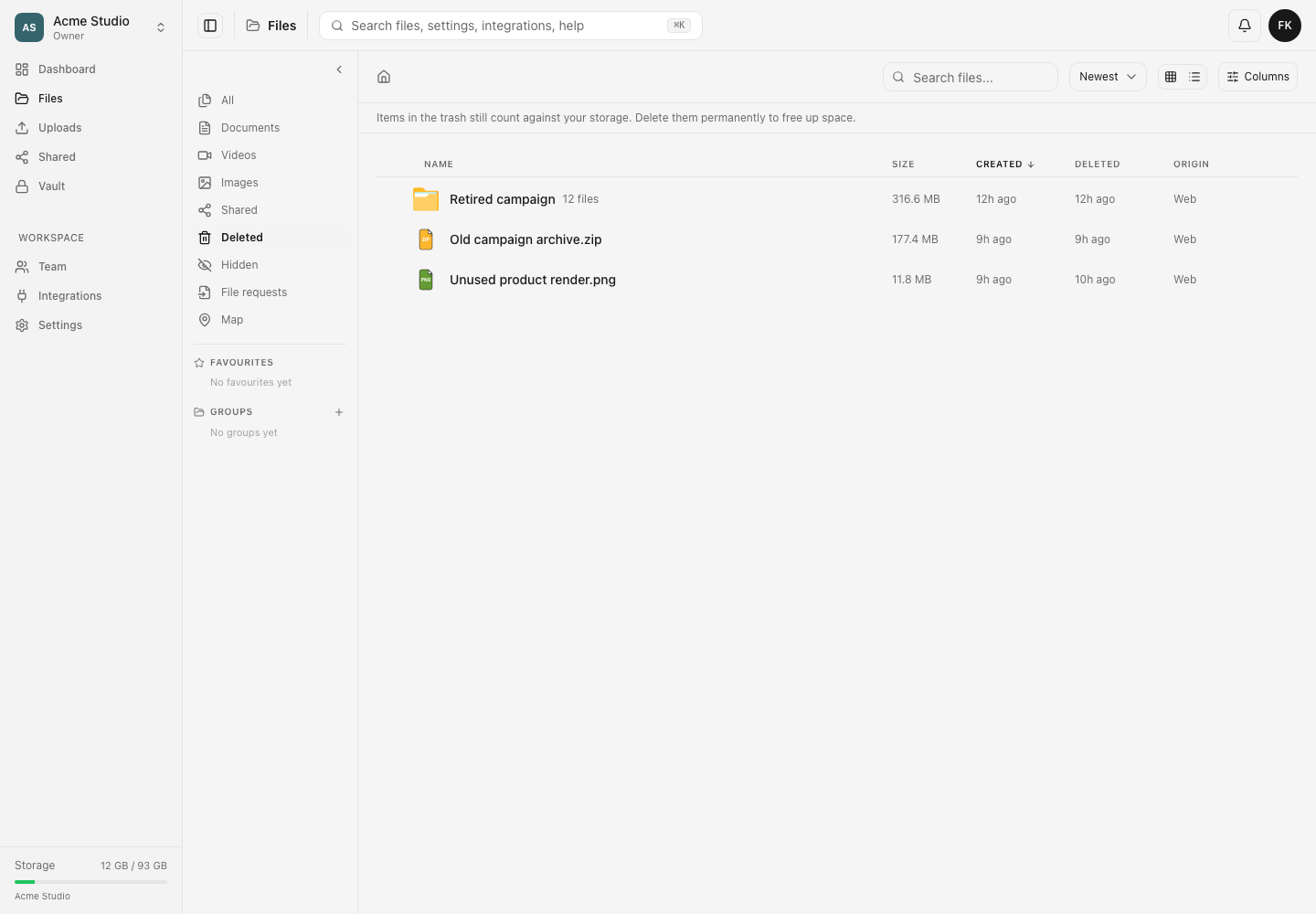
- Confirm the item is already in Deleted. The banner states:
Items in the trash still count against your storage. Delete them permanently to free up space. - Choose Delete permanently, read the no-undo warning, and confirm. Do not use this test on the only copy of required content.
- Wait for the success or partial-result toast. A large folder can return accepted-but-incomplete progress and must finish all passes before all of its bytes are gone.
- Reload the storage display after the completed purge. The server invalidates the cached workspace quota; cached quota values otherwise have a 60-second lifetime.
- Compare the new figure with other uploads, restores, version changes, or concurrent purges that occurred during the test. Use the item’s exact bytes when the rounded UI number does not visibly move.
Version storage matters. Permanent file purge removes the file row and all stored version objects for that file. The released amount can therefore exceed the current-version size shown in the list. A failed or cancelled folder purge may have already released some bytes and leave the remainder in trash.
Expected result
After permanent deletion completes and reporting refreshes, charged storage no longer includes the purged file and its versions. Soft deletion alone produces no decrease, and partial folder outcomes release only what was actually removed.
Related guides
Was this helpful?
Loading helpfulness results…
Voting saves a necessary ballot cookie for up to 180 days so you can change your answer.
Questions and replies
Ask about the steps in this guide. Questions are reviewed before publication.
Keep account details, credentials and private files out of public questions. Use private support for those.
Loading questions…
Sign in to your Dosya account to ask a question.