Understand automatic trash retention
Know when Free and paid cloud trash becomes eligible for daily permanent purge, how plan changes affect timing, storage, and when recovery ends.
Last reviewed
Dosya automatically purges aged trash according to the workspace owner’s effective plan: seven days for Free and 30 days for paid plans. The age starts from each item’s deleted_at time. Purge permanently removes recoverability; it is not an archive tier.

Steps
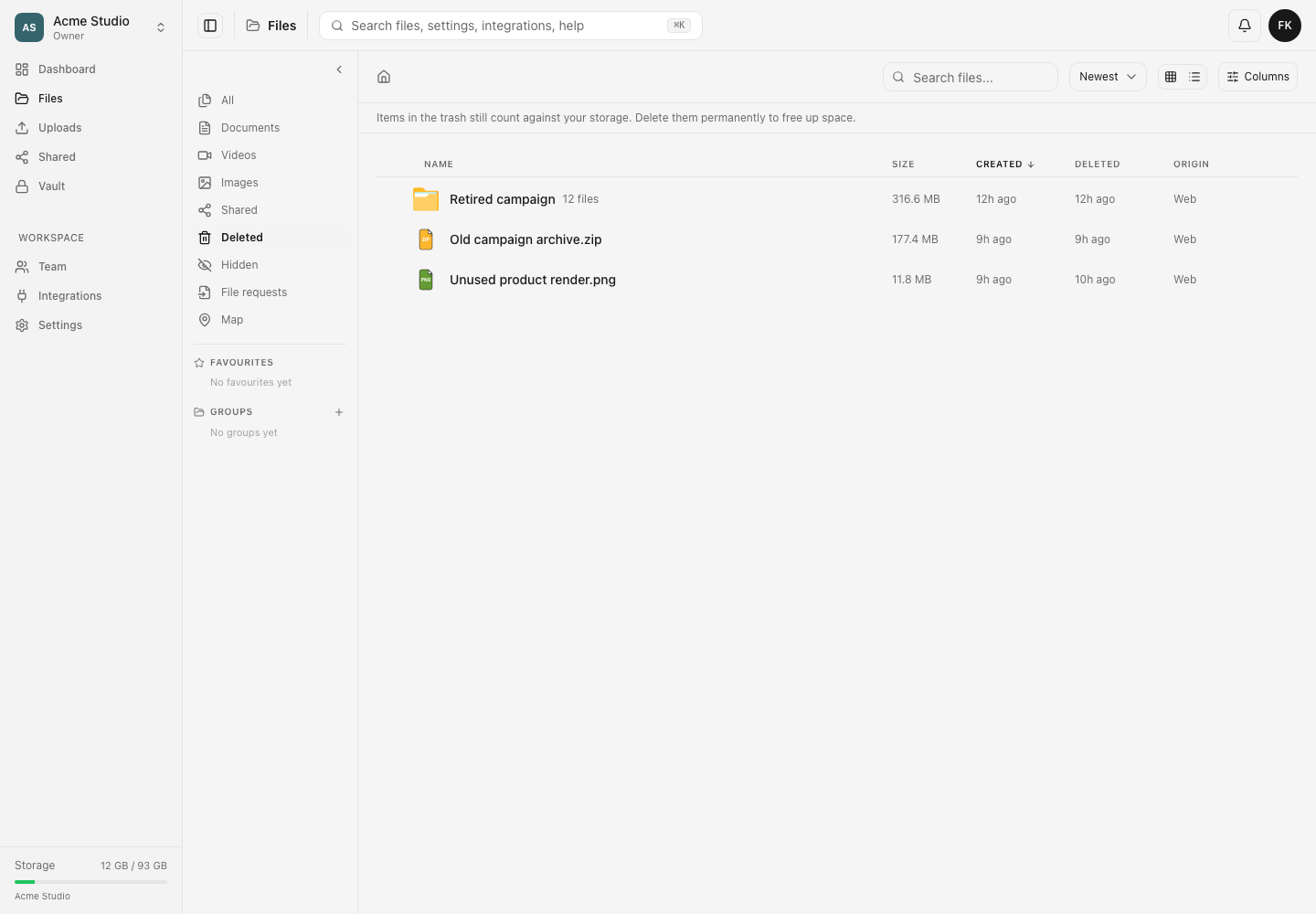
- Open Files → Deleted in the correct workspace. The sidebar entry requires Delete own files or Delete any file.
- Use list view and find the Deleted date. Under Columns, enable Exact dates if a relative value does not give enough precision.
- Determine the workspace owner’s effective plan, including subscription status and grace. A currently effective paid entitlement uses 30 days; an owner evaluated as Free uses seven days.
- Count from the recorded deletion time. The server selects rows older than the applicable cutoff, so the item becomes eligible after the full seven- or 30-day interval rather than at the beginning of that calendar day.
- Restore anything needed before eligibility. Select Restore on a file or a trash-root folder. Restore retains storage usage because trash never stopped counting those bytes.
- If immediate space recovery is required and the data is disposable, choose Delete permanently, read the confirmation and proceed only with an independent copy. Manual purge can end recovery earlier than the automatic window.
The production scheduler invokes trash cleanup daily. Eligibility does not promise deletion at an exact minute: the job processes bounded batches, retries failed work on later runs and can leave a backlog. Treat the plan duration as the latest safe restore window, not as a guaranteed grace period beyond it.
Plan evaluation happens during the sweep. A cancellation that is still inside its recognized grace period remains effectively paid. Once the owner is effectively Free, trash already older than seven days can qualify on the next run even if it was originally deleted during a paid subscription. Upgrading can make the 30-day window apply to rows not yet purged, but it cannot recover objects already removed.
Files are rechecked immediately before purge. If a restore wins that race and the row is no longer trashed, the cleanup skips it. Permanent purge removes file data, retained versions and associated metadata through the shared purge path, decrements workspace storage, and cannot recreate share links that soft deletion revoked.
Folders are removed only after their contents are gone. The automatic job deletes eligible empty leaves first, so a deep trashed tree can disappear over consecutive daily runs. A folder used as a member’s assigned root is deliberately retained instead of silently changing that member’s scope. Folder-scoped API keys are removed when their eligible folder is finally purged.
The current Deleted page’s banner says trashed items continue using storage. If the workspace is full, waiting for retention leaves quota occupied until the purge actually succeeds; permanent deletion is the user-controlled way to reclaim it sooner.
Expected result
Free-owner trash becomes eligible after seven days and paid-owner trash after 30 days, then a daily bounded job removes due content permanently. Before that purge, permitted members can restore items without adding a second quota charge.
Related guides
Was this helpful?
Loading helpfulness results…
Voting saves a necessary ballot cookie for up to 180 days so you can change your answer.
Questions and replies
Ask about the steps in this guide. Questions are reviewed before publication.
Keep account details, credentials and private files out of public questions. Use private support for those.
Loading questions…
Sign in to your Dosya account to ask a question.