Restore an item to its original location
Restore files and folders to their recorded parent, understand workspace-root fallback, and fix the exact case where a file’s folder is still trashed.
Last reviewed
Restore normally reactivates an item under its recorded parent. Folders can fall back to the workspace root when their former parent no longer exists live; individual files do not use that fallback.

Steps
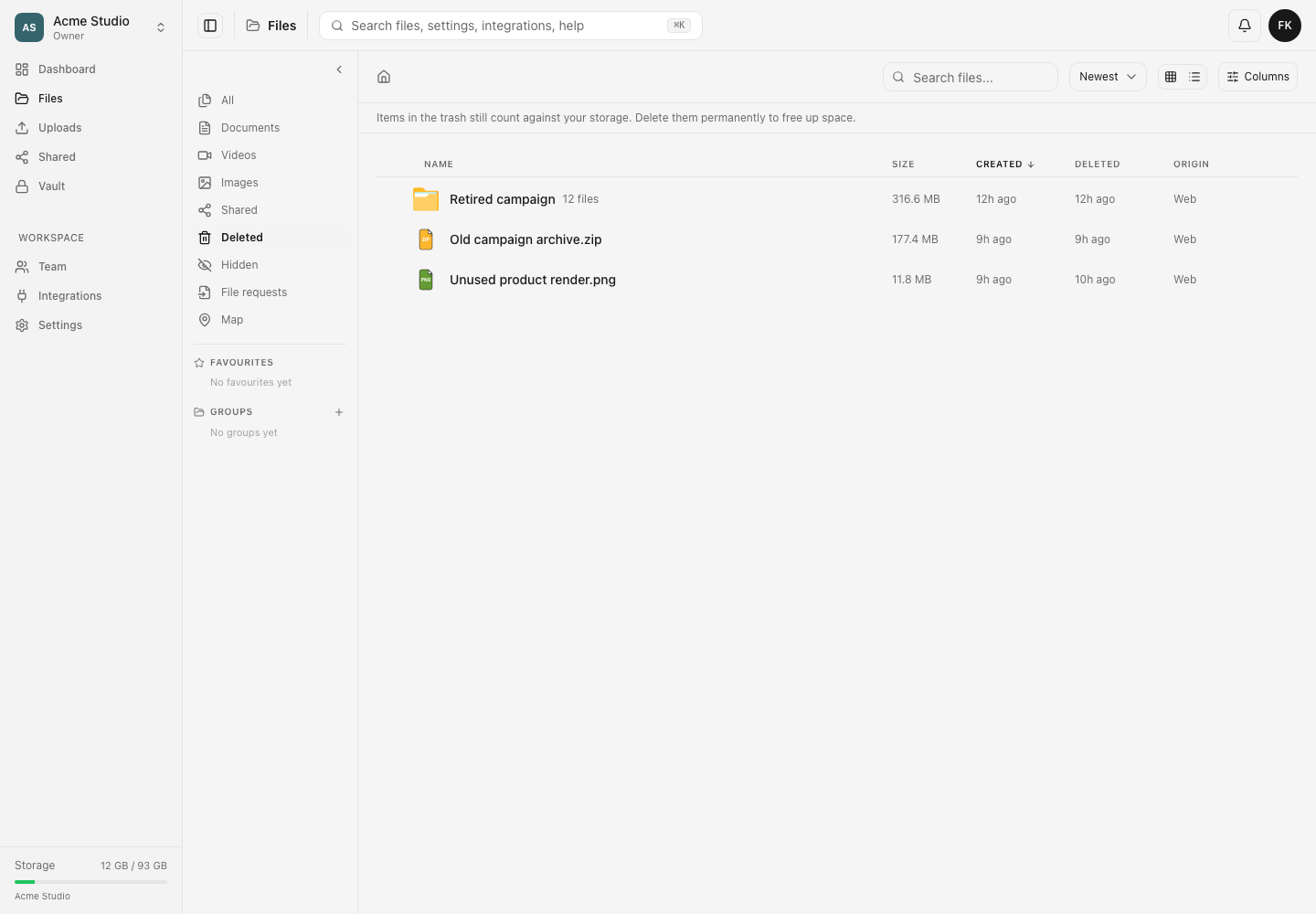
- Open Deleted and identify the correct trash root. A child swept into a deleted folder is restored through that parent rather than as a separate root.
- Choose Restore on one row, or select multiple roots and use the bulk Restore control.
- For a file, wait for Restored — “[name]” restored. If its parent folder is still deleted, restore that folder first; the file endpoint returns a 409 rather than creating an invisible live row.
- For a folder, read the result carefully. If its original parent is not live, Dosya restores the folder to Root (top level) and explicitly says the original folder is also in the trash.
- Navigate to the reported destination. A folder-name collision may produce an available numbered name, so use the name shown in the toast.
- Refresh once if the cached listing has not updated, then verify the item opens and no longer appears as a top-level Deleted entry.
Storage and timing. Restore does not add charged bytes because soft deletion never released them. The UI disables a row’s restore while its request is in flight, preventing overlapping attempts that could corrupt accounting.
Expected result
The item returns live in its recorded parent when possible. A folder whose parent is unavailable appears at workspace root with an explicit notice; a file waits until its deleted parent has been restored.
Related guides
Was this helpful?
Loading helpfulness results…
Voting saves a necessary ballot cookie for up to 180 days so you can change your answer.
Questions and replies
Ask about the steps in this guide. Questions are reviewed before publication.
Keep account details, credentials and private files out of public questions. Use private support for those.
Loading questions…
Sign in to your Dosya account to ask a question.