Understand inherited folder restrictions
Trace password, view-only, hidden, and folder-scope rules from parent to child so you can explain the effective access without weakening it.
Last reviewed
A child’s own badge is only part of its effective access. Dosya evaluates the item, every ancestor folder, the requesting member’s role and any membership folder boundary. Diagnose access from the top of the path downward instead of changing the child first.

Steps
- Record the affected member, workspace and full folder path. Test with that member’s account because unlock tokens and user-targeted hidden rules are identity-specific.
- Check the membership’s assigned root folder. A folder-confined member may use the anchor and its descendants only. A password cannot authorize a path above or beside that subtree.
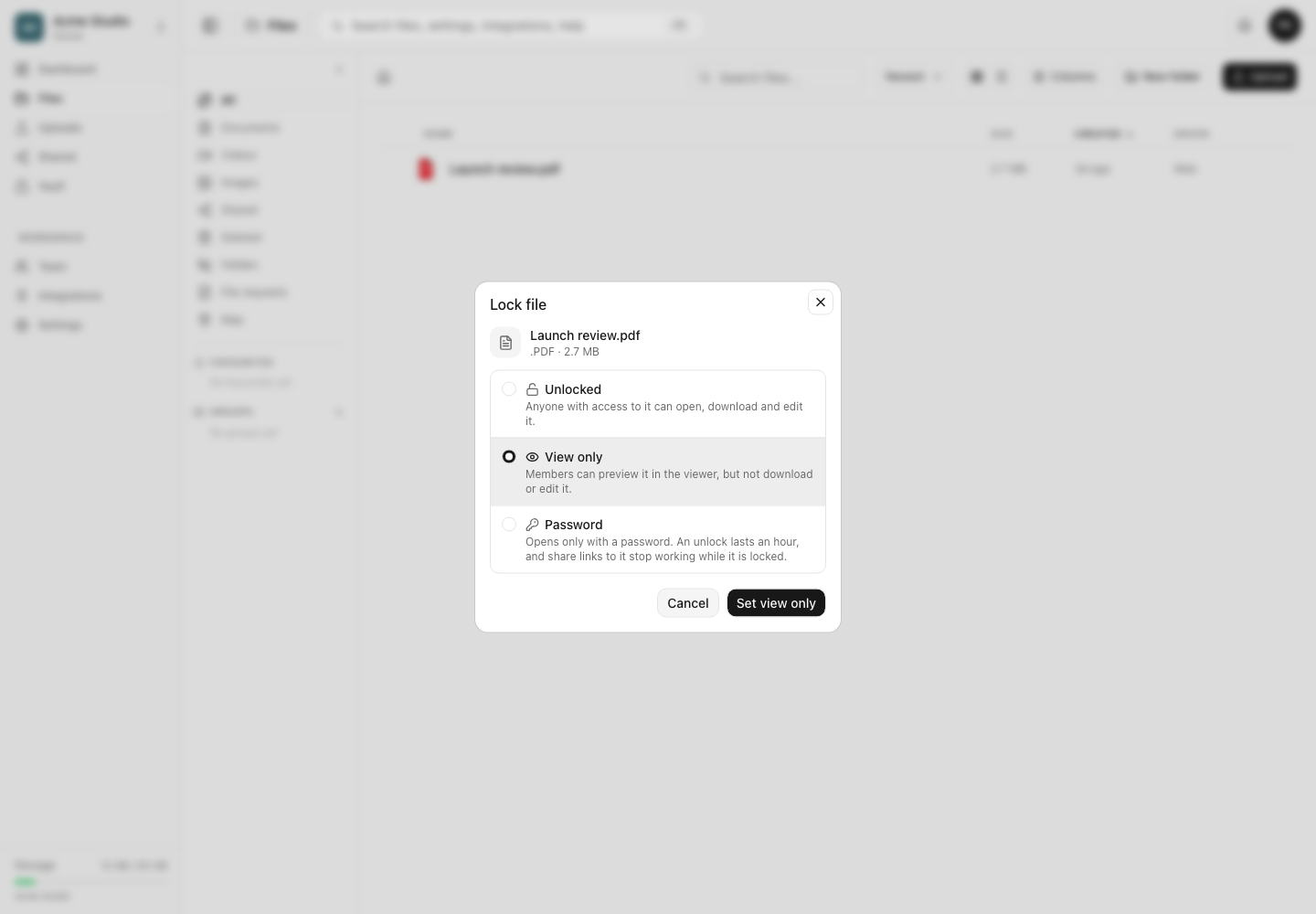
- Inspect every folder from the workspace root to the child. The lock dialog exposes Unlocked, View only, and Password for each selected folder.
- For a Password ancestor, open that ancestor and submit its folder password. The correct value grants this member access for one hour. A token held by a colleague does not apply, and a public share never borrows the member token.
- For View only, confirm the child can be browsed and previewed while attachment download is denied. Sync clients exclude view-only and password-locked subtrees, even though the web preview route intentionally allows view-only content.
- Inspect hidden state with an account holding Hide files. An item’s own Visible choice does not override a hidden parent. Hidden-from-everybody, selected-user and selected-role rules apply down the descendant chain.
- Retest the actual action: list, preview, download, upload, move, delete, share or sync. Those surfaces intentionally use different gates, so a successful preview does not prove that download or mutation should succeed.
A password-locked ancestor seals its subtree against new files and subfolders until that viewer unlocks it. It also blocks ordinary metadata actions, download, copy, move and delete for descendants. Share-link creation and access evaluate full locks without honoring personal unlock tokens; a member temporarily inside the vault cannot publish a path around it.
View-only inheritance is narrower. It blocks downloadable bytes but leaves supported previews and browsing available. It does not use a password endpoint. Changing a child to Unlocked therefore cannot restore downloads while an ancestor remains View only.
Hidden rules are visibility filters, not password challenges. Members without Hide files receive not-found behavior when their user, role or everyone-rule applies at the item or an ancestor. A holder of Hide files is privileged to see hidden content and configure it, so use a non-privileged test account to verify the audience experience. Each user/role hide configuration accepts up to 200 stored targets.
When a lock is removed or changed, sync snapshot caches are invalidated so subsequent clients can reevaluate the subtree. A client may still need its normal refresh cycle. Removing a hidden rule invalidates workspace visibility state, but a remaining ancestor rule continues to hide the child.
Do not solve an inherited denial by moving sensitive content to the workspace root unless that relocation is itself approved. Remove or change the controlling parent rule, or grant the correct role/scope, then test again with the affected identity.
Expected result
The child’s observed behavior matches the strictest applicable parent and identity rule for the attempted surface. After a deliberate parent change, only that control disappears; unrelated workspace permissions, hidden rules and folder confinement continue to apply.
Related guides
Was this helpful?
Loading helpfulness results…
Voting saves a necessary ballot cookie for up to 180 days so you can change your answer.
Questions and replies
Ask about the steps in this guide. Questions are reviewed before publication.
Keep account details, credentials and private files out of public questions. Use private support for those.
Loading questions…
Sign in to your Dosya account to ask a question.