Recover from moving a file to the wrong folder
Move a file back to its original folder when that destination still exists, passes access rules, and has no same-name conflict; then verify one item.
Last reviewed
Dosya has no automatic undo or move-history control. You can move a file back only when you know the former folder and it remains a valid destination.

What a reverse move preserves. The file keeps its ID, bytes, versions, and storage use. Its folder reference changes again. Comments and links that resolve by file ID continue to refer to that same item.
Steps
- Identify the original folder from a trusted record or colleague. Get info, breadcrumbs, and current details show the present location, not a historical path.
- In Files, open the moved item’s context menu and choose Move to….
- In Move to folder, use Search folders…, the expandable tree, or Root to select the former folder. Folder search waits about 250 ms after typing.
- Verify the folder name and its parent path, then choose Move. The success toast is Moved — The file has been moved.
- Open the original folder and confirm exactly one file with the expected name and ID appears. Return to the intermediate folder and verify it is absent there.
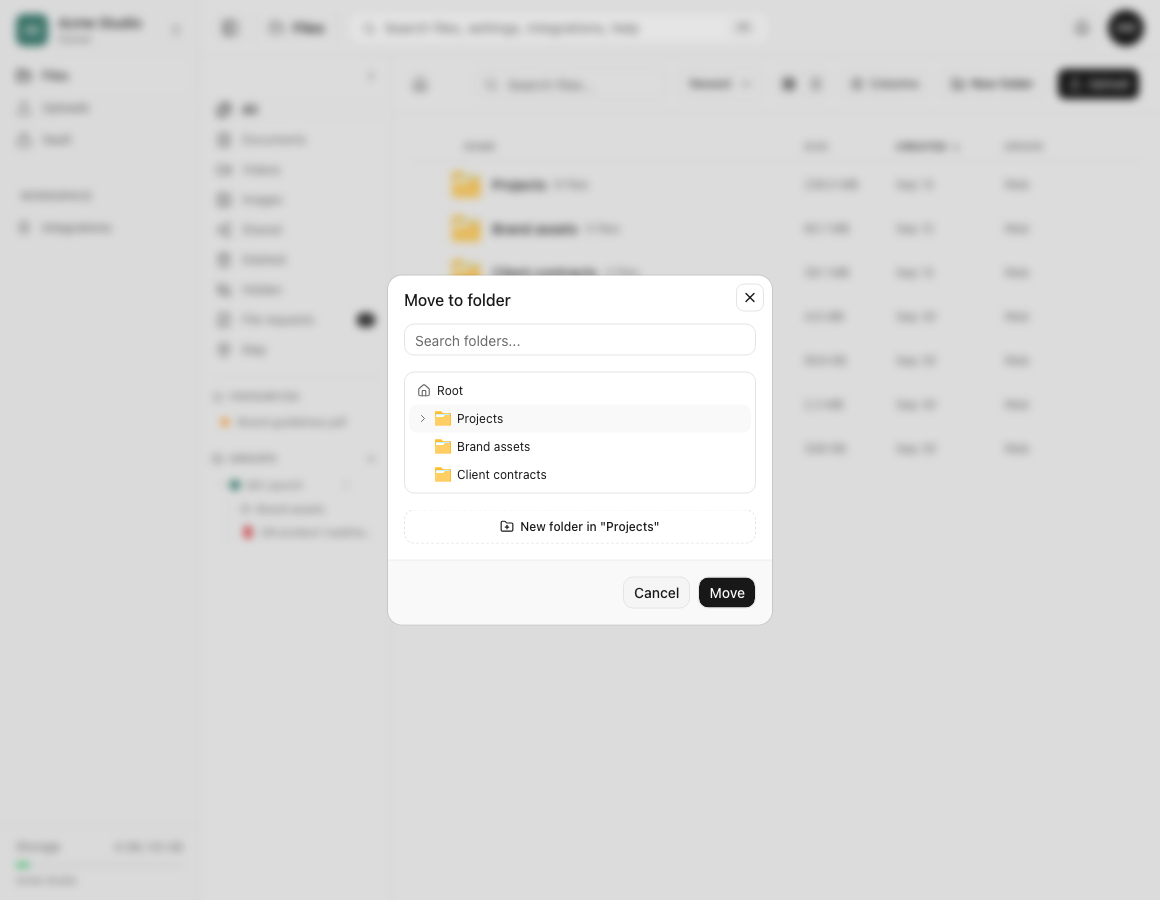
When moving back is refused. The target must still exist in the same workspace, be visible, and not be locked. You need upload_files; a confined member must have both source and destination inside the confinement anchor. A same-name file returns A file with this name already exists in the target folder, and selecting the current folder returns File is already in this folder. The web client summarizes these as Move failed — The file could not be moved.
Protected content. A locked source or enclosing folder blocks the action. A live protected WordPress backup cannot be used as either side of a move until its backup protection no longer applies. Do not use Copy as a silent substitute unless a second file and additional storage are acceptable.
Expected result
The existing file ID is listed once in the original folder, disappears from the interim folder, and retains its bytes, versions, comments, and storage footprint.
Related guides
Was this helpful?
Loading helpfulness results…
Voting saves a necessary ballot cookie for up to 180 days so you can change your answer.
Questions and replies
Ask about the steps in this guide. Questions are reviewed before publication.
Keep account details, credentials and private files out of public questions. Use private support for those.
Loading questions…
Sign in to your Dosya account to ask a question.