Find a missing password reset email
Verify the account address, check filtered mail, respect the reset cooldown and request one current Dosya recovery message without exposing whether an account exists.
Last reviewed
Dosya always shows the same success message after a reset request, even when the address is unknown or unverified. This protects account privacy, so the message confirms only that the request was accepted, not that an email was sent.
Before you start
- Write the exact address normally used to sign in, including spelling and domain.
- Check whether the account was created only with Google, Apple or another sign-in method.
- Keep access to the inbox and its spam, junk, quarantine and forwarding rules.
- Do not share screenshots containing a reset URL or email security details.
Steps: locate or replace the reset email
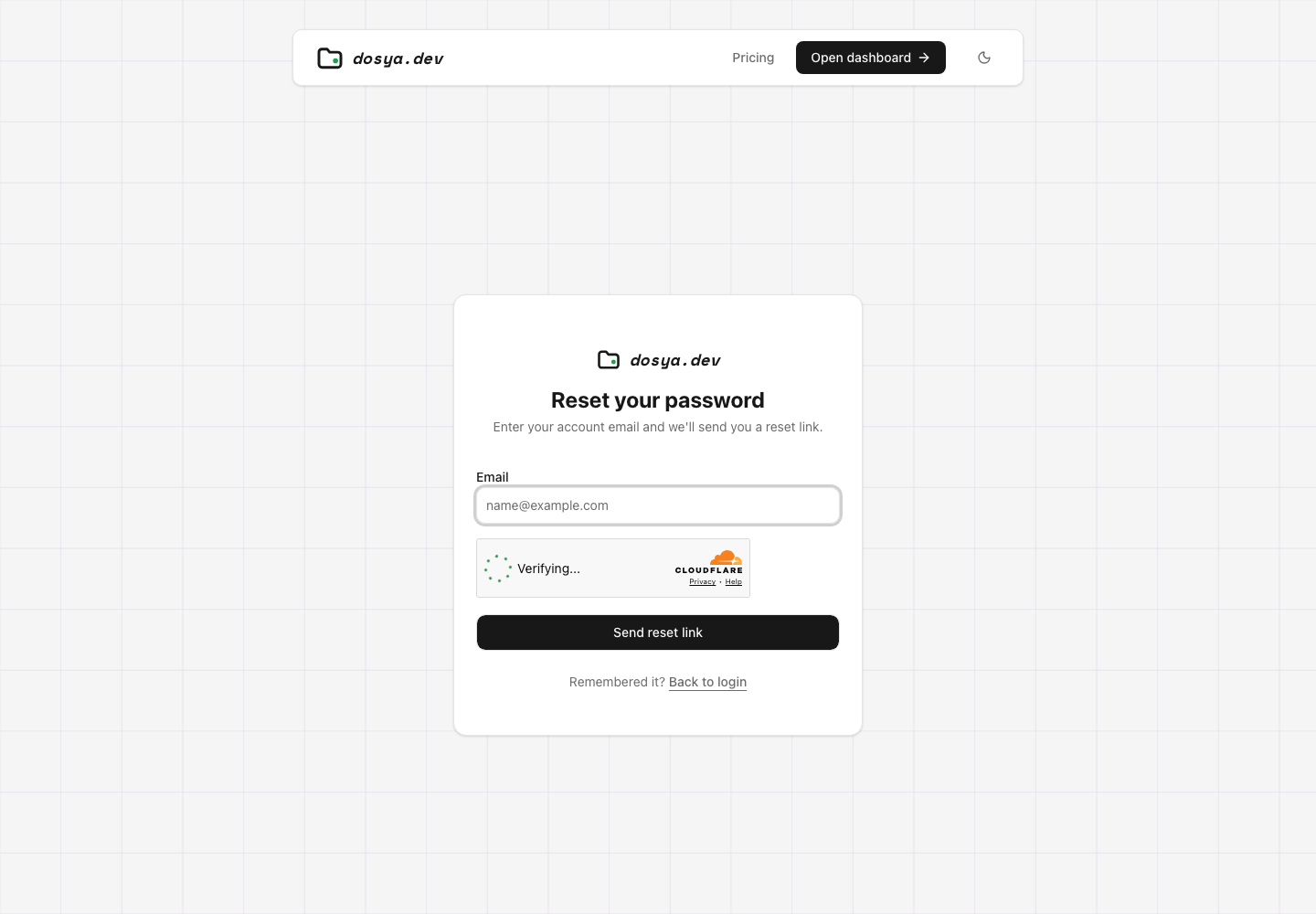
- Open Forgot password, enter the exact account email and complete the verification challenge.
- Select Send reset link once. The page says that a link is on its way only if an account exists for that address.
- Wait several minutes, then search all mail for the subject Reset your dosya.dev password and the
dosya.devsender domain. - Check spam, junk, promotions, focused or other inbox tabs, organization quarantine and mailbox rules.
- Confirm that the address is verified. Dosya does not send password resets for an unverified account address.
- Avoid repeated clicks. Dosya allows one reset email per account every 10 minutes and silently ignores faster requests while keeping the same privacy-preserving success message.
- After 10 minutes, request one new message if none arrived. Open only the newest message because a new issued token invalidates older unused reset tokens.
Expected result
One current reset message reaches the correct verified inbox and opens the Dosya Set a new password page. The link remains private and is used before its 30-minute expiry.
Limits and important details
- Reset links expire after 30 minutes and are single-use.
- The success screen cannot confirm whether an account exists for the entered address.
- A mailbox provider can delay or quarantine delivery after Dosya accepts the request.
- Support should never ask for the reset URL, password or two-factor code.
Troubleshooting
You may have used another sign-in address. Check password-manager records, prior Dosya notifications and the identity provider used at registration. Do not test addresses that belong to other people.
The message exists but the link is expired. Wait until the cooldown has passed, request one replacement and use the newest email.
No message arrives after a correct, verified address and one careful retry. Contact private support with the address, approximate request time and mailbox provider. Do not include the inbox password or any reset link.
Related guides
Was this helpful?
Loading helpfulness results…
Voting saves a necessary ballot cookie for up to 180 days so you can change your answer.
Questions and replies
Ask about the steps in this guide. Questions are reviewed before publication.
Keep account details, credentials and private files out of public questions. Use private support for those.
Loading questions…
Sign in to your Dosya account to ask a question.