Compare session last-active times
Compare browser creation time with mobile last-use time so Dosya session ages help identify devices without overstating live activity safely.
Last reviewed
The age shown on Active sessions is not one uniform last-activity measurement. A browser row uses its session creation time. A mobile row uses its recorded last-used time when available, otherwise its creation time. The current credential is always labeled active now.

Steps
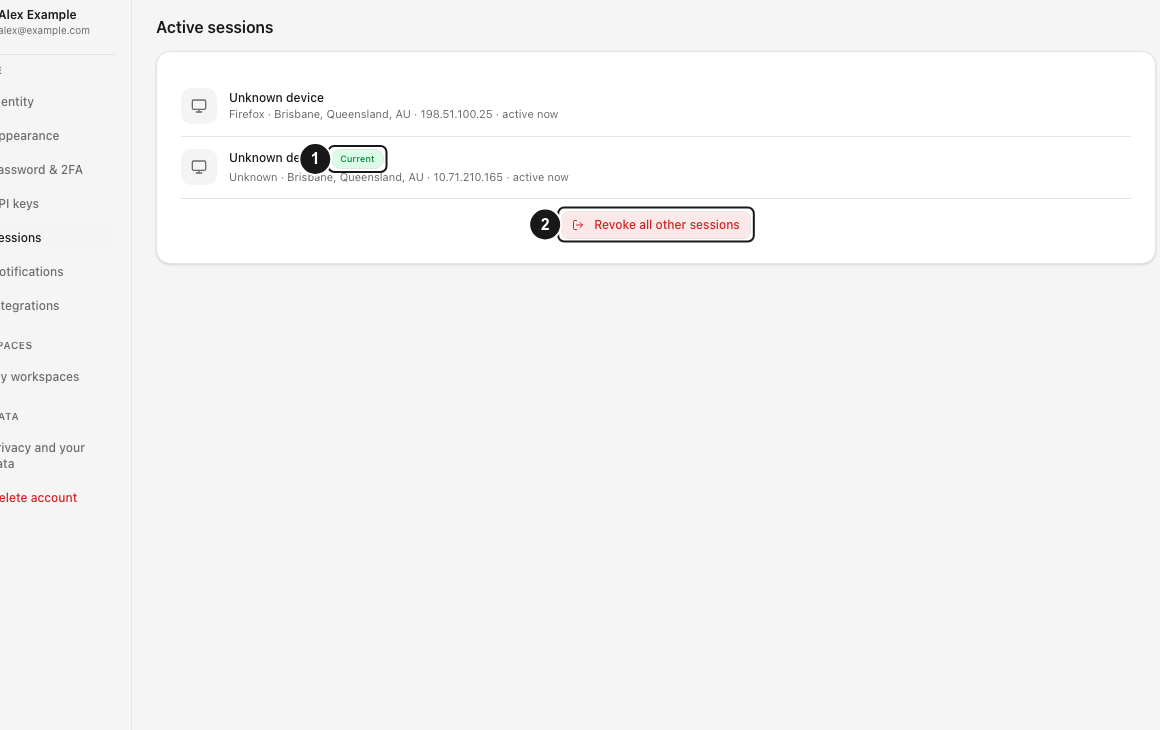
- Open Profile → Sessions and find the Current badge before comparing ages.
- Browser rows show browser, stored location, stored IP, then an age. Mobile rows show dosya.dev app and an age, without browser-location fields.
- Use Current to confirm which credential loaded this request. active now alone is not proof of that match: it is also shown for a non-current browser session created less than a minute ago or a mobile token whose recorded activity is less than a minute old.
- Interpret browser ages as “session created this long ago.” They do not update on each click, so an old-looking browser can still be in use.
- Interpret a non-current mobile age as the last recorded token use, falling back to sign-in time if no use was stored.
- Compare the age with your sign-in history and device type. Web sessions expire after 30 days; mobile access tokens last 1 hour and can refresh within a 60-day window unless revoked.
The display rounds down to minutes, hours, or days, then switches to a calendar date after seven days. Refresh before using a boundary value in a security decision.
Expected result
You can explain why each age appears and avoid treating a browser creation timestamp as continuous activity. A row that remains unfamiliar should be handled as an unknown credential by changing the password and revoking other sessions.
Related guides
Was this helpful?
Loading helpfulness results…
Voting saves a necessary ballot cookie for up to 180 days so you can change your answer.
Questions and replies
Ask about the steps in this guide. Questions are reviewed before publication.
Keep account details, credentials and private files out of public questions. Use private support for those.
Loading questions…
Sign in to your Dosya account to ask a question.