Review access after changing a member role
Review a member’s effective access after a role change, account for the permission cache window, and confirm both retained and removed capabilities.
Last reviewed
A successful role change updates the membership immediately, preserves its folder anchor, and sends the affected person a notice describing the previous role, new role, and lost permissions.

Before you start
- Obtain the expected old role, new role, and list of gained or lost permissions.
- Use a controlled member session; do not infer access solely from navigation visibility.
- Allow roughly 60 seconds for distributed permission and membership caches.
Steps
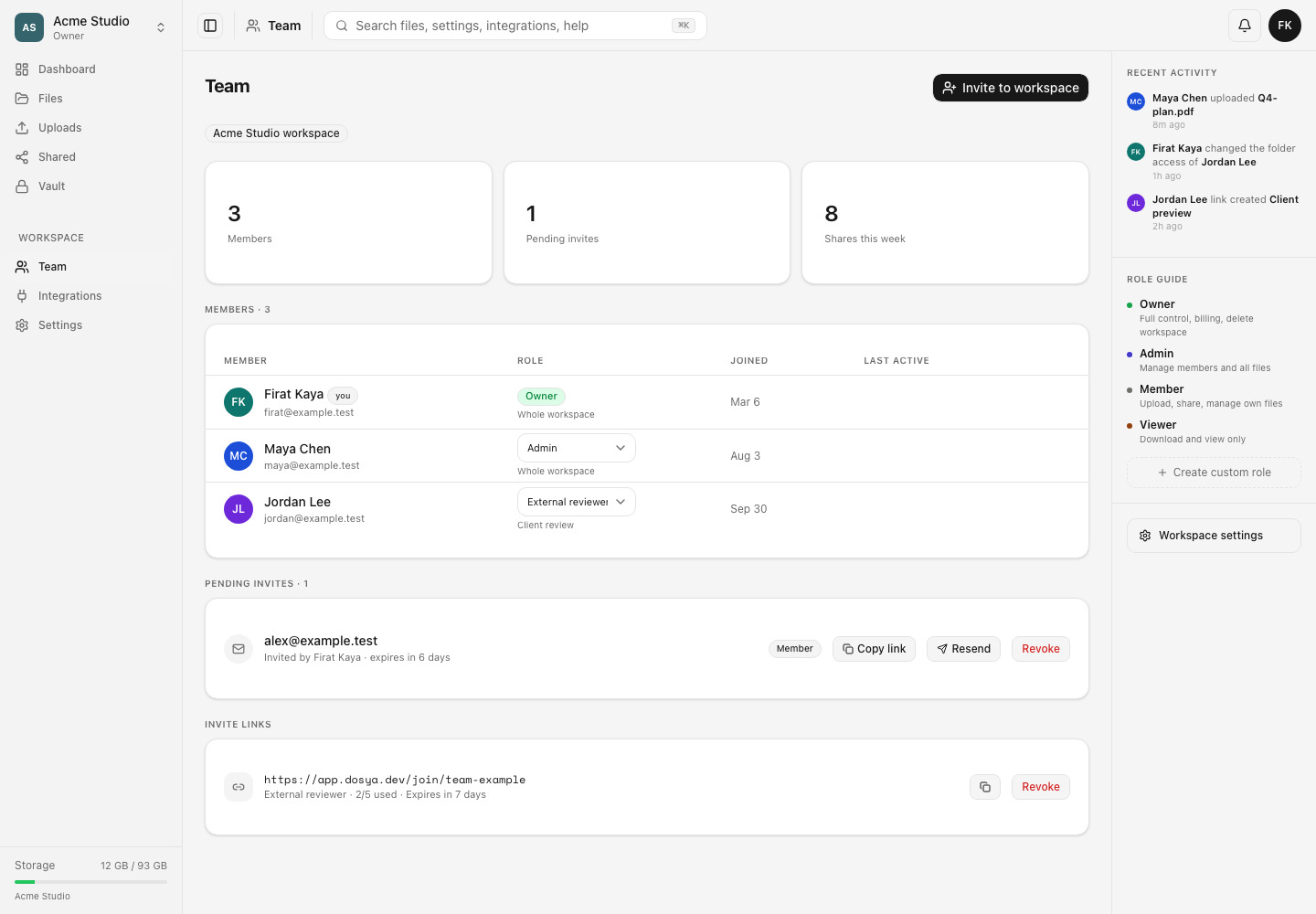
- Open Team and confirm the member row displays the intended new role.
- Check the line beneath the role for Whole workspace or the existing folder name; a role-only update must not clear it.
- Ask the member to open the role-change notification and compare its old role, new role, and lost-access summary with the planned change.
- Wait up to one minute, then reload all open Dosya tabs or reconnect the protocol client being tested.
- Perform one action newly allowed or deliberately retained, using a disposable file or link where an operation has side effects.
- Attempt one permission that should now be withheld and record the absent control or exact refusal rather than retrying destructively.
Interpreting the outcome
Role names do not prove a capability. The API reads the actual permission map, while IP ranges, active hours, usage limits, and folder confinement can apply additional restrictions. Page permissions also gate entry separately from action permissions.
Another authorized manager can reverse the role later, but actions completed while a broader role was active are not automatically undone.
Expected result
The Team row, notification, and member-session checks agree: intended work succeeds, removed work is unavailable, and the previous folder boundary remains effective.
Troubleshooting
A permitted action is still refused. Check the page gate, folder anchor, role conditions, and usage limits before editing permissions again.
A removed action still succeeds. Wait for cache convergence, reload or reconnect, and verify the request uses the intended workspace.
The member cannot restore access. Self-role changes are prohibited; a different manager must assign another eligible role.
Related guides
Was this helpful?
Loading helpfulness results…
Voting saves a necessary ballot cookie for up to 180 days so you can change your answer.
Questions and replies
Ask about the steps in this guide. Questions are reviewed before publication.
Keep account details, credentials and private files out of public questions. Use private support for those.
Loading questions…
Sign in to your Dosya account to ask a question.