Verify a newly accepted workspace member
Confirm an invitation became a live workspace membership, verify the assigned role and folder scope, and test access from the recipient’s own session.
Last reviewed
Acceptance succeeds only for the signed-in account whose email matches the invitation. The server creates the membership and marks the invite accepted together, then redirects to the dashboard.

Before you start
- Ask the recipient for the account email they used, without requesting credentials.
- Keep the expected workspace, role, and any intended folder boundary written down.
- The Team viewer needs Access Team and View team members.
Steps
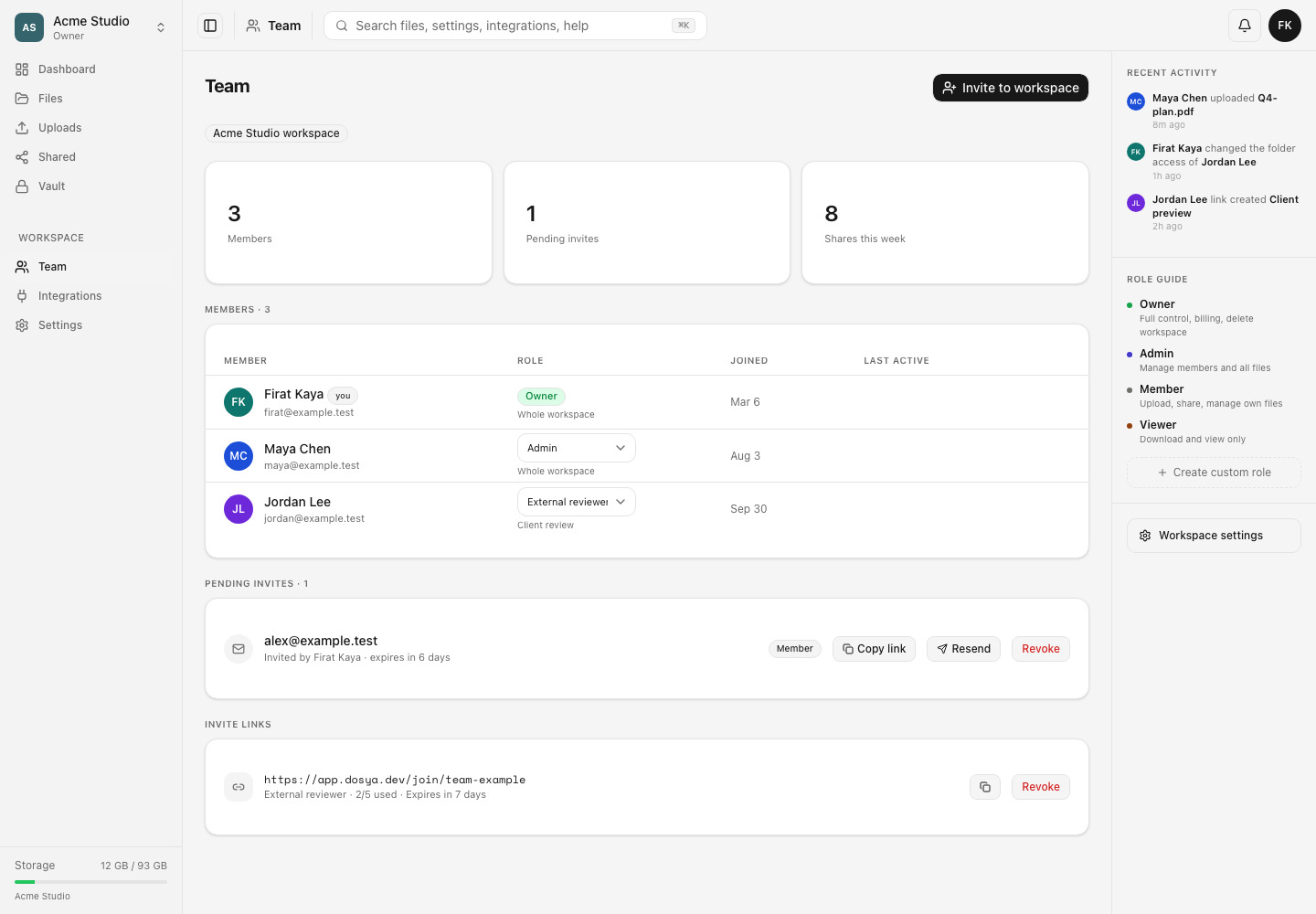
- Open Team in the invited workspace and note the current Members and Pending invites counts.
- Ask the recipient to open the invite while signed in with the exact invited email and select the acceptance control.
- Reload Team and verify the email disappeared from Pending invites.
- Find the person under Members and confirm their name, email, role, and Whole workspace or folder label.
- Open the member profile and review Joined plus Last active; No activity yet is valid before their first recorded action.
- In the recipient’s session, test one intended action and one excluded action after reloading the client.
What acceptance changes
A valid acceptance inserts one membership, marks the invitation accepted, records member_joined, and redirects to /dashboard. Owners and admins receive a join notice naming the person, workspace, role, and permission summary.
A domain policy or workspace member ceiling can refuse the join without consuming the invitation. If the person was already a member, Dosya marks the invite accepted and redirects without creating a duplicate membership.
Expected result
Team shows one live member with the expected role and scope, the pending row is gone, and the recipient’s allowed and denied checks match that effective configuration.
Troubleshooting
This invite was sent to … You’re logged in as …. Sign out and use the addressed account; the invite cannot be reassigned.
This invite has expired, been revoked, or already been accepted. Ask an inviter to review Team before issuing anything new.
The row appears but access is stale. Wait roughly 60 seconds, reload, and retest before changing the role.
Related guides
Was this helpful?
Loading helpfulness results…
Voting saves a necessary ballot cookie for up to 180 days so you can change your answer.
Questions and replies
Ask about the steps in this guide. Questions are reviewed before publication.
Keep account details, credentials and private files out of public questions. Use private support for those.
Loading questions…
Sign in to your Dosya account to ask a question.