Revoke a stale workspace invitation
Revoke a pending email invitation, confirm its bearer URL returns a revoked response, and understand which notifications and memberships remain unchanged.
Last reviewed
Revocation marks a pending email invitation unusable immediately. It does not remove an accepted member; use the member-removal workflow when the person already joined.

Before you start
- The acting role needs Invite members in the invitation’s workspace.
- Save the old URL only when a controlled post-revocation test is necessary. Treat it as a credential until the action succeeds.
- Confirm the intended person has not already accepted.
Steps
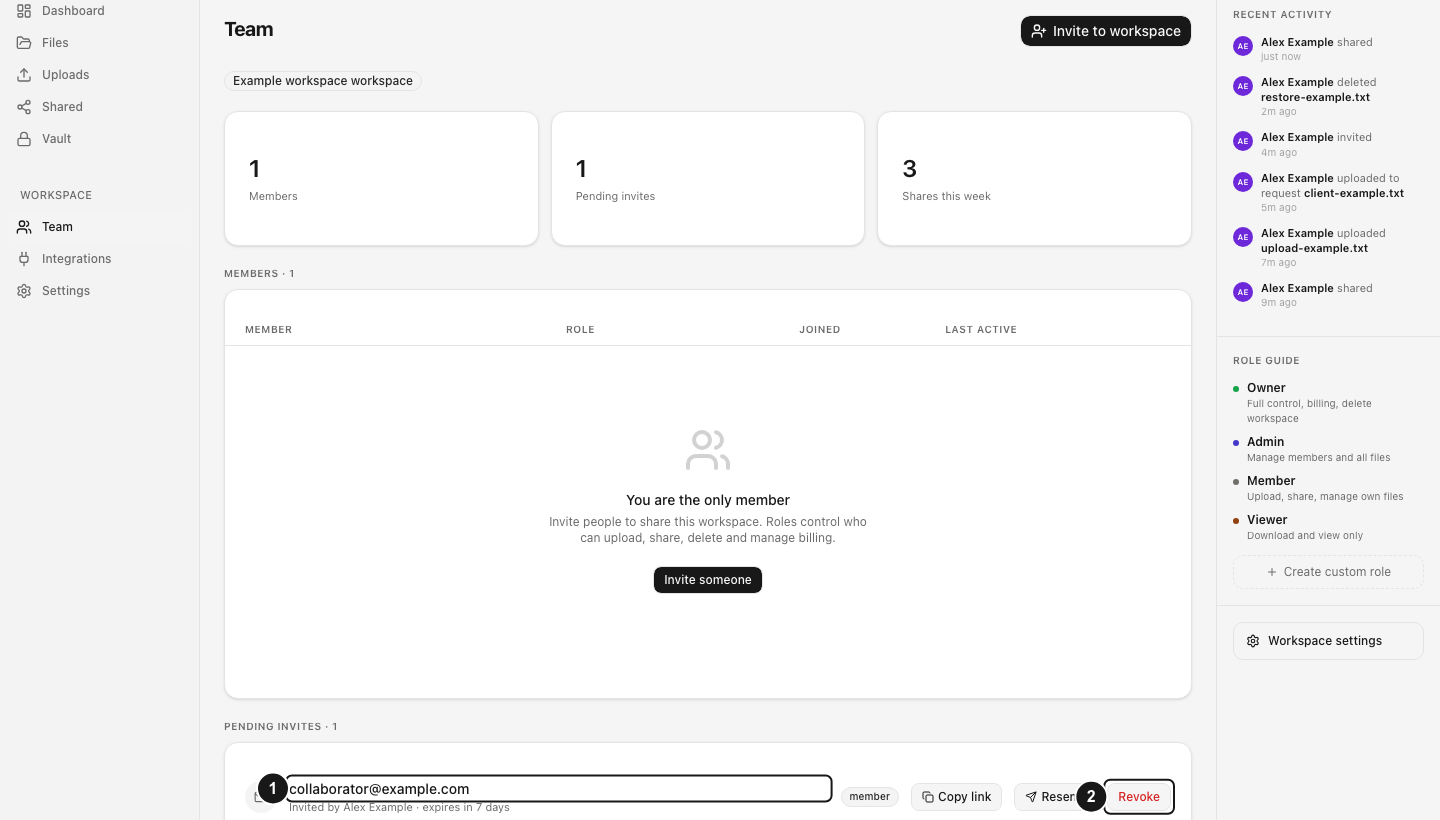
- Open Team in the workspace named on the invitation.
- Under Pending invites, match the recipient email, role, inviter, and remaining expiry.
- Select Revoke on that row and reread the address in the Revoke invite dialog.
- Confirm Revoke and wait for Invite revoked — The invitation is no longer valid.
- Verify the row disappears from Pending invites after the page reloads its team data.
- Open the saved URL in a private session and confirm it returns This invite has been revoked rather than a join screen.
Effects and reversibility
The API stores a revocation timestamp and later invite lookups return HTTP 410. An existing Dosya account at the invited email receives an in-app revocation notice; an address without an account receives no additional email.
Revoking cannot restore the same invitation. A later invitation to the address receives a fresh identifier, token, role, and seven-day expiry. Accepted membership is unaffected.
Expected result
The stale row is absent, its old URL is rejected as revoked, and no already accepted member loses workspace access as a side effect.
Troubleshooting
Already revoked. Reload Team; another administrator completed the action.
Invite not found. The record was replaced, removed, or belongs to another workspace.
The person still appears under Members. The invite was accepted earlier; use the member removal control after reviewing their live shares and file requests.
Related guides
Was this helpful?
Loading helpfulness results…
Voting saves a necessary ballot cookie for up to 180 days so you can change your answer.
Questions and replies
Ask about the steps in this guide. Questions are reviewed before publication.
Keep account details, credentials and private files out of public questions. Use private support for those.
Loading questions…
Sign in to your Dosya account to ask a question.