Preserve folder structure during an upload
Use Select folder or a folder drop, let Dosya rebuild parent folders first, and verify skipped subtrees instead of accepting a flattened upload.
Last reviewed
Use Select folder or drag a folder onto Drop files or folders here to upload. The browser supplies each file’s relative path, then Dosya creates parents before children and sends each file to its resolved folder. Loose-file selection does not carry a tree.
One folder action accepts the first 2,000 files. A directory drag or drop can preserve empty folders through the FileSystem Entry API. Select folder reconstructs directories only from file relative paths, so wholly empty directories are absent. .DS_Store, Thumbs.db, desktop.ini, and ._ AppleDouble entries are skipped. You need access_upload, upload_files, and create_folders; without folder creation rights, Dosya leaves affected subtree files out instead of flattening them into the destination.

Steps
- Open Uploads and use Folder under Upload options to choose the parent that should contain the uploaded top-level folder.
- Choose Select folder to rebuild directories represented by file paths, or drag and drop the directory when wholly empty folders must also be preserved. Do not use Select files when relative paths are required.
- Approve the browser’s folder access prompt and keep the tab open while Dosya reports Recreating N folders, then uploading.
- Expand Upload queue to inspect nested folder rows, file counts, total bytes, and failed counts; trees over 50 visible rows open only their top level initially.
- If Dosya reports Some folders could not be created, record the failed-folder and left-out-file counts, correct the named permission, lock, or name issue, and retry that subtree.
- After every expected file shows Done, choose Go to location on representative rows and compare the resulting parent/child paths with the source tree.
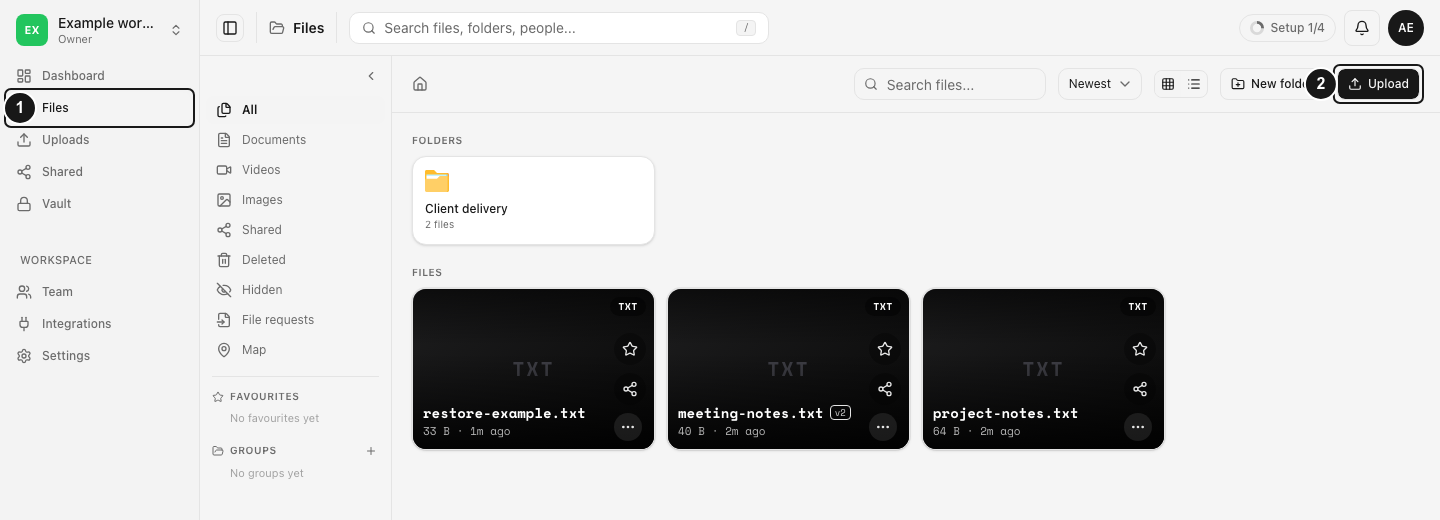
Expected result
The chosen destination contains the supported hierarchy represented by the chosen input. Accepted files follow their relative paths; empty directories are retained only when the browser exposes them through a directory drag or drop. Source files on the device are not moved or deleted.
Too many files in one go means only the first 2,000 were queued; the toast states how many were left out, and those files must be added separately. You don’t have permission to create folders requires an owner or admin to change the role. A failed parent causes its descendants to fail and their files to remain unqueued, which protects the tree from silent flattening.
Related guides
Was this helpful?
Loading helpfulness results…
Voting saves a necessary ballot cookie for up to 180 days so you can change your answer.
Questions and replies
Ask about the steps in this guide. Questions are reviewed before publication.
Keep account details, credentials and private files out of public questions. Use private support for those.
Loading questions…
Sign in to your Dosya account to ask a question.