Split a large cloud folder download
Measure a large Dosya folder against the 10,000-file and 5 GiB archive ceilings, split it safely, and recover when only some ZIP downloads start.
Last reviewed
Dosya streams folder ZIPs directly to the browser, so archive bytes do not accumulate in the Files page before saving begins. Large trees still have two hard per-archive ceilings: 10,000 included files and 5 GiB of source data.
The five-gibibyte boundary is checked before streaming. Browser disk requirements can be higher because you need room for both the ZIP and any extracted copy. Check available local storage before attempting a large export.

Steps
- Open Files, find the parent folder and review Get info if you need its displayed size or item count.
- From that folder’s menu, choose Download.
- Watch the browser download shelf. The response is streamed as
dosya-download.zip; progress there is the reliable completion indicator. - If the ZIP completes, open it and verify the tree before making another copy.
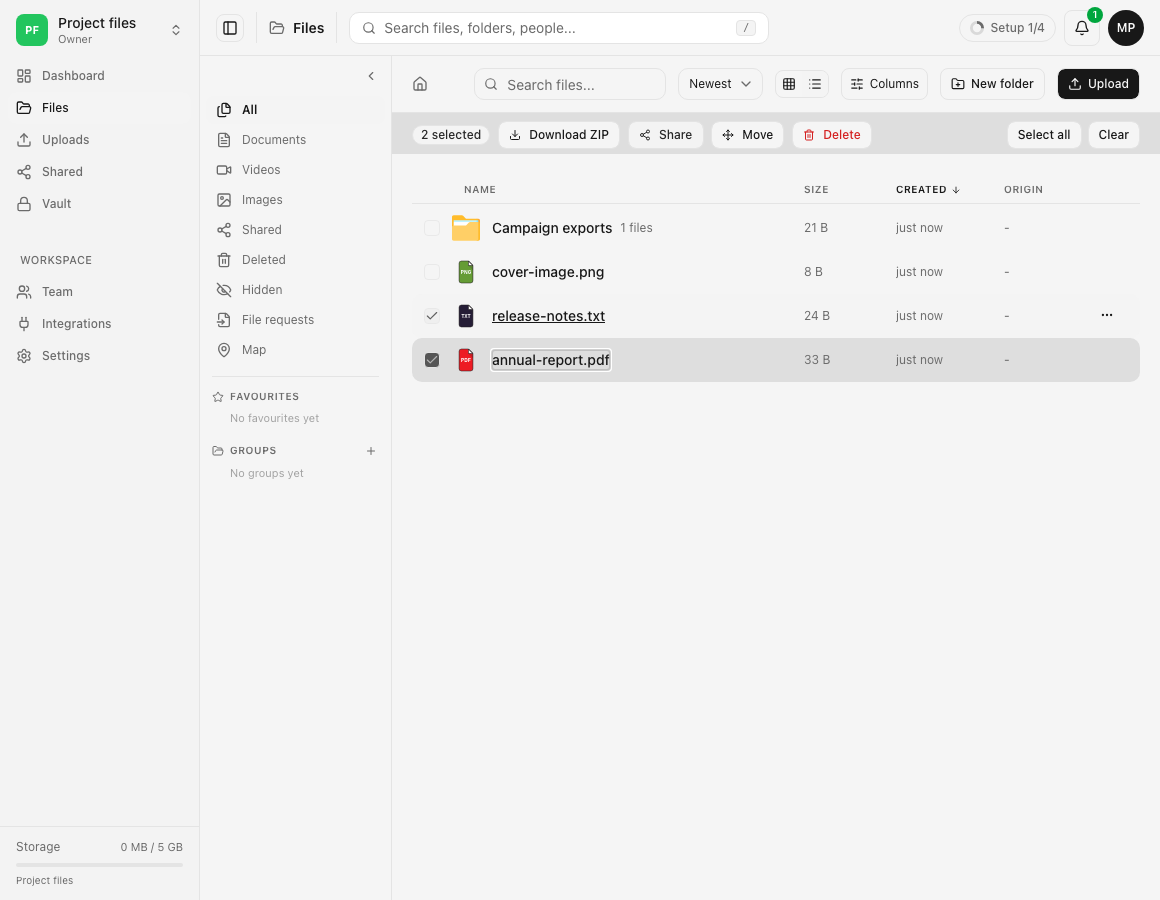
Split a folder that exceeds a ceiling
If the temporary response tab shows “Archive too large (max 5 GiB)”, return to the parent and download its child folders separately. For “Too many files to archive at once (max 10000)”, split by subfolder until each requested tree contains at most 10,000 downloadable files.
Where one directory has many loose files, select manageable groups and choose Download ZIP. The browser client places at most 300 selected IDs in each request. It can begin up to 20 ZIPs from one bulk action; a request needing more parts is refused before any download starts.
Use a written checklist of child-folder names or selection ranges. Archives all receive the server name dosya-download.zip, so label completed local copies by their source batch only after the browser says each download finished.
Understand multi-part progress
For a bulk selection that needs several ZIPs, Dosya staggers their start and immediately reports the planned number: “Too many items for one file - arriving as N ZIPs.” The success toast means requests were started, not that the ZIP contents finished saving.
If a part returns an error page instead of an attachment, Download problem eventually reports how many of the planned downloads began and how many could not be prepared. It does not name the failed IDs. Work through the recorded source checklist in smaller groups, then compare paths in the completed ZIPs so duplicate local copies remain identifiable.
Handle other blocks
- No items found: refresh the folder. Removed, inaccessible, hidden and locked content can share this neutral response.
- Empty-folder message: no file bytes exist below the requested tree; download a different child rather than retrying the same one.
Expected result
Every checklist batch has a completed ZIP below both archive ceilings. Create one local parent directory and extract each batch beneath it. Compare the downloaded child-folder paths with Dosya and inspect numbered collision names or MISSING - <original filename>.txt notices. Keep the cloud source until every batch opens and a sample from each extracted branch is readable.
Related guides
Was this helpful?
Loading helpfulness results…
Voting saves a necessary ballot cookie for up to 180 days so you can change your answer.
Questions and replies
Ask about the steps in this guide. Questions are reviewed before publication.
Keep account details, credentials and private files out of public questions. Use private support for those.
Loading questions…
Sign in to your Dosya account to ask a question.