Download a cloud folder as a ZIP archive
Download one Dosya folder with its nested paths intact, recognize protected or empty content, and resolve the exact archive size and file-count limits.
Last reviewed
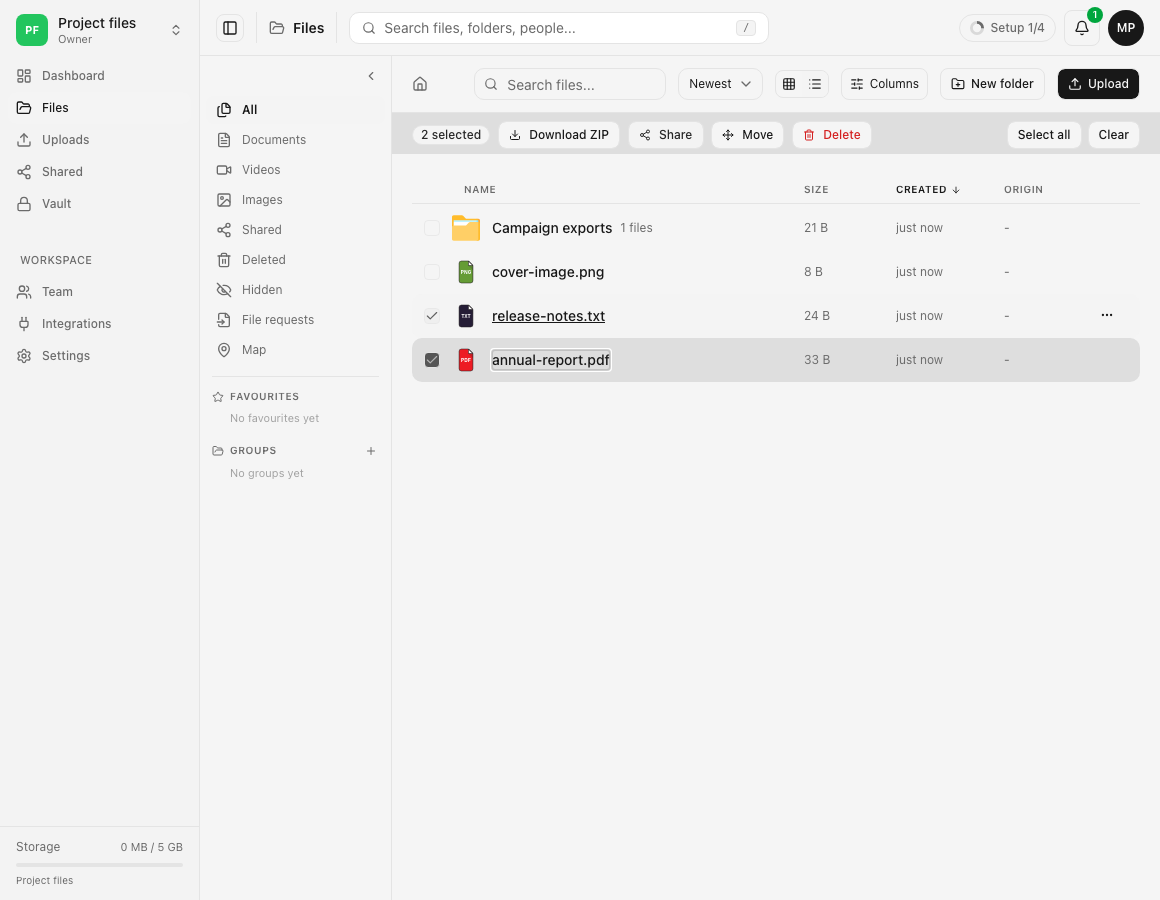
A folder download creates one streamed ZIP containing downloadable files from that folder and its descendants. Paths leading to included files are retained. Empty descendant folders are not represented because the ZIP contains file entries rather than standalone folder entries.
You need a workspace role with download_files. The folder’s Download action is absent when the role lacks that permission. Content protected by a hidden or locked boundary is not disclosed through the archive. Unlock a password-protected ancestor folder you are permitted to access before starting the download. A file’s own View only or Password mode must be deliberately removed by a permitted manager before ZIP can include it; a personal file-preview unlock is not enough.

Steps
- In Files, confirm the workspace and browse to the folder’s parent.
- Open the target folder first if you need to review its contents. Return to its parent when the list is correct.
- Open the folder row’s action menu and choose Download. In a pointer context menu, the same action appears between Open and Share.
- The browser opens the archive request and begins saving
dosya-download.zip. A successful attachment normally closes the temporary tab into the browser download shelf. - Wait for the browser to mark the file complete before opening, moving or renaming it.
Included names and protected items
The ZIP begins with the chosen folder’s name for every included file and preserves the folder segments leading to that file. Dosya makes each path segment safe for local extraction. Colliding paths are retained with numbered names instead of overwriting one another.
Files marked View only, password-locked files, and hidden content outside your available view are excluded. This prevents the archive response from revealing that a protected name exists. If you expected such a file, inspect its own lock and every ancestor. A personal folder unlock can permit eligible descendants, but a file with its own View only or Password mode remains excluded even after you unlock its preview. Ask a permitted manager to remove that file’s lock only if allowing downloads is intended, then request a new archive.
Folder download limits
Archive preparation refuses a tree containing more than 10,000 downloadable files with “Too many files to archive at once (max 10000)”. The combined source size may not exceed 5 GiB; over that boundary the response is “Archive too large (max 5 GiB)”. These are per-ZIP limits, independent of free disk space on your computer.
A truly empty folder produces “This folder is empty - there’s nothing to download.” If several empty folders were selected through the bulk action, the response uses “These folders are empty - there’s nothing to download.” A protected or unavailable folder can instead return “No items found” without explaining what was concealed.
Expected result
Extract the ZIP into a new local directory. Match the top-level folder name, descendant paths and a sample of file sizes against Files. Do not delete the cloud folder until the archive opens, the expected branches exist, and representative files can be read.
If an archived file vanished from object storage while the database still listed it, Dosya puts a MISSING - <original filename>.txt notice at the corresponding path. For example, report.pdf becomes MISSING - report.pdf.txt. The notice means the original bytes are absent from this ZIP; try the file’s individual Download, then give support the visible file name if that also fails.
Related guides
Was this helpful?
Loading helpfulness results…
Voting saves a necessary ballot cookie for up to 180 days so you can change your answer.
Questions and replies
Ask about the steps in this guide. Questions are reviewed before publication.
Keep account details, credentials and private files out of public questions. Use private support for those.
Loading questions…
Sign in to your Dosya account to ask a question.