Preflight a sharing link in a private window
Test a share without account or grant cookies, complete gates in server order, and verify expiry, identity, preview, and download behavior before delivery.
Last reviewed
A private window reproduces a new recipient session without your Dosya login or earlier share cookies. Test the exact final URL after setting every access control.

Steps
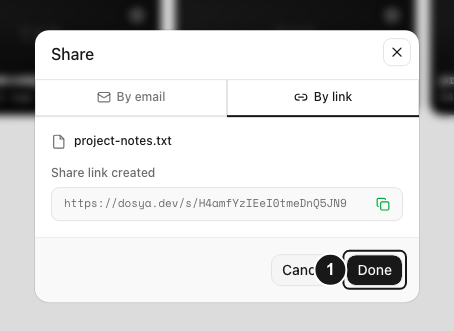
- Copy the exact link from its creation result or Shared page. Confirm its current status is active; a revoked token can never be reused.
- Open a private or incognito window and paste the entire
/s/<token>URL. Do not sign in: public share access needs no Dosya account. - Complete gates in the server’s order. Restricted links request the invited email and six-digit code first; password-protected links then show Unlock. A full-lock password gate withholds file metadata.
- Check the top bar after access: filename or bundle/folder title, size where available, kind, expiry chip, and view counter must match the intended share.
- Open representative items and navigate folders or the bundle grid. View-only links show View only and provide no download action; downloadable items show Download · size or Download all · size.
- Close the private window, reopen another clean session, and repeat the critical gate. Then send the same tested URL and communicate any password through a separate channel.
Expected result
The exact final URL works from a clean browser, exposes only the intended content, and enforces recipient, password, expiry, and download settings.
The recipient grant and password-unlock cookies last 30 minutes; a fresh private session avoids reusing them. Anything visible on screen can still be captured even when downloads are disabled.
Related guides
Was this helpful?
Loading helpfulness results…
Voting saves a necessary ballot cookie for up to 180 days so you can change your answer.
Questions and replies
Ask about the steps in this guide. Questions are reviewed before publication.
Keep account details, credentials and private files out of public questions. Use private support for those.
Loading questions…
Sign in to your Dosya account to ask a question.