Resolve a folder name conflict
Resolve folder-name conflicts during create, rename, move, or restore by choosing a unique name and understanding Dosya’s automatic restore suffixes.
Last reviewed
Dosya allows one live folder with a given name under the same parent. Creation, rename, move, and restore resolve collisions differently, so the right fix depends on which action produced the message.

Before you start
- Compare the entire breadcrumb. Identical names are allowed under different parents.
- Folder names are trimmed, limited to 100 characters, and cannot be
.,.., contain/or\, or include control characters. - A create field accepts a path up to 500 characters. Slashes and backslashes split that path into folder segments rather than becoming part of a folder name.
- Server-side sibling matching uses SQLite’s case-sensitive
BINARYcomparison.Fooandfooare distinct folder names, so include capitalization when checking which sibling caused a conflict.
Steps
- Identify the action and use its rule:
- Create new folder: entering an existing path succeeds and returns the existing leaf.
created_countcan be zero; no duplicate is made. - Rename: Dosya refuses the change with A folder with this name already exists in this folder.
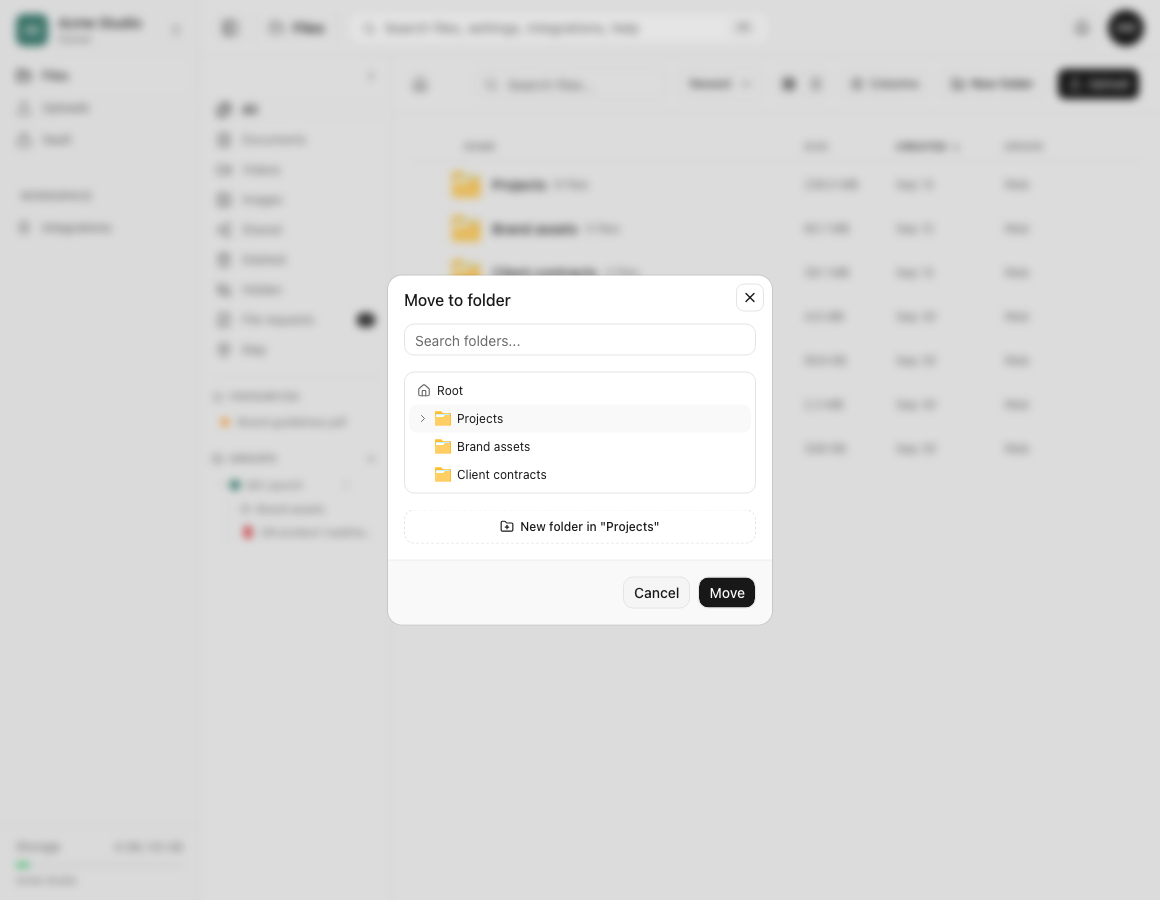
- Move to folder: Dosya leaves the source untouched and returns A folder with this name already exists in the target folder.
- Restore: Dosya restores automatically as the original name, then
name (2),name (3), throughname (99); a pathological larger collision set receives a timestamp suffix.
- Create new folder: entering an existing path succeeds and returns the existing leaf.
- For a rename or move refusal, open the target parent and decide which folder should keep the desired name.
- Rename one folder to a meaningful unique value. Avoid temporary slash-separated text because rename accepts only one segment.
- Retry the original move or rename, then refresh the parent.
- After restore, read the actual name in the Restored toast and use that name when locating the recovered tree.
Expected result
The parent contains one live row for each name. A refused rename or move changes nothing. Reusing a create path preserves the existing folder and contents. Restore keeps the recovered subtree intact while assigning only its root a free sibling name.
Troubleshooting
- Creation says a folder exists after a concurrent request. A rare race can return A folder named “…” already exists here. Refresh; if the intended path exists, open it instead of creating again.
- The name is rejected before conflict checking. Follow Name is required, Name too long (max 100), Name contains invalid characters, or the create-path equivalents naming the offending segment.
- A move still fails after renaming the target. Confirm the source is not being moved into itself or a descendant, and that the picker has refreshed its folder tree.
- Restore used the workspace root. The original parent is still deleted or no longer exists. Restore or recreate that parent, then move the recovered folder there.
Related guides
Was this helpful?
Loading helpfulness results…
Voting saves a necessary ballot cookie for up to 180 days so you can change your answer.
Questions and replies
Ask about the steps in this guide. Questions are reviewed before publication.
Keep account details, credentials and private files out of public questions. Use private support for those.
Loading questions…
Sign in to your Dosya account to ask a question.