Check where a file came from
Read Origin, uploader, dates, region, import source, and account metadata correctly, including how copying changes the recorded creation event.
Last reviewed
Origin identifies the client or protocol that created the current file record. It is useful operational metadata, but it is not a permanent chain of custody or the file’s previous folder.

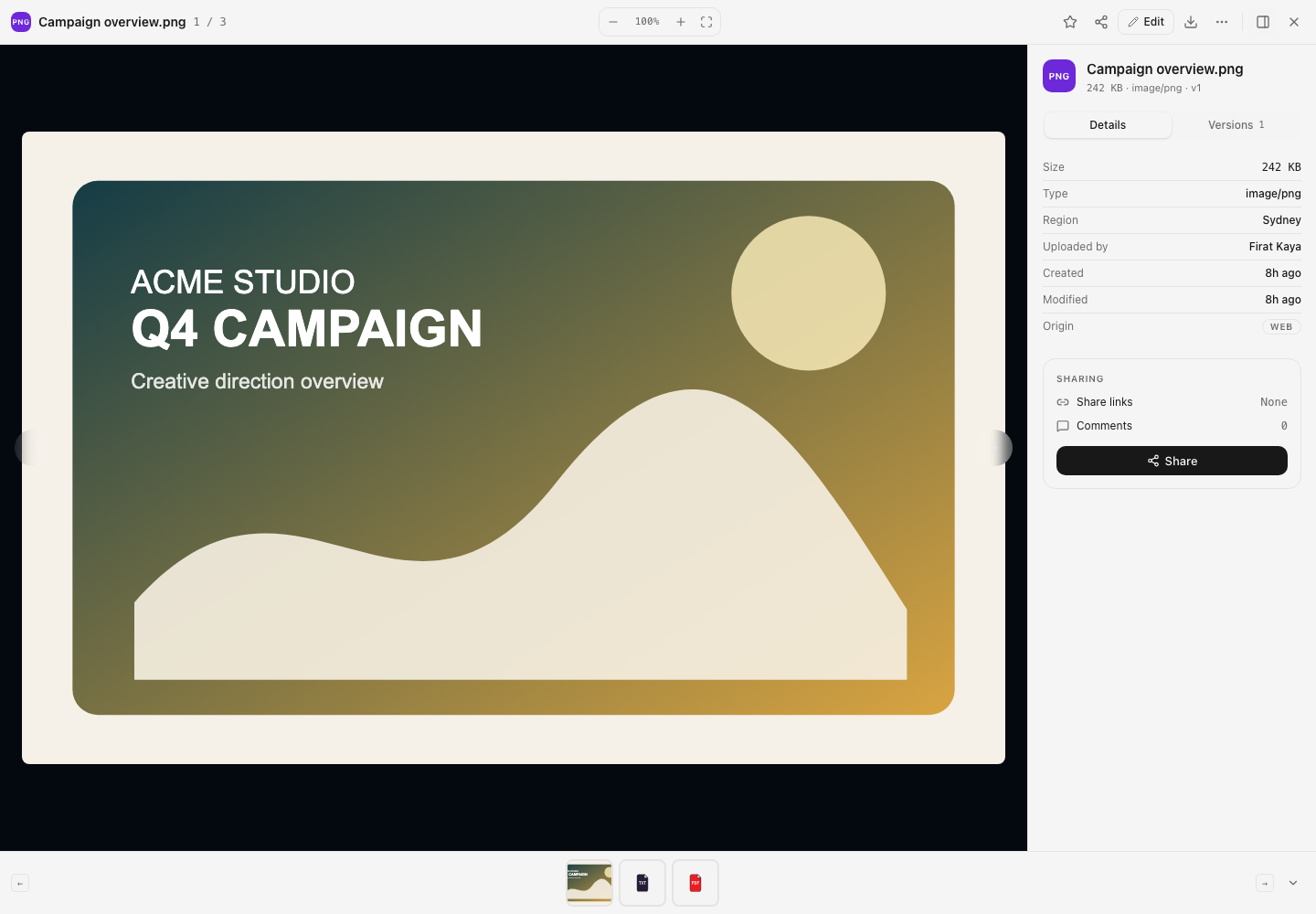
Available labels. The viewer’s Details tab always shows Size, Type, Region, Uploaded by, Created, and Modified. Origin appears only when the record has a stored value, and Synced appears only for a synced file. The Files details panel can additionally show import-specific Source and Account. Get info includes location and version details but does not present the general Origin field.
Steps
- Open the file preview and choose Details. Confirm the filename and file ID so you do not inspect a similarly named copy.
- Read Origin, when present, with Uploaded by, Created, and Modified. Dosya maps stored values to Web, Desktop, Mobile, CLI, WebDAV, S3, FTP, or Import. Preview omits the row when no origin is stored; an unknown nonempty value displays
-, as does a missing or unknown value in the Files table’s Origin column. - For an imported item, open the Files details panel and compare Source and Account. Those fields identify the import connection and are separate from the general origin label.
- Compare Region and Synced only for the questions they answer. They do not reveal the former folder or the person who originally created the bytes outside Dosya.
- If the item was copied, expect the copy to show the copying client as Origin and the current actor as uploader, even though source timestamps and content hash may have been preserved internally.
Do not infer unsupported provenance. Origin does not name a share sender, prove ownership of the content, preserve every transfer hop, or record move history. Moving a file changes only its folder reference and keeps origin; copying creates a new record and therefore a new ingestion event.
If the field is absent or a dash. An absent Preview row means the record has no stored origin. A dash in the Files table can mean the value is missing or unknown to the current label map. Use import Source and Account, uploader, timestamps, audit evidence, or the originating client’s logs for a deeper investigation.
Expected result
You can identify the supported client category that created this file record and distinguish it from uploader, import connection, storage region, sync state, and folder history.
Related guides
Was this helpful?
Loading helpfulness results…
Voting saves a necessary ballot cookie for up to 180 days so you can change your answer.
Questions and replies
Ask about the steps in this guide. Questions are reviewed before publication.
Keep account details, credentials and private files out of public questions. Use private support for those.
Loading questions…
Sign in to your Dosya account to ask a question.