Run an exact duplicate scan
Understand when Dosya's exact-file scan can run, its D1-only storage limitation, 256 MiB ceiling, progress, visibility, and empty-result meaning.
Last reviewed
Dosya finds exact duplicates in a background job. Opening Duplicates does not start an on-demand scan, and the current web page has no Run scan button. The workspace setting must be enabled through the workspace-settings API by a session whose role has Access settings and Change duplicate scanning, or by an operator. Current shipped clients do not expose that switch.

Steps
- Confirm with the workspace administrator that duplicate scanning is enabled, then open Duplicates in the intended workspace. Your role needs Access files; otherwise the API returns
You don't have access to the files page. The current page does not surface itsscan_enabled: falseresponse and can show No duplicates found when scanning is off, so an empty screen alone cannot verify opt-in. - Ask an operator or support to confirm the workspace’s content placement. The scheduled scanner still reads file rows directly from D1. When
data_homeisdo, enabling the setting re-arms the object-side queue but the D1-only scanner does not consume it, so automatic hashing is currently unavailable for those files. - Look for the progress chip, such as 24 files still being scanned. While the reported pending count is above zero, the web page requests fresh results every 15 seconds. You may leave the page: the scanner runs independently on its schedule when the workspace uses D1 storage.
- Allow a working scheduled queue to drain. The production cron is configured every two minutes and asks for at most 100 candidates per run. A run reads at most 384 MiB of eligible content, so a large backlog can need several cycles.
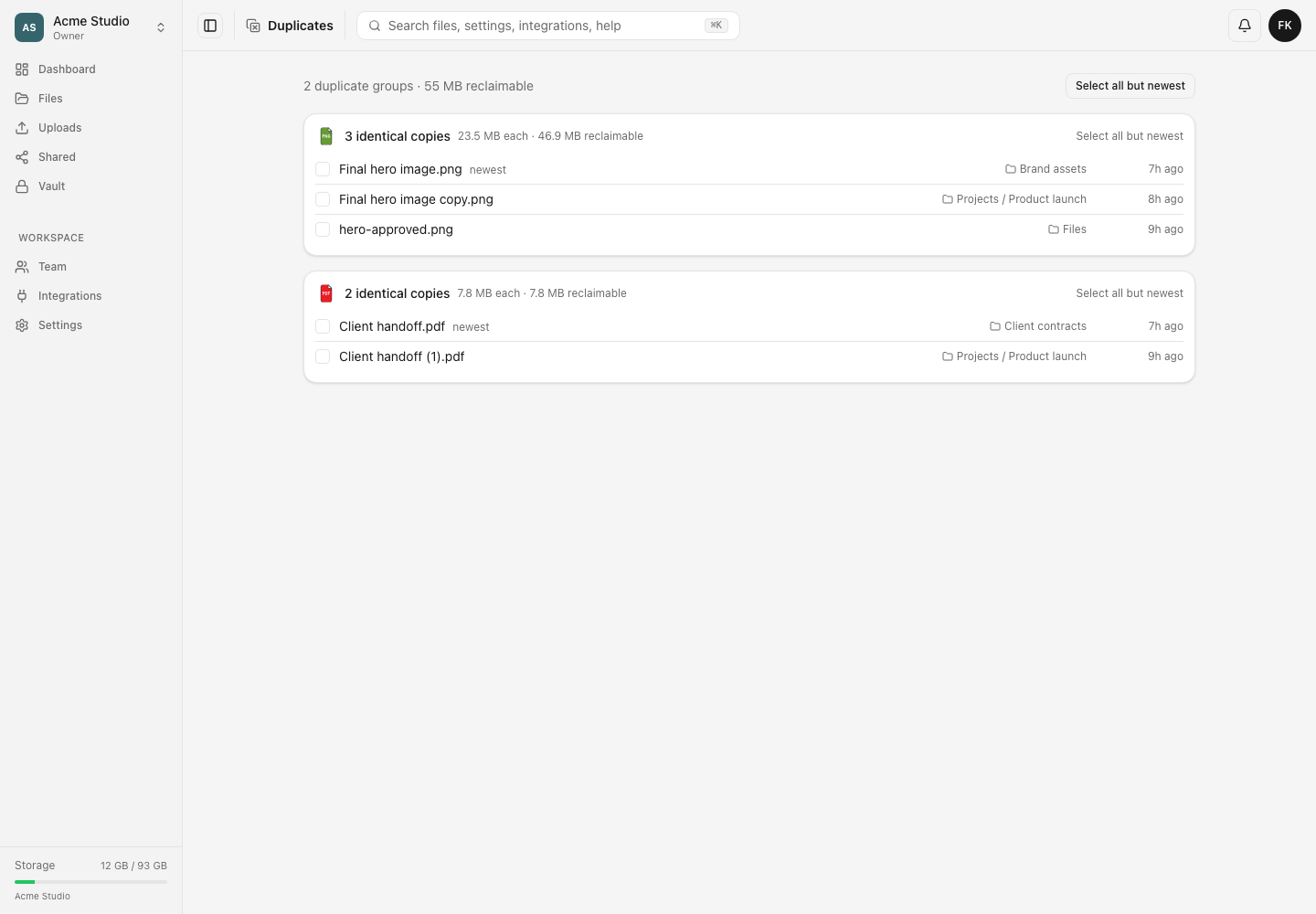
- Review groups as they appear. Dosya first compares file sizes and reads the complete bytes only for files with a same-size peer. Matching content hashes form an exact group; filenames, extensions and folders can differ.
- Use each row’s folder control to inspect its containing location. Files in a group are ordered by creation time, newest first, and the first copy carries the newest label.
- Read the page total before cleanup. The response can contain at most the 100 groups with the largest reclaimable total. If more exist, the page says Showing the 100 largest groups of N. Clean these up and the rest move up. The headline totals still cover all groups.
Files larger than 268,435,456 bytes (256 MiB) are marked too large and are not hashed by this scanner version. A hash failure is tried no more than three times. Therefore No duplicates found means no exact groups are currently known among eligible, visible files; it is not proof that oversized or repeatedly failed files differ.
For a data_home = do workspace, a pending counter that does not fall is consistent with the known scanner limitation. Existing hashes can still produce groups, but waiting through more cron cycles will not hash the object’s queued rows; contact support while the product lacks a repository-aware scanner.
The result also follows the viewer’s boundaries. A folder-confined member sees only that subtree. Files hidden from the viewer are removed before grouping, so a hidden copy neither appears nor leaves a misleading one-file group. Members with Hide files can see hidden content according to the product’s privileged visibility rule.
If loading fails, the page shows Duplicates could not be loaded with Retry. Scanning your files means eligible work remains. Once the pending value reaches zero, the settled empty state reads No duplicates found and Every file in this workspace is unique. New uploads are checked automatically.
Expected result
In a D1-backed workspace with scanning enabled, eligible files are processed automatically, the pending counter falls over successive scheduled runs, and exact-content groups become available without changing file content. A data_home = do workspace will not reach that result through the current scanner. Hashing is read-only; deletion happens only if you separately choose copies and confirm moving them to trash.
Related guides
Was this helpful?
Loading helpfulness results…
Voting saves a necessary ballot cookie for up to 180 days so you can change your answer.
Questions and replies
Ask about the steps in this guide. Questions are reviewed before publication.
Keep account details, credentials and private files out of public questions. Use private support for those.
Loading questions…
Sign in to your Dosya account to ask a question.