Verify that a revoked session is closed
Confirm a revoked Dosya browser or mobile credential disappears and fails a fresh authenticated request after cache invalidation settles.
Last reviewed
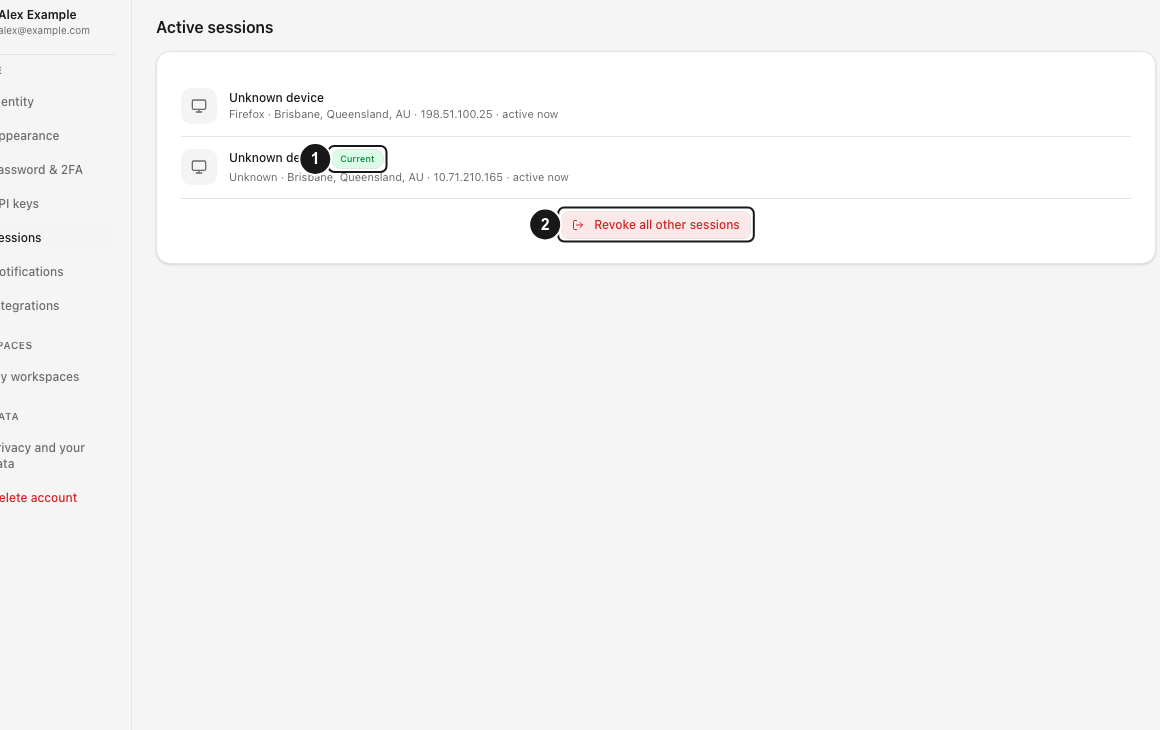
A successful revocation removes a browser session row or marks a mobile token family revoked, then starts invalidating the matching authentication cache. Another warm worker isolate or edge cache can briefly retain cached authorization. The target cannot be the credential currently making the request.

Steps
- On the trusted device, reload Profile → Sessions after revocation and check that the target row no longer appears.
- If you used Revoke all other sessions, confirm the list retains Current. It may also preserve extensions linked to the caller because they represent the same device.
- On the revoked device, refresh a private route or attempt another authenticated action. An already rendered screen can remain visible until it contacts the server; visibility alone is not proof of access.
- After cache invalidation settles, expect a sign-in requirement or authentication failure on a fresh request. A revoked phone loses its token family, including linked Files-extension credentials.
- Review the A session was signed out in-app notice or push. It names the target using its stored browser/OS, age, and location or IP fallback; this routine event is not emailed.
- If a row returns after a new login, compare its new time. Signing in legitimately creates a new credential.
After cache invalidation settles, revocation stops future server access but cannot recall content already cached or downloaded on that machine. Use device-level remote erase when local possession is the concern.
Expected result
The revoked entry is absent on a fresh list. After cache invalidation settles, its old credential cannot complete a fresh authenticated request and a new login is required. A single-device notice describes the credential ended rather than the trusted device that initiated revocation; bulk revocation instead reports the combined device count.
Related guides
Was this helpful?
Loading helpfulness results…
Voting saves a necessary ballot cookie for up to 180 days so you can change your answer.
Questions and replies
Ask about the steps in this guide. Questions are reviewed before publication.
Keep account details, credentials and private files out of public questions. Use private support for those.
Loading questions…
Sign in to your Dosya account to ask a question.